
Best AI Productivity Tools For BeginnersFree Apps, Automation & Focus Tools
The best AI productivity tools for beginners help you save more time, automate repetitive tasks, and stay focused — without any technical skills. Discover free AI productivity apps from AI meeting assistants and AI automation tools to smart schedulers, note-taking apps, and calendar optimizers. These free AI productivity tools work smarter for you every day.

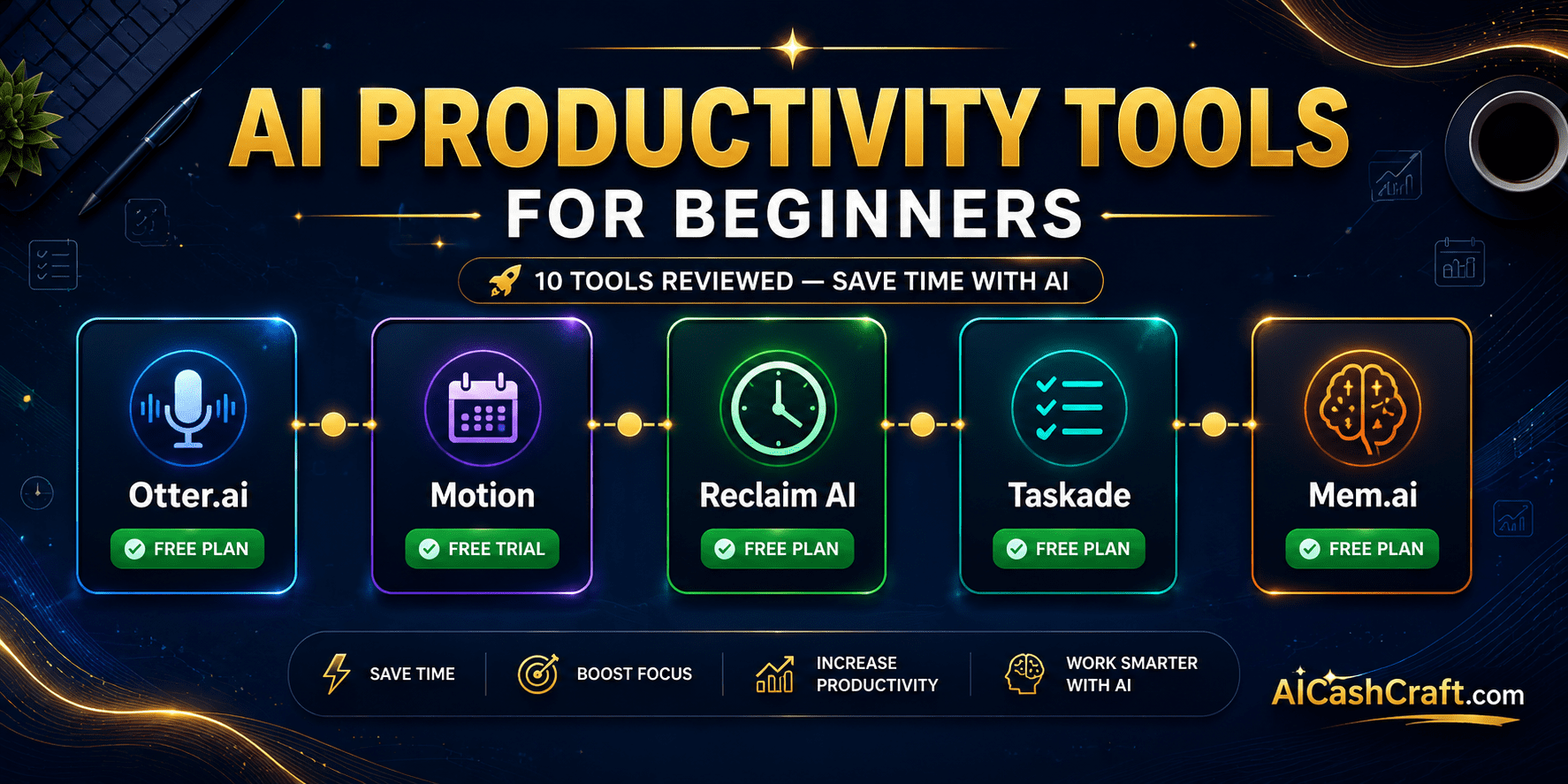
10 Best AI Productivity Tools for Beginners
These free AI productivity tools for beginners cover meeting transcription, smart scheduling, AI automation tools, note-taking, and workflow apps. Whether you need a free AI productivity app to save time, automate tasks, or organize your work — this directory covers all the best options. Looking for Notion AI or Zapier? Find them on our main AI Tools page → Also explore: AI Video Tools · AI Image Tools · AI Writing Tools · Start Here Guide
Jump to a tool:
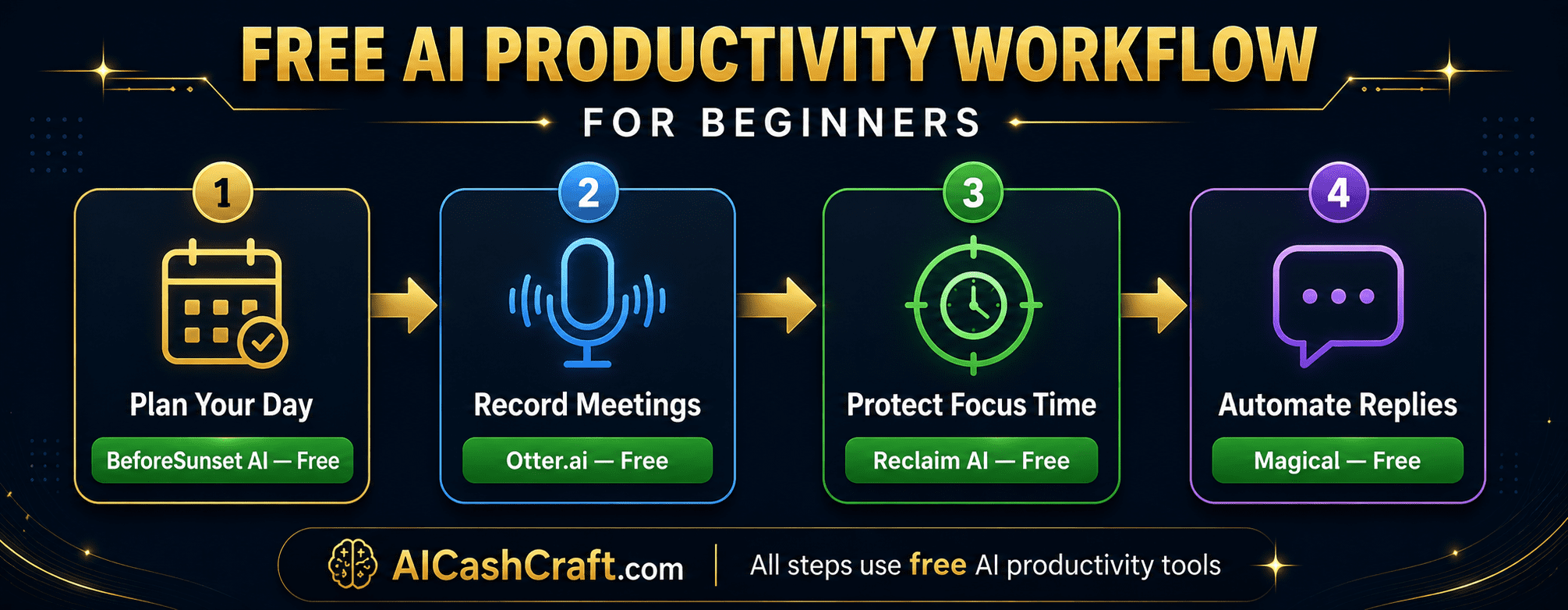
Otter.ai is the best free AI meeting transcription tool for beginners — it automatically transcribes meetings, interviews, lectures, and voice notes in real time with high accuracy. It integrates directly with Zoom, Google Meet, and Microsoft Teams to join meetings automatically and produce searchable, shareable transcripts. As one of the most practical free AI productivity tools for beginners, Otter.ai’s free plan includes 300 transcription minutes per month — enough for regular meeting transcription and note-taking without upgrading.
Motion is the most advanced AI productivity tool for scheduling — it automatically arranges your tasks, meetings, and deadlines into the most efficient daily schedule possible. Instead of manually deciding when to work on each task, Motion’s AI analyzes your calendar, task priorities, and deadlines, then builds your entire day automatically. It reschedules unfinished tasks in real time when meetings run over or new priorities arise. Motion is one of the best AI tools to save time for professionals managing complex workloads.
Reclaim AI is a free AI productivity tool that integrates with Google Calendar to automatically schedule focus time, recurring habits, and important tasks before meetings fill your calendar. It defends your deep work hours, schedules regular breaks, and rearranges tasks intelligently when your calendar changes. As one of the best free AI tools to save time for beginners who struggle to protect focused work hours, Reclaim AI’s free plan supports one calendar with habits and tasks scheduling — more than enough to start building a productive daily routine.
Taskade is an AI-powered productivity platform that combines task management, project planning, mind mapping, and team collaboration in one free tool. Its AI assistant can generate entire project plans, break down goals into actionable tasks, write meeting agendas, and suggest next steps automatically. For beginners looking for free AI productivity tools that handle both personal task management and team collaboration, Taskade’s free plan is the most generous available — with unlimited projects, tasks, and AI generations per month.
Mem.ai is an AI-powered note-taking tool that organizes itself — you never need to manually sort notes into folders. Instead, Mem’s AI automatically surfaces relevant notes as you write, links related information, and lets you ask questions about your entire notes library using natural language. It is one of the most unique free AI productivity tools for beginners who take a lot of notes but struggle with organization. The free plan includes unlimited notes with core AI features, making it a strong Notion AI alternative for knowledge management.
Clockwise is a free AI productivity tool that connects to your Google Calendar and automatically optimizes your schedule by moving flexible meetings to create longer blocks of uninterrupted focus time. It analyzes your team’s calendars and finds the best meeting times that minimize schedule fragmentation for everyone involved. As one of the best free AI productivity tools for beginners who work in teams, Clockwise’s free plan supports unlimited calendar optimization with focus time protection and meeting scheduling links.
Krisp is a free AI productivity tool that removes background noise, echo, and room reverb from your microphone in real time — making every call sound like it was recorded in a professional studio. It works as a virtual microphone layer that sits between your actual microphone and any calling app — Zoom, Google Meet, Teams, Discord, and any other platform. For beginners working from home or noisy environments, Krisp is one of the most immediately impactful free AI productivity tools available. Free plan includes 60 minutes of noise cancellation per day.
Fireflies.ai is a free AI meeting assistant that joins your Zoom, Google Meet, or Teams calls automatically, records and transcribes the entire meeting, and generates an AI summary with key points and action items within minutes of the call ending. Unlike Otter.ai which focuses on transcription, Fireflies.ai excels at post-meeting intelligence — organizing transcripts by topic, identifying decisions made, and tracking action items across multiple meetings. The free plan includes unlimited meeting recordings stored in the cloud with AI summaries.
Magical is a completely free AI productivity tool — a Chrome extension that lets you create text shortcuts that expand into full paragraphs, emails, or messages with a single keystroke. Type a short trigger word anywhere on the web and Magical replaces it instantly with your saved template. It also includes AI-powered message drafting that writes replies based on the context of conversations you are in. For beginners who send repetitive emails, messages, or responses regularly, Magical is one of the most immediately practical free AI tools to save time available.
BeforeSunset AI is a daily planning tool that uses AI to help you plan your work day realistically — taking your task list and calendar and building a structured, achievable daily plan that accounts for your actual available time. Unlike generic to-do apps, BeforeSunset AI considers meeting times, energy levels, and task durations to create a plan you can realistically complete before the end of the work day. It is one of the best free AI productivity tools for beginners who struggle with over-planning and consistently carry tasks over from one day to the next.
Best AI Productivity Tools for Beginners — Side by Side
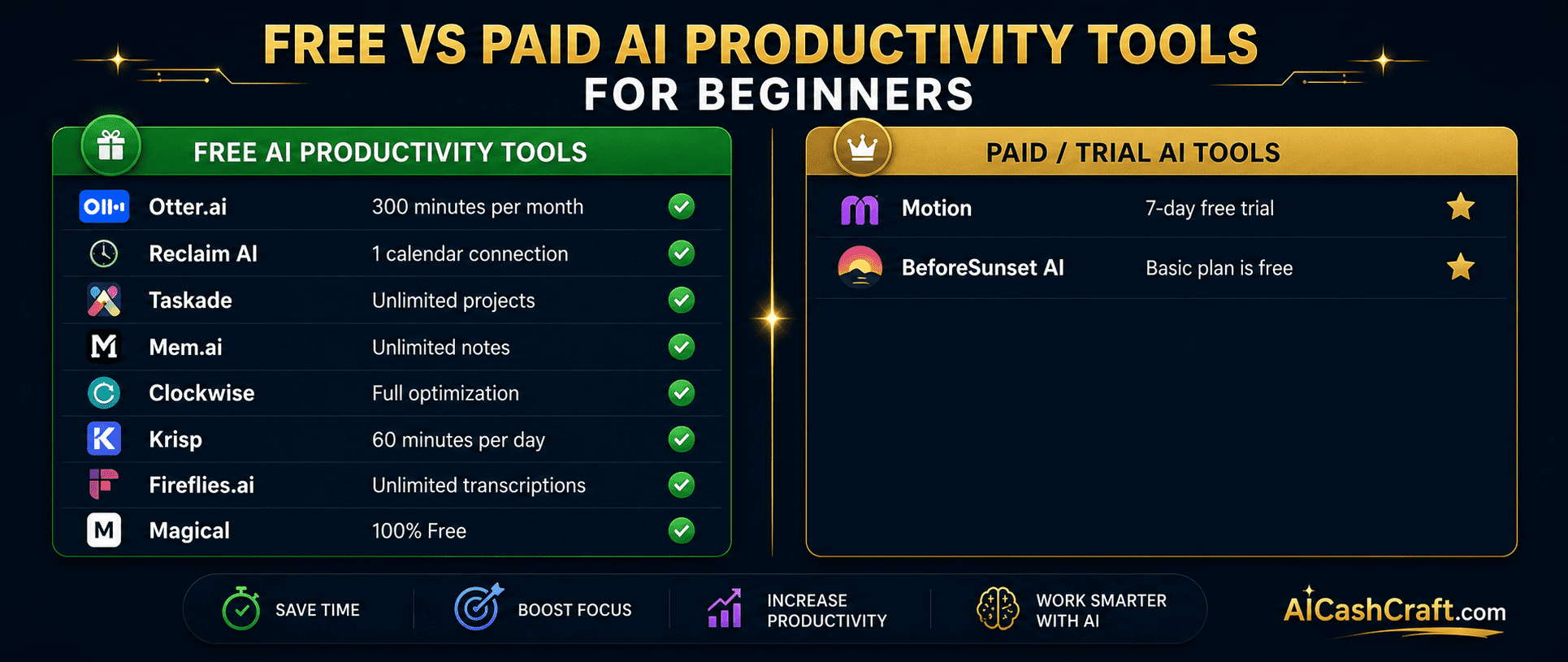
| Tool | Free Plan | Paid From | Best For | Rating |
|---|---|---|---|---|
| Otter.ai | ✅ 300 min/month | $16.99/mo | Meeting transcription | ★★★★★ |
| Motion | 7-day trial | $19/mo | AI daily scheduling | ★★★★★ |
| Reclaim AI | ✅ 1 calendar | $10/mo | Focus time protection | ★★★★★ |
| Taskade | ✅ Unlimited | $19/mo | Task + project management | ★★★★★ |
| Mem.ai | ✅ Unlimited notes | $14.99/mo | AI note-taking | ★★★★☆ |
| Clockwise | ✅ Full access | $6.75/mo | Calendar optimization | ★★★★☆ |
| Krisp | ✅ 60 min/day | $8/mo | Noise cancellation | ★★★★★ |
| Fireflies.ai | ✅ Unlimited | $18/mo | Meeting summaries | ★★★★★ |
| Magical | ✅ 100% Free | No paid plan | Text expansion | ★★★★★ |
| BeforeSunset AI | ✅ Basic free | $15/mo | Daily planning | ★★★★☆ |
Free Tools Built for AICashCraft Readers
Find your best free AI productivity tool, explore income ideas, and get expert prompts — all completely free.
Frequently Asked Questions — Best AI Productivity Tools for Beginners
The best free AI productivity tools for beginners are Magical (100% free text expansion), Reclaim AI (free focus time protection), Fireflies.ai (free meeting summaries), and Taskade (free unlimited project management). For meeting transcription, Otter.ai’s free plan covers 300 minutes per month. Use our free AI Tool Finder Quiz for a personalized recommendation. Also check our Start Here guide for the complete AI tools roadmap.
The best free AI productivity apps to save time depend on your biggest time drain. If meetings are the issue, Fireflies.ai and Otter.ai eliminate manual note-taking. If repetitive typing wastes your time, Magical’s free AI automation tool is immediately impactful. If poor scheduling is the problem, Reclaim AI or Motion automates your daily plan. Most beginners find that starting with Magical and Fireflies.ai saves 2-3 hours per week with no learning curve.
Most AI productivity tools handle data according to clear privacy policies — review each tool’s terms before using them for sensitive meetings. Krisp is particularly privacy-focused as it processes audio entirely on your device with no audio sent to the cloud. For business-sensitive meetings, review the data retention and privacy policies of tools like Fireflies.ai and Otter.ai before connecting them to confidential calls. For most everyday business meetings, these tools are widely used and trusted by millions of professionals globally.
Yes — free AI productivity apps and AI automation tools help beginners work more efficiently, which translates to more output in less time. Freelancers who use Fireflies.ai for client meeting summaries appear more professional and can handle more clients. Magical’s AI automation tool allows faster responses and higher volume work. Better scheduling tools like Reclaim AI and Motion create more focused work time for income-generating activities. Use our free AI Income Calculator and AI Side Hustles guide for practical income ideas. Also explore our AI Video Tools and AI Writing Tools directories.
Ready to Use the Best AI Productivity Tools for Beginners?
Find your best free AI productivity app, explore AI automation tools, discover time-saving workflows, and AI income ideas — all completely free at AICashCraft.
Top 10 Free AI Tools for Beginners
Download our free 13-page PDF guide covering the best free AI tools with beginner tips and step-by-step advice. No sign-up needed.
⬇️ Download Free PDF Guide