
Best AI Image Tools For BeginnersFree Image Generators, Editors & More
Explore 10 powerful AI image tools for beginners — from free AI image generators and photo editors to background removers and design enhancers. All tools include free plan details, honest ratings, and practical beginner tips to help you start creating AI images today.
10 Best AI Image Tools for Beginners
These tools cover AI image generation, photo editing, background removal, and design enhancement. Looking for Canva AI, Midjourney, or DALL-E 3? Find them on our main AI Tools page →
Jump to a tool:
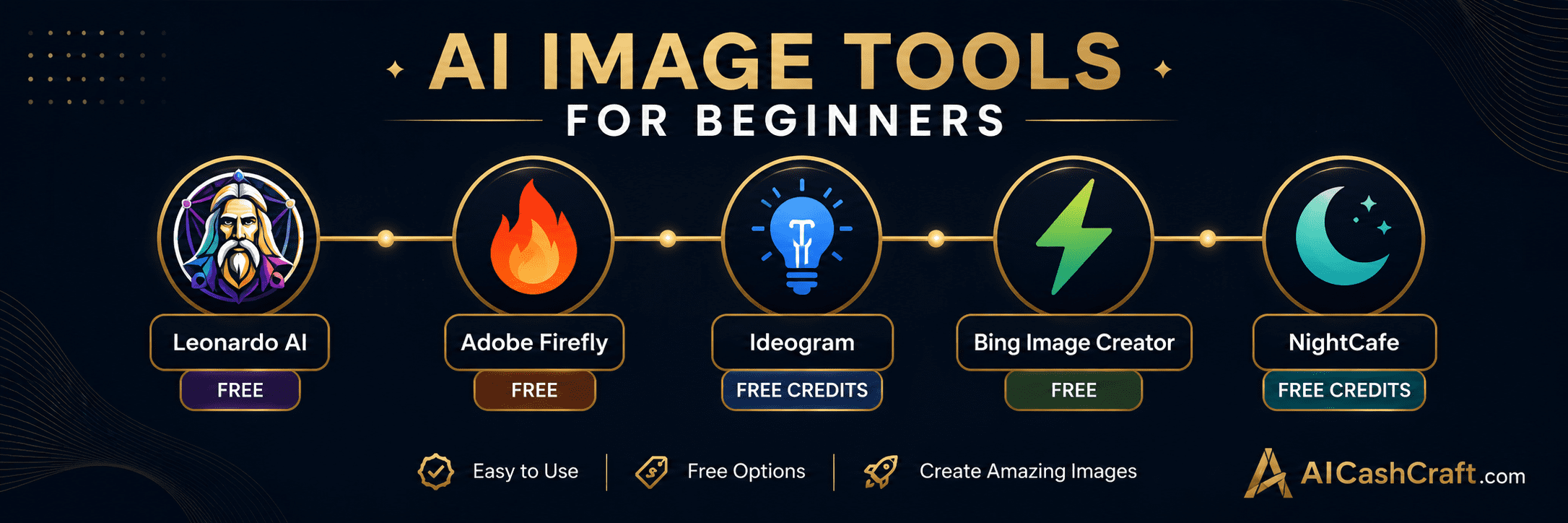
Leonardo AI is the best free AI image generator for beginners — offering 150 free credits daily just for signing up, with no credit card required. It generates photorealistic images, digital art, illustrations, and game assets from simple text descriptions. Leonardo AI is known for its exceptional image quality, wide variety of art styles, and beginner-friendly interface. It is ideal for blog images, social media graphics, YouTube thumbnails, and creative digital art projects.
Adobe Firefly is Adobe’s AI image generation platform — and uniquely, it is trained only on licensed images, making it safe for commercial use without copyright concerns. The free plan includes 25 generative credits per month, access to the text-to-image generator, and Generative Fill for editing photos. Firefly integrates directly with Photoshop and Illustrator for paid Adobe users, but the standalone web version is free and requires no Adobe subscription to start.
Ideogram solves one of the biggest problems in AI image generation — adding readable, accurate text inside images. Most AI tools struggle to render legible text within generated images, but Ideogram excels at it. This makes it the go-to tool for creating social media graphics with quotes, blog featured images with titles, YouTube thumbnails with overlay text, and promotional graphics — all without needing a separate design tool. The free plan offers 10 free images per day.
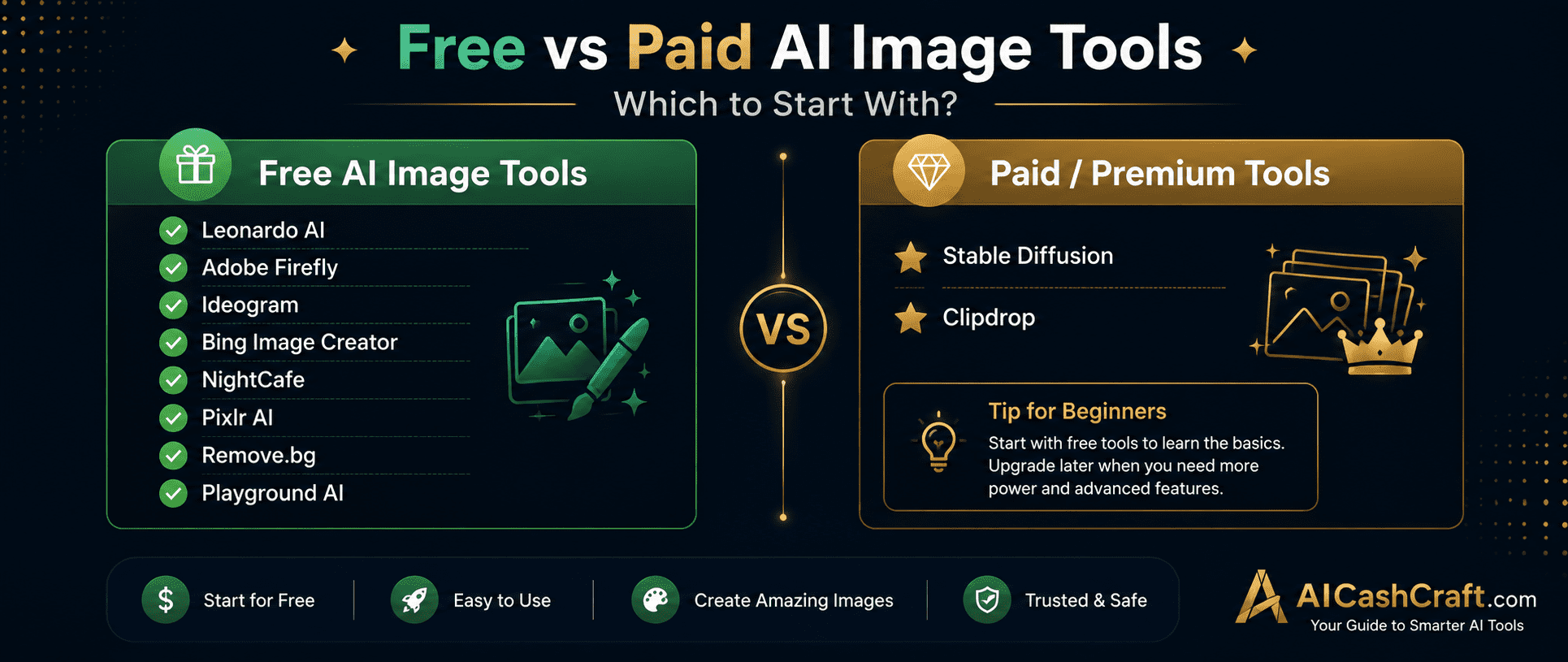
Stable Diffusion is the leading open-source AI image model — available through DreamStudio (the official web interface) with 25 free credits upon signup, or free to run locally on your own computer. It gives users the highest level of creative control among all AI image tools — with settings for steps, CFG scale, sampler, seed, and model selection. For beginners, DreamStudio is the easiest entry point, while more advanced users can run it locally with tools like Automatic1111 for completely free, unlimited generation.
Bing Image Creator is Microsoft’s free AI image generator powered by DALL-E technology. It is the most accessible free AI image tool — available directly in the Bing search engine and Microsoft Edge browser with no separate account required beyond a free Microsoft account. It generates 4 images from any text description in seconds, with high visual quality and a clean, simple interface. Perfect for beginners who want quick, high-quality images without signing up for yet another platform.
NightCafe is one of the most established AI art generation platforms — with a strong community, multiple AI model options, and free daily credits. It supports Stable Diffusion, DALL-E, and its own NightCafe model, giving users access to multiple generation styles from one platform. The community gallery lets you discover prompts from other creators, making it an excellent learning resource for beginners who want to see what works and understand effective prompt writing through real examples.
Pixlr AI is a free browser-based photo editor with powerful AI enhancement tools — no download or installation required. It combines traditional photo editing (layers, filters, adjustments) with AI-powered features including background removal, image upscaling, object removal, and generative AI fill. For beginners who need to edit photos for blogs, social media, or digital products without paying for Adobe Photoshop, Pixlr AI provides a comprehensive free alternative with a familiar interface.
Remove.bg is the most popular and accurate free background removal tool available — it removes the background from any image in seconds with a single click and no manual selection required. The AI accurately detects and removes backgrounds from photos of people, products, animals, and objects. The free plan provides unlimited background removals at lower resolution (preview size), with paid plans offering full-resolution downloads. It is an essential tool for product photography, profile photos, and social media graphics.
Clipdrop by Stability AI is an all-in-one AI image toolkit — combining background removal, image upscaling, object removal, relighting, image generation, and cleanup tools in one platform. It is particularly useful for product photographers and content creators who need multiple image editing functions without switching between different tools. The free plan provides access to most tools with daily usage limits, making it a strong all-in-one option for beginners who work with images regularly.
Playground AI is a free AI image generation and design platform offering 500 free images per day — the most generous free plan of any AI image tool. It combines AI image generation with basic design tools including text overlays, image filters, and canvas editing. Playground AI is ideal for beginners who need high volume image generation for social media content, blog posts, or creative experimentation. Its canvas-based interface makes it easy to create complete social media graphics without switching to a separate design tool.
AI Image Tools for Beginners — Side by Side Comparison
| Tool | Free Plan | Paid From | Best For | Rating |
|---|---|---|---|---|
| Leonardo AI | ✅ 150 credits/day | $12/mo | Image generation, art | ★★★★★ |
| Adobe Firefly | ✅ 25 credits/mo | $9.99/mo | Commercial-safe images | ★★★★★ |
| Ideogram | ✅ 10 images/day | $8/mo | Text in images, thumbnails | ★★★★★ |
| Stable Diffusion | ✅ 25 free credits | Credit-based | Advanced, custom control | ★★★★☆ |
| Bing Image Creator | ✅ 100% Free | No paid plan | Quick free images | ★★★★☆ |
| NightCafe | ✅ Daily credits | $7.99/mo | AI art, community | ★★★★☆ |
| Pixlr AI | ✅ Full access | $7.99/mo | Photo editing | ★★★★☆ |
| Remove.bg | ✅ Unlimited low-res | $9/mo | Background removal | ★★★★★ |
| Clipdrop | ✅ Daily limits | $13/mo | All-in-one editing | ★★★★☆ |
| Playground AI | ✅ 500/day | $15/mo | High-volume social media | ★★★★★ |
Free Tools Built for AICashCraft Readers
Find your best AI image tool, get expert prompts, explore income ideas — all completely free.
Frequently Asked Questions — AI Image Tools
Leonardo AI is the best free AI image generator for beginners — offering 150 free daily credits with no credit card required. Playground AI offers the most generous free plan at 500 images per day. For images with text overlay (thumbnails, quote graphics), Ideogram is the top choice. Use our free AI Tool Finder Quiz for a personalized recommendation.
It depends on the tool. Adobe Firefly is specifically trained on licensed content and is safe for commercial use. Leonardo AI, Playground AI, and most others allow commercial use of generated images on their paid plans — check each tool’s specific terms of service. For commercial projects including client work and products to sell, Adobe Firefly is currently the safest and clearest option.
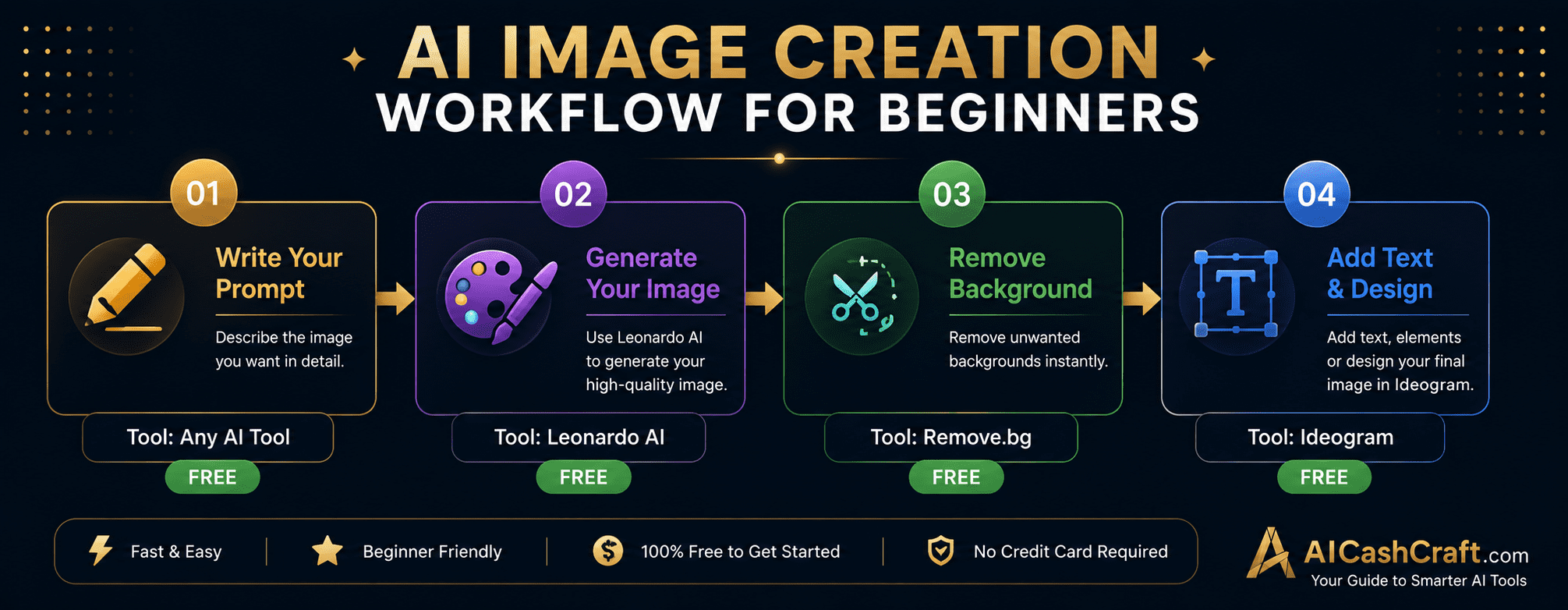
Ideogram is the best tool for YouTube thumbnails because it accurately renders readable text inside generated images — solving the biggest problem with AI thumbnails. Generate your thumbnail background image in Leonardo AI, then use Ideogram to add your title text, or use Ideogram’s built-in generation for complete text-included thumbnails. See our guide on AI Tools for Social Media Managers for a complete content creation workflow.
Effective AI image prompts include: the subject (what you want), the style (realistic, illustrated, minimalist), the colors (dark navy, gold accents), the lighting (golden hour, studio light), and the mood (professional, creative, dramatic). Example: “A minimalist laptop on a dark navy desk, soft golden lighting, professional product photography style, clean background.” Use our free Prompt Generator for ready-made image prompt ideas.
The best AI image tools for beginners include Leonardo AI, Adobe Firefly, Ideogram, Bing Image Creator, and Playground AI. These tools offer free plans, beginner-friendly interfaces, and powerful features for creating AI-generated images, graphics, thumbnails, blog visuals, and social media content.
Ready to Start With AI Image Tools?
Find your best AI image tool, get expert image prompts, and explore creative income ideas — all completely free.
Top 10 Free AI Tools for Beginners
Download our free 13-page PDF guide covering the best free AI tools with beginner tips and step-by-step advice. No sign-up needed.
⬇️ Download Free PDF Guide