
Best AI Video Tools for BeginnersFree AI Video Makers, Editors & Generators
Explore the best AI video tools for beginners — from free AI video makers and text-to-video generators to AI avatars, auto-captioning, and short clip creation tools. This AI video tools for beginners directory includes free plan details, honest ratings, and practical beginner tips to help you start creating video content today.

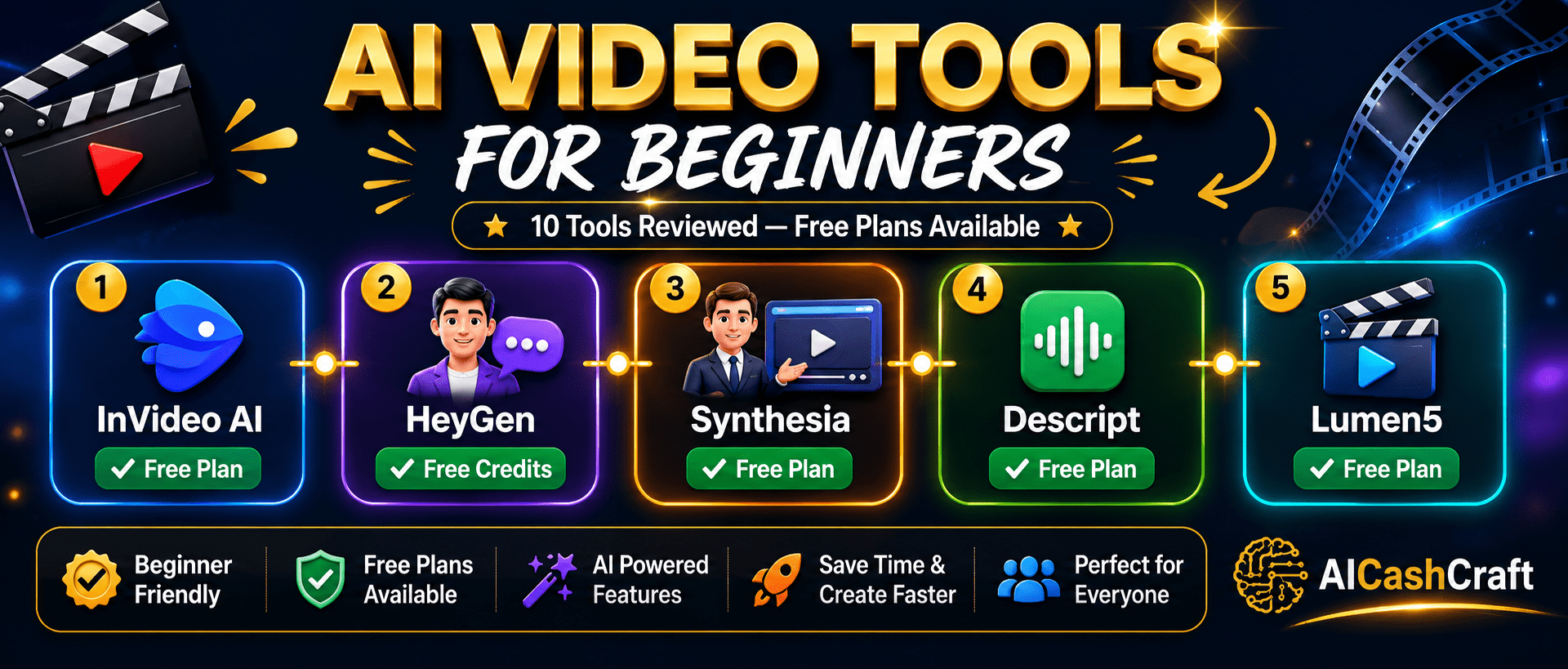
10 Best AI Video Tools for Beginners
These free AI video tools for beginners cover text-to-video, AI avatars, auto-captioning, video editing, and short-form clip creation. Whether you need a free AI video maker, a faceless YouTube tool, or an AI video editing tool — this directory covers all the best options. Looking for CapCut, Runway ML, or Pictory? Find them on our main AI Tools page →
Jump to a tool:
InVideo AI is the most beginner-friendly free AI video maker available — you simply type a text prompt describing the video you want and InVideo AI produces a complete video with stock footage, voiceover, captions, and background music in minutes. No video editing experience is required. As one of the best AI video tools for beginners, the free plan includes 10 AI video exports per week with InVideo watermark — sufficient for testing and building a video content workflow from scratch.
HeyGen creates professional talking-head videos using AI avatars — you type a script and a realistic AI avatar delivers it on screen, completely without a camera or recording setup. This is ideal for beginners who want to create YouTube videos, explainer content, or course videos without appearing on camera themselves. HeyGen also includes a video translation feature that can translate and re-lip-sync existing videos into 40+ languages automatically. Free plan includes 1 free video per month.
Synthesia is the leading professional AI video platform used by thousands of businesses for training videos, product demos, and internal communications. It generates polished talking-head videos from text scripts using AI avatars — with a significantly more professional look than most competitors. The free plan allows up to 3 minutes of video per month, which is sufficient to test the platform and create short explainer videos. Synthesia is best for users who need professional-quality AI video output.
Descript is a unique AI video editing tool that works differently from every other platform — it transcribes your video automatically and lets you edit the video by editing the text transcript. Delete a word from the transcript and that word is removed from the video. This makes it one of the fastest free AI video tools for beginners who record talking-head videos, tutorials, and podcasts. Descript also includes AI voice cloning, filler word removal, background noise elimination, and automatic captions.
Lumen5 is a free AI video maker that specializes in converting written content — blog posts, articles, and scripts — into engaging social media videos automatically. Paste a blog post URL or text, and Lumen5 uses AI to extract key sentences, match relevant stock footage, and produce a complete video ready for LinkedIn, Instagram, Facebook, or YouTube. For content creators looking for free AI video tools for beginners that repurpose existing content, Lumen5 is the most efficient option available.
Clipchamp is Microsoft’s completely free AI video editing tool — now built directly into Windows 11 — making it the most accessible free AI video tool for beginners. It includes AI-powered auto-captions, text-to-speech voiceover, social media format templates, and a clean drag-and-drop timeline. Unlike most AI video tools for beginners, Clipchamp has no watermarks, no export limits, and no credit card required. It exports in up to 1080p HD for free, making it the best zero-cost AI video maker for Windows users.
Veed.io is a browser-based AI video editor with exceptional auto-captioning, subtitle translation, and video enhancement tools — no installation required. Its subtitle editor is the strongest available in a free tool, supporting accurate captions in 100+ languages with customizable fonts, colors, and animation styles. The free plan includes unlimited video creation with Veed.io watermark on exports. Veed.io is particularly useful for social media creators who need captioned videos for Instagram Reels, TikTok, and LinkedIn posts.
Fliki converts text, blog posts, and scripts into videos with highly natural AI voiceovers — the voice quality is consistently rated among the best in the AI video space. You write or paste your script, choose from 2,000+ AI voices in 75+ languages, and Fliki automatically matches relevant stock clips to each sentence. The free plan includes 5 minutes of video creation per month with Fliki watermark. It is the best tool for creating faceless YouTube videos, explainer content, and audio-first video content.
Steve AI specializes in converting text scripts into both live-action stock footage videos and animated cartoon-style videos — giving beginners two distinct visual options for their content. The animation feature is unique among free AI video tools for beginners — it generates illustrated, cartoon-style explainer videos that stand out from typical AI video tools. This makes Steve AI particularly useful for educational content and explainer videos where animation is more engaging than stock footage. Free plan includes 1 video per month.
OpusClip is a free AI video tool that automatically identifies the most engaging moments in long-form videos and repurposes them into short viral clips for TikTok, Instagram Reels, and YouTube Shorts. Upload a podcast episode, webinar, or long YouTube video, and OpusClip extracts the best 30-90 second segments, adds animated captions, reframes the video vertically, and scores each clip by viral potential. As one of the most practical AI video tools for beginners who already have long-form content, OpusClip’s free plan includes 60 minutes of uploads per month.
Best AI Video Tools for Beginners — Side by Side
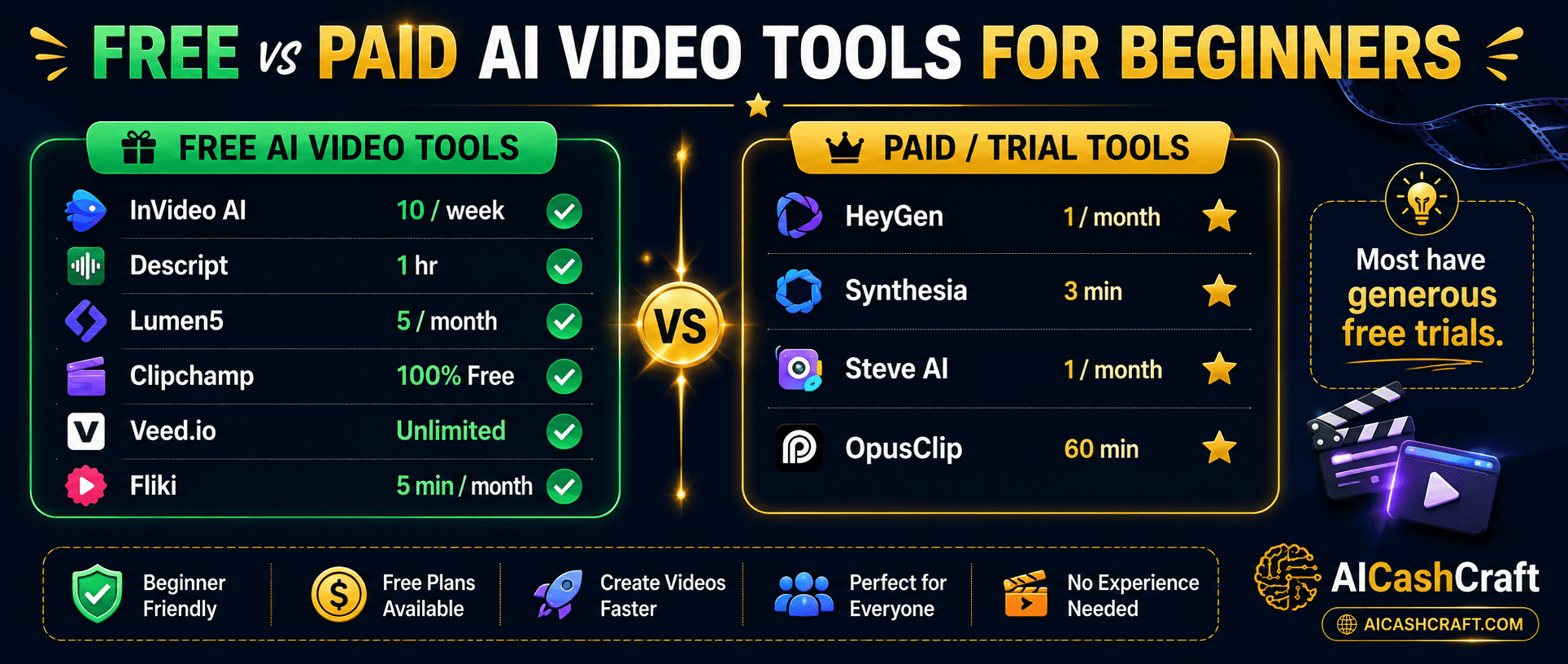
| Tool | Free Plan | Paid From | Best For | Rating |
|---|---|---|---|---|
| InVideo AI | ✅ 10 exports/week | $25/mo | Text-to-video, social media | ★★★★★ |
| HeyGen | ✅ 1 video/month | $29/mo | AI avatar videos | ★★★★★ |
| Synthesia | ✅ 3 min/month | $29/mo | Professional training videos | ★★★★☆ |
| Descript | ✅ 1hr transcription | $24/mo | Podcast and tutorial editing | ★★★★★ |
| Lumen5 | ✅ 5 videos/month | $29/mo | Blog to video conversion | ★★★★☆ |
| Clipchamp | ✅ 100% Free | Microsoft 365 | General editing, Windows | ★★★★★ |
| Veed.io | ✅ Unlimited (watermark) | $18/mo | Auto-captions, social media | ★★★★☆ |
| Fliki | ✅ 5 min/month | $28/mo | Faceless YouTube, voiceover | ★★★★☆ |
| Steve AI | ✅ 1 video/month | $20/mo | Animated explainer videos | ★★★★☆ |
| OpusClip | ✅ 60 min/month | $15/mo | Long video to short clips | ★★★★★ |
Free Tools Built for AICashCraft Readers
Find your best AI video tool, get expert prompts, explore income ideas — all completely free.
Frequently Asked Questions — Best AI Video Tools for Beginners
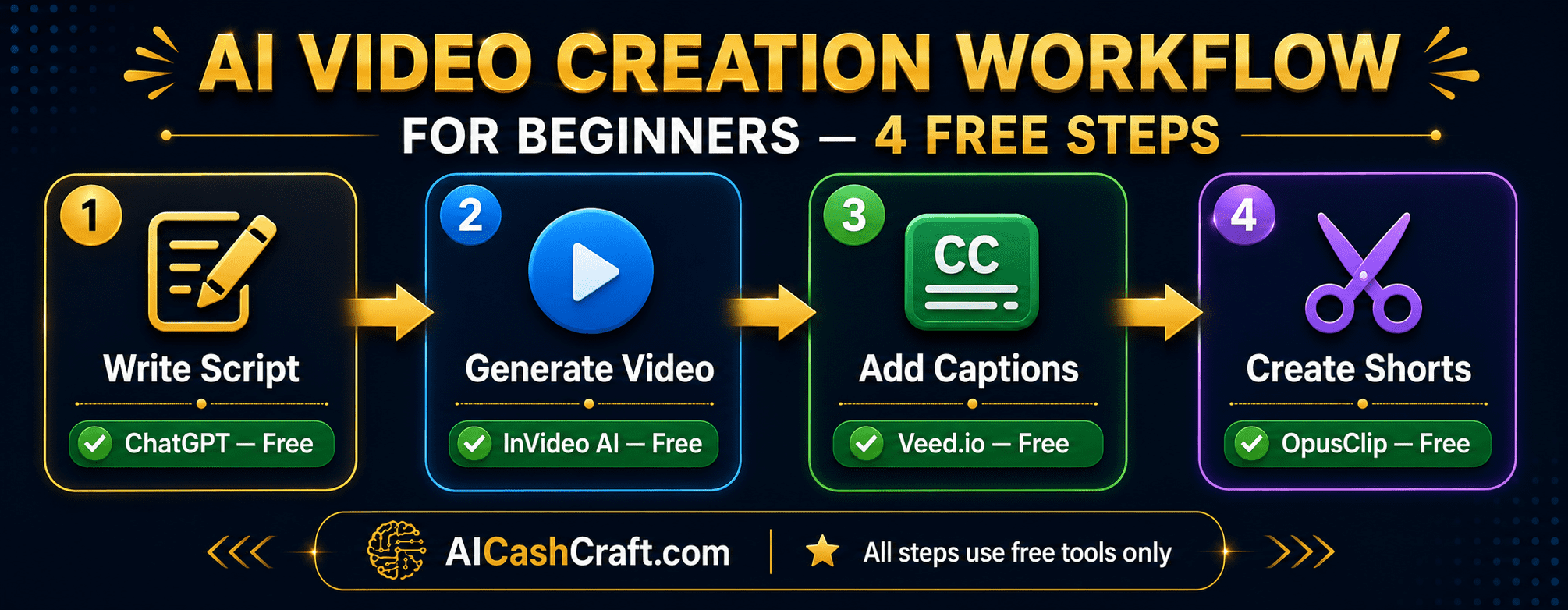
Clipchamp is the best completely free AI video tool for beginners — watermark-free 1080p exports, AI auto-captions, and no limits whatsoever. For text-to-video, InVideo AI is the best free AI video maker with 10 exports per week. For AI avatar videos, HeyGen offers 1 free video per month. Use our free AI Tool Finder Quiz for a personalized recommendation.
Yes — several free AI video tools for beginners support faceless video creation. InVideo AI generates complete videos using stock footage and AI voiceover. HeyGen and Synthesia create videos with AI avatars that appear on screen instead of you. Fliki generates text-to-video with AI voiceover and stock clips. OpusClip repurposes long content into short clips automatically. See our guide on AI Tools for Social Media Managers for a complete content workflow.
Veed.io has the most accurate and customizable auto-caption system — supporting 100+ languages with animated subtitle styles. Descript also adds excellent captions through its transcript-based editing system. Clipchamp’s free auto-captions are very good for Windows users. OpusClip adds animated captions automatically to every short clip it generates.
Lumen5 is specifically built for this — paste your blog post URL and it automatically extracts key sentences, matches stock footage, and creates a social media video. InVideo AI and Fliki also accept text input from blog posts and generate complete videos. See our AI affiliate blog guide for how to pair blogging and video content creation.
Ready to Use the Best AI Video Tools for Beginners?
Find your best free AI video tool, get expert video prompts, and explore video content income ideas — all completely free at AICashCraft.
Top 10 Free AI Tools for Beginners
Download our free 13-page PDF guide covering the best free AI tools with beginner tips and step-by-step advice. No sign-up needed.
⬇️ Download Free PDF Guide