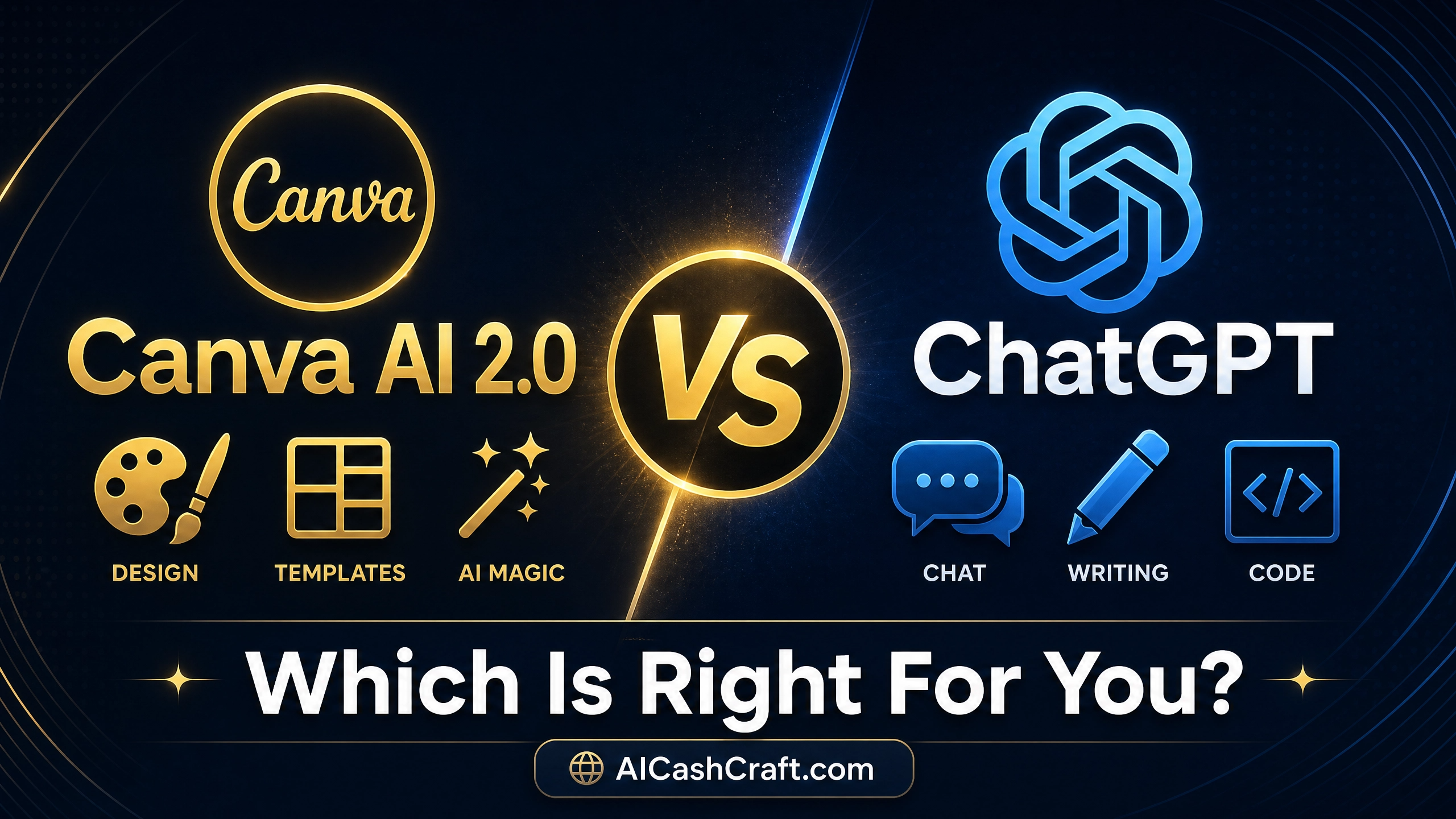
Canva AI vs ChatGPT for Beginners
⚡ Updated May 2026 — Canva AI 2.0 + ChatGPT Images 2.0
Two of the most popular AI tools for beginners in 2026 are Canva AI and ChatGPT.
But they do very different things — and choosing the wrong one can waste hours of your time.
This complete guide will show you exactly which tool is right for you — based on your goal, skill level, and budget.
If you have just started your journey into AI tools in 2026, you have probably heard about both Canva AI and ChatGPT. Both are incredibly popular, both have free plans, and both can genuinely help beginners make money online — but they work in completely different ways.
The good news? You do not have to be confused anymore. By the end of this guide, you will know exactly which tool to start with — and in many cases, how to use both together for maximum results.
Not sure which AI tool fits your specific skill and goal? 👉 Take our free AI Tool Finder Quiz — answer 5 questions and get a personalized recommendation in 60 seconds.
🎨 Design Tool
Canva AI 2.0
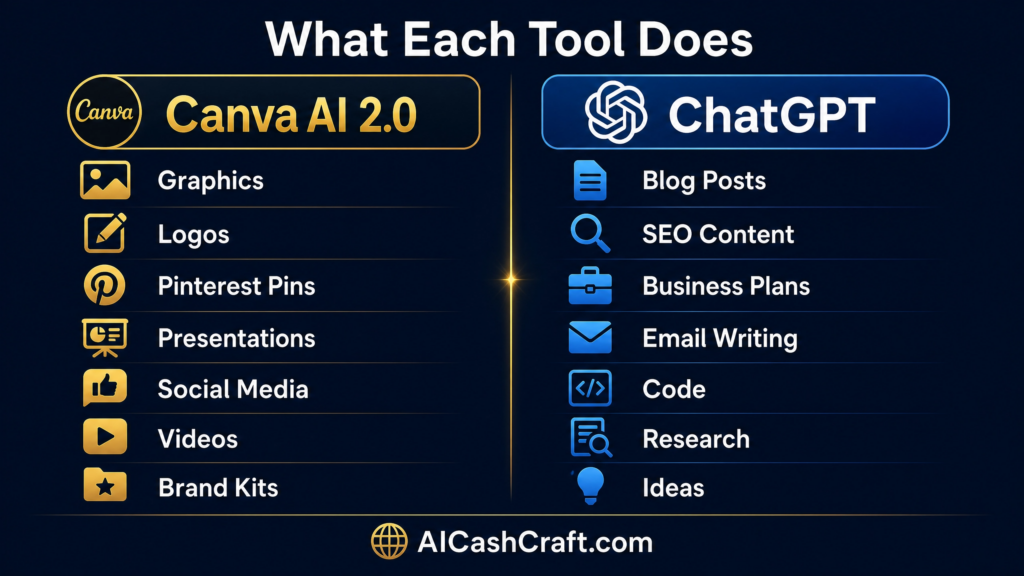
Best for creating visual content — graphics, Pinterest pins, presentations, social media posts, videos, and brand assets. Start with an idea and get a complete, fully editable design instantly.
✍️ Writing & Thinking Tool
ChatGPT
Best for writing, research, brainstorming, SEO content, coding, planning, and any text-based task. Your AI assistant for almost every job that involves words, data, or logic.
What Are Canva AI and ChatGPT — And What Do They Actually Do?
🎨 Canva AI 2.0 April 2026
Canva AI — The World’s Biggest Design Upgrade Ever
Canva launched Canva AI 2.0 at Canva Create 2026 on April 16, 2026 — calling it the biggest product launch in their history. Rather than starting with a template or a blank page, you can now start with an idea, a goal, a brief, or even a rough sketch — and work through it in conversation with Canva AI.
Canva is no longer just a design tool. Canva is now, in its own words, “an AI platform with design tools” — a full identity shift from its previous positioning as “a design platform with AI tools.”
What makes Canva AI 2.0 revolutionary for beginners:
Conversational design — describe and it builds
Fully editable layered output (not flat images)
Brand Kit — auto-applies your colors and fonts
Memory Library — learns your style over time
Magic Design — full layouts from one prompt
AI image generation (DALL-E quality)
Background remover & Magic Eraser
250,000+ professional templates
AI video creation included
Canva inside ChatGPT integration
✍️ ChatGPT GPT-4o + Images 2.0
ChatGPT — The Most Versatile AI Tool for Beginners
ChatGPT by OpenAI remains the most powerful all-in-one AI tool for beginners in 2026. Powered by GPT-4o, it handles virtually any text-based task — writing blog posts, creating SEO content, answering questions, generating business ideas, writing code, and now creating high-quality images through ChatGPT Images 2.0.
ChatGPT Images 2.0 shipped April 21, 2026 — the first version of OpenAI’s image generator that outputs up to 2K resolution, with a “thinking mode” that can produce up to 8 images in one coherent batch with full commercial rights on any paid plan.
Full blog post & article writing
SEO content & keyword research
Business ideas & planning
Real-time web search (GPT-4o)
Image generation (Images 2.0)
Code writing & debugging
Email & social media writing
Custom GPTs for any task
Voice conversation mode
Canva integration built-in
💰 Canva AI vs ChatGPT — Pricing Comparison 2026
Both tools have generous free plans — making them perfect for beginners starting with zero budget. Here is the exact 2026 pricing breakdown:
| Plan | 🎨 Canva AI | ✍️ ChatGPT |
|---|---|---|
| Free Plan | ✅ Yes — 200 AI uses/month | ✅ Yes — GPT-4o limited |
| Paid Plan | Pro — $15/month | Plus — $20/month |
| AI Credits (Paid) | 2,000 uses/month | Unlimited messages |
| Image Generation | ✅ Yes (Magic Studio) | ✅ Yes (Images 2.0) |
| Templates | ✅ 250,000+ | ❌ Not applicable |
| Brand Kit | ✅ Pro only | ❌ Not applicable |
| Web Search | ❌ No | ✅ Yes (GPT-4o) |
| Best Free For | Design & visuals | Writing & research |
| Annual Saving | $60/year (annual plan) | $48/year (annual plan) |
💡 Beginner tip: Start with both free plans — Canva AI free + ChatGPT free. You can run a complete content creation workflow at $0 per month. Use ChatGPT to write your content, then use Canva AI to design the graphics. Upgrade only when your blog or business starts generating income.
👉 Want to know how much you could earn using these tools? Use our free AI Income Calculator — based on real Fiverr & Upwork data.
Head-to-Head: Canva AI vs ChatGPT in Every Category
🤝 TIE — Both Excellent for Beginners
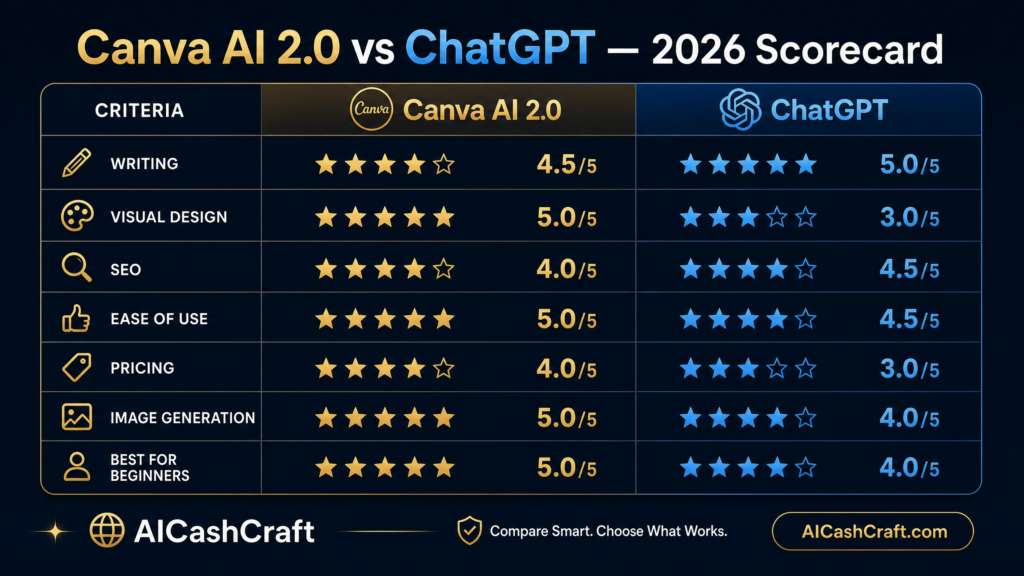
1. Ease of Use for Complete Beginners
Canva AI opens with a visual canvas full of templates, drag-and-drop tools, and guided AI suggestions. The new Canva AI 2.0 lets you simply describe what you want — and it builds a complete, editable design instantly. No design skills needed whatsoever.
ChatGPT is even simpler to start — just type your question or task and press enter. There is nothing to install, no learning curve, and no design skills required. ChatGPT offers a very simple interface where beginners can ask questions naturally and get instant help.
Canva AI
9/10
Beginner Ease
ChatGPT
9/10
Beginner Ease
🤝 Winner: It’s a Tie
2. Written Content Creation
For writing blog posts, SEO articles, social media captions, email newsletters, product descriptions, and any text-based content — ChatGPT wins by a large margin. It produces long-form, structured, nuanced content that Canva’s AI writing tools simply cannot match.
Canva does include a Magic Write AI writing feature, but Canva’s AI writing training data stops in mid-2021 — meaning it might not know about the latest trends or news, which can be a major issue in the fast-paced world of content. ChatGPT with GPT-4o has real-time web access and knowledge up to 2025.
Canva AI
5/10
Writing Quality
ChatGPT
10/10
Writing Quality
🏆 Winner: ChatGPT
3. Visual Design & Graphics Creation
For creating professional graphics, Pinterest pins, Instagram posts, YouTube thumbnails, presentations, logos, and visual content — Canva AI wins decisively. Its 250,000+ templates, brand kit, and the new conversational design engine in Canva AI 2.0 make it the most powerful design tool beginners have ever had access to.
Canva AI 2.0 introduces conversational design, smart automation, a personal memory library, built-in web research, AI scheduling, brand intelligence, and layered object understanding — with Canva claiming up to 7x faster and 30x cheaper than comparable alternatives.
ChatGPT Images 2.0 can generate images, but it hands you a finished flat image with no templates, no brand kit, and no design environment to refine and publish within.
Canva AI
10/10
Visual Design
ChatGPT
6/10
Visual Design
🏆 Winner: Canva AI 2.0
4. SEO & Google Ranking Help
For bloggers who want Google traffic, ChatGPT is essential. It helps you research keywords, write SEO-optimized articles, create meta descriptions, generate FAQ sections with schema markup, and structure your content for maximum Google visibility.
Need help writing better blog titles for SEO? Use our free AI Blog Title Generator — powered by Claude AI, it creates SEO-optimized titles for any topic in seconds.
And for powerful ChatGPT prompts that help with SEO tasks, try our free ChatGPT Prompt Generator — generate expert-level SEO prompts instantly.
Canva AI
4/10
SEO Help
ChatGPT
9/10
SEO Help
🤝 TIE — Both Create Excellent Income
5. Making Money Online — Income Potential
Both tools create massive income potential for beginners — just through different paths:
🎨 Canva AI Income Paths
Sell AI-designed logos on Fiverr ($30–$150 each), create Pinterest pins for clients ($200–$500/month), sell digital art on Etsy ($100–$2,000/month passive), design social media graphics ($300–$800/month per client)
✍️ ChatGPT Income Paths
Freelance blog writing ($300–$1,500/month), AI copywriting on Fiverr ($400–$1,000/month), email marketing ($500–$2,000/month), affiliate marketing content, YouTube scripts ($200–$800/month)
👉 Discover your personal income potential with our free AI Income Calculator →
Breaking News 2026: Canva Now Works Inside ChatGPT!
This is the biggest development in AI tools for beginners in 2026 — and most people do not know about it yet.
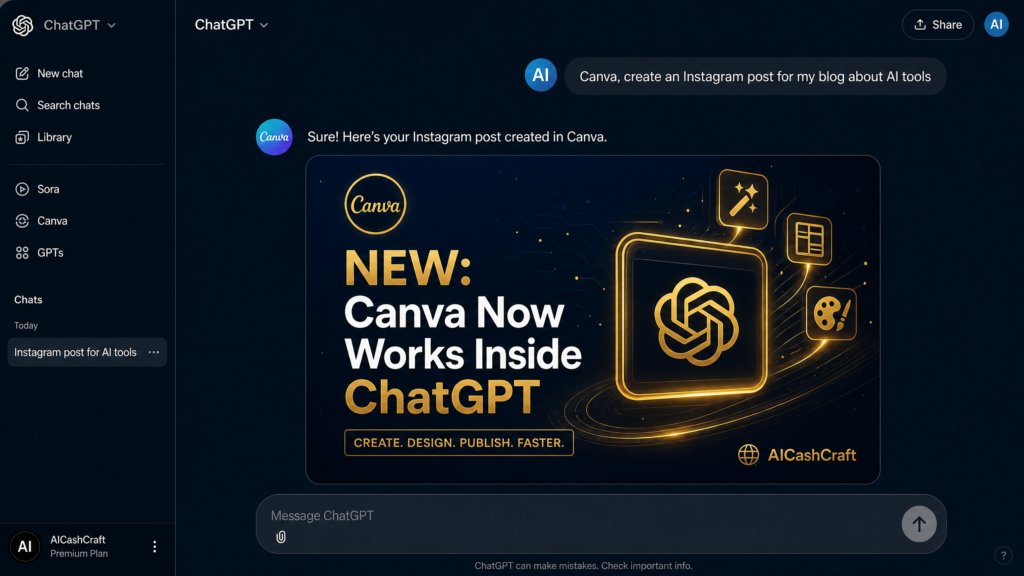
Canva is now integrated directly into ChatGPT — the first design platform to offer native, action-based integration inside ChatGPT. You can now type “Canva, create an Instagram post for our upcoming sale” and ChatGPT immediately returns an editable Canva design for you to preview, refine, and publish.
With Brand Kits integrated into ChatGPT, teams can generate on-brand visuals inside their existing chat workflow, with fonts, colors, and voice automatically applied from the start.
This means in 2026, you can use both tools together seamlessly:
- Write your blog post content in ChatGPT
- Ask ChatGPT to create a Canva graphic for the post — without leaving the chat
- Edit and refine the design directly inside Canva
- Publish to social media from Canva’s scheduler
Who Should Use Which Tool — Complete Beginner Guide
Here is the clearest breakdown possible. Match yourself to one of these profiles:
🎨 Use Canva AI if you are…
A Pinterest or Instagram creator
A beginner with no design skills
A social media manager
Selling digital products online
Creating brand content for clients
Making YouTube thumbnails
Building presentations or pitch decks
Starting a print-on-demand business
Start here: Try Canva AI Free →
✍️ Use ChatGPT if you are…
A blogger or content creator
An affiliate marketer
A freelance writer or copywriter
A student creating assignments
Someone building a side hustle
Anyone who needs research done fast
Email marketers and marketers
Anyone who wants business advice
Start here: Try ChatGPT Free →
🎯 Still Not Sure Which Tool Is Right For You?
Take our free AI Tool Finder Quiz — answer 5 quick questions and get a personalized AI tool recommendation in 60 seconds. No sign-up needed.
💡 The Best Strategy for Beginners in 2026 — Use Both!
The pragmatic 2026 answer for beginners: ChatGPT Plus at $20/month handles image + copy + email + research, while Canva Pro at $15/month covers team design, brand kit, and scheduling. That stack covers roughly 80% of a content creator’s weekly workflow.
But here is the good news — you can start with both free plans at $0 and build a complete content workflow:
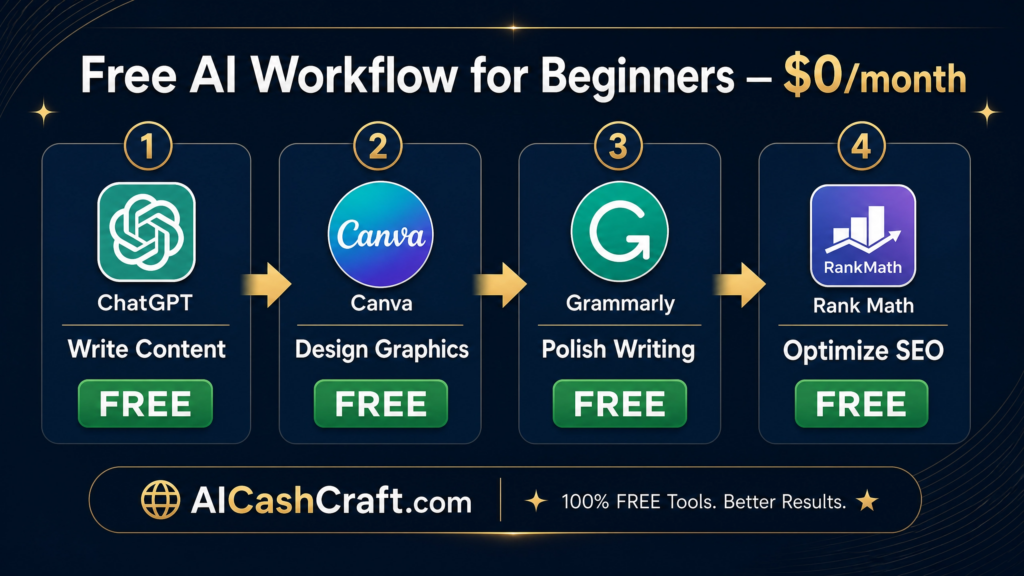
Free Beginner Workflow — $0/month
The Perfect Beginner AI Stack (Completely Free)
Step 1 — ChatGPT (Free)
Write your blog post, caption, or email. Research your topic. Generate SEO keywords and meta description.
Step 2 — Canva AI (Free)
Design your featured image, Pinterest pin, or social media graphic using your ChatGPT content as inspiration.
Step 3 — Grammarly (Free)
Polish your ChatGPT-written content for grammar, tone, and readability before publishing.
Step 3 — Rank Math SEO (Free)
Optimize your WordPress post for Google SEO using the meta title and description ChatGPT helped write.
Want more AI side hustle ideas? 👉 Generate your personalized AI side hustles here →
Common Mistakes Beginners Make With Both Tools
1. Using Canva AI for writing long blog posts — Canva’s writing AI is limited and uses outdated data. Use ChatGPT for all writing.
2.Using ChatGPT Images 2.0 instead of Canva for brand-consistent campaigns — ChatGPT images have no templates, brand kit, or scheduling built in.
3.Paying for both tools before you need to — start with free plans and upgrade only after you generate income.
4.Publishing AI content without editing — always add your own experience, insights, and personality before hitting publish.
Follow these better habits instead:
1.Use ChatGPT to write, plan, and research — use Canva AI to design and publish visuals
2.Generate your ChatGPT prompts using our free ChatGPT Prompt Generator — get expert-level prompts for any task
3.Use the new Canva-inside-ChatGPT integration to save time switching between tools
4.Always add your own unique insight, example, or personal experience to AI-generated content
🏆 Final Verdict — Canva AI vs ChatGPT for Beginners 2026
| Category | 🎨 Canva AI 2.0 | ✍️ ChatGPT |
|---|---|---|
| Visual Design | 🏆 Winner | Good (Images 2.0) |
| Writing & Content | Limited | 🏆 Winner |
| SEO Help | Minimal | 🏆 Winner |
| Ease of Use | 🤝 Tie | 🤝 Tie |
| Free Plan Value | 🏆 Winner | 🤝 Tie |
| Brand Consistency | 🏆 Winner | Not applicable |
| Making Money | 🤝 Both excellent | 🤝 Both excellent |
| Best For | Designers & visual creators | Writers & marketers |
The honest verdict: Do not choose between them — use both. Start with both free plans. Use ChatGPT for everything involving words, thinking, research, and planning. Use Canva AI for everything involving visuals, design, graphics, and publishing. Together, they form the most powerful free AI stack available to any beginner in 2026.
Want to go deeper on all the best AI tools for blogging? Read our complete guide: Best AI Tools for Blogging in 2026 →
Also explore: Best AI Tools for Freelancing in 2026 →
Ready to Start Making Money With Canva AI and ChatGPT?
Use our free tools to find your perfect AI tool, discover your best side hustle, and calculate your real income potential — all in under 3 minutes.
Final Recommendation for Beginners
🎨 Choose Canva AI if:
- you focus on design
- social media
- visuals
✍️ Choose ChatGPT if:
- you want writing
- Blogging
- SEO
- Research
Best strategy:
Use BOTH together.
❓ Frequently Asked Questions — Canva AI vs ChatGPT 2026
Is Canva AI better than ChatGPT for beginners in 2026?
They are better for different things. Canva AI 2.0 is better for visual content — graphics, Pinterest pins, presentations, and social media design. ChatGPT is better for writing, research, SEO, and business planning. For most beginners, using both free plans together gives the best results at zero cost.
Can I use Canva AI and ChatGPT together?
Yes — and in 2026, this is easier than ever. Canva has integrated directly into ChatGPT, meaning you can now create Canva designs from inside a ChatGPT conversation. Just type “Canva, create a [design type]” in ChatGPT and it will generate an editable Canva design without you leaving the chat. Take our quiz to find your perfect AI workflow →
Is Canva AI free to use in 2026?
Yes. Canva Free users get up to 200 uses of Standard AI tools per month, or up to 20 uses of Premium AI tools. This is sufficient for beginners creating a few designs per week. Canva Pro at $15/month unlocks 2,000 AI uses per month plus all premium templates and the full brand kit.
What is Canva AI 2.0 and how is it different?
Canva AI 2.0 was announced at Canva Create 2026 on April 16. It introduces conversational design, where you start with an idea or goal and Canva AI builds a fully editable, layered design from scratch. Unlike the old template-fill approach, everything it generates is editable and brand-consistent from the first output. It also includes persistent memory that learns your style over time.
Which tool is better for making money online — Canva AI or ChatGPT?
Both create excellent income opportunities but through different paths. Canva AI is best for selling design services — logos, social media graphics, Etsy digital products, and Pinterest marketing. ChatGPT is best for content-based income — freelance writing, affiliate marketing blogs, email marketing, and SEO articles. Use our free AI Side Hustle Generator to find the best income path for your specific skill.
Can ChatGPT create images like Canva in 2026?
Yes — ChatGPT Images 2.0 shipped April 21, 2026, outputting up to 2K resolution images with full commercial rights on paid plans. However, ChatGPT images are single flat outputs with no templates, no brand kit, and no design environment. For professional-looking branded content, Canva AI is still the better choice for beginners.
What is the best free AI tool for a beginner with no experience?
Start with ChatGPT free for writing and ideas, and Canva AI free for all visuals. Together they cost $0 and cover 90% of what a beginner needs to start a blog, freelance business, or online side hustle. Still unsure where to start? Take our free AI Tool Finder Quiz →
🎁 Get Free AI Income Starter Guide
Learn how to start earning with AI tools step-by-step.