Micro SaaS With AI: 5 No-Code Ideas Beginners Can Build Today
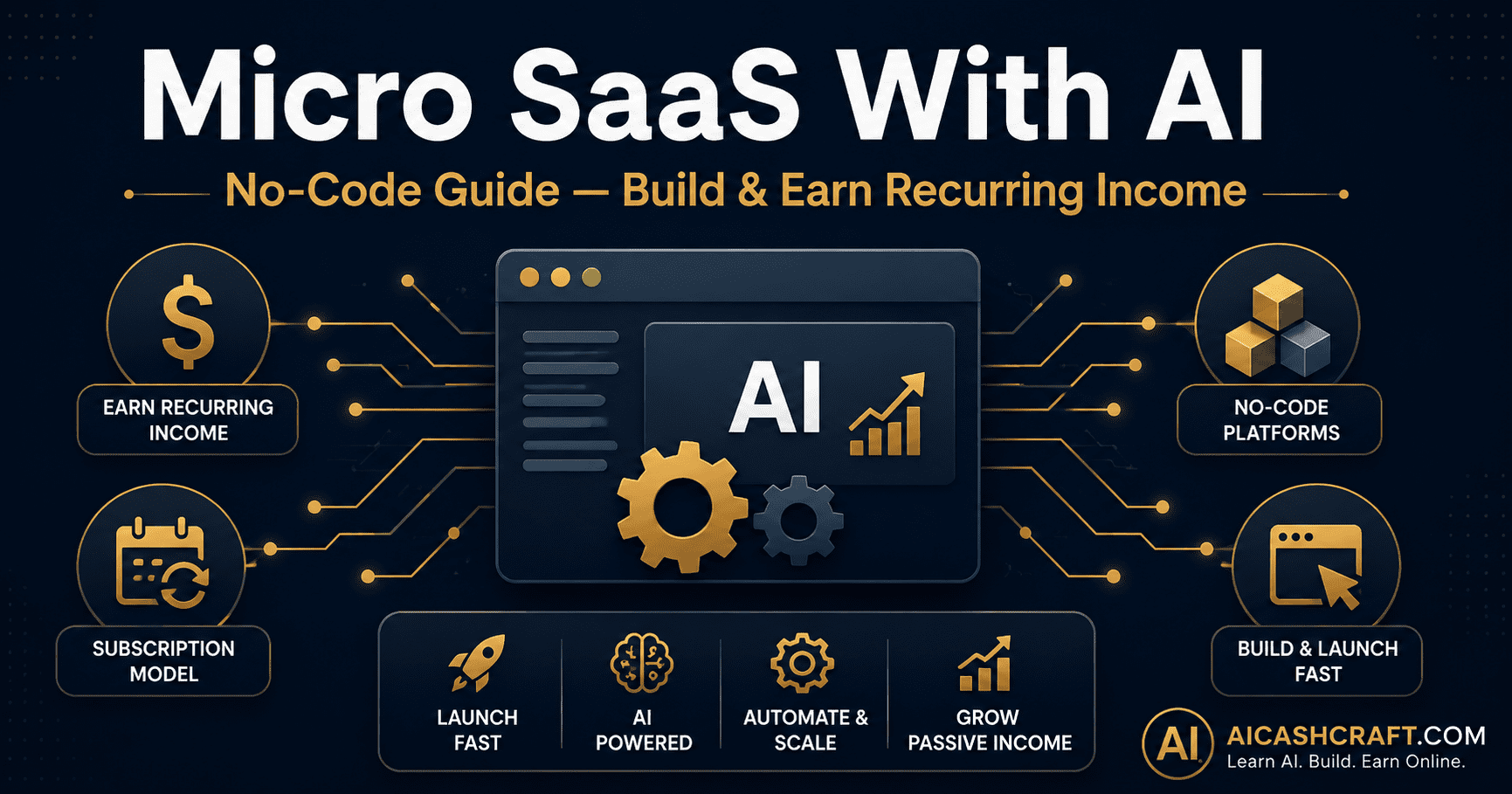
Building a micro SaaS with AI used to require a development team, months of coding, and significant upfront investment. That has changed completely. Today, a single beginner with no coding background can build, launch, and charge for a working software tool in days using free no-code platforms combined with AI. This guide explains exactly what a micro SaaS is, how AI changes the equation, and 5 realistic ideas you can start building today.
Anyone exploring how to start a micro SaaS with AI usually begins the same way — noticing a repetitive task. If you have ever thought “I wish there was a tool that could do X” — and then found yourself doing that task manually every week — that gap between a problem and a tool is exactly where a micro SaaS with AI lives. A micro SaaS is a small, focused software product, usually built and run by one person, that solves a specific problem for a specific group of people, often charging a small monthly subscription.
What makes this accessible to beginners now is the combination of two trends: no-code platforms that let you build functional apps by connecting visual blocks instead of writing code, and AI APIs that can be plugged into those apps to handle the “smart” part — writing, summarizing, generating images, analyzing data — without you needing to build that intelligence yourself.
New to AI tools generally? Start with our Top AI Tools for Beginners guide. Curious about AI agents and automation first? See our AI Agents for Beginners guide — many micro SaaS tools are essentially simple AI agents wrapped in a usable interface.
⚙️ What Is Micro SaaS With AI — Explained Simply
“SaaS” stands for Software as a Service — think of tools like Notion, Canva, or Grammarly, where you pay a monthly subscription to use software that lives online rather than buying it once. A “micro SaaS” is the same concept, scaled down dramatically: instead of a team building a tool for millions of users, it is often one person building a tool for a few hundred or a few thousand users, solving one specific problem extremely well.
What Makes a Good Micro SaaS With AI Idea
🚀 How to Build a Micro SaaS With AI — Step-by-Step No Code Guide
The traditional barrier to building software — needing to write code — has been removed by no-code platforms. Here is the practical path from idea to a working, chargeable product.
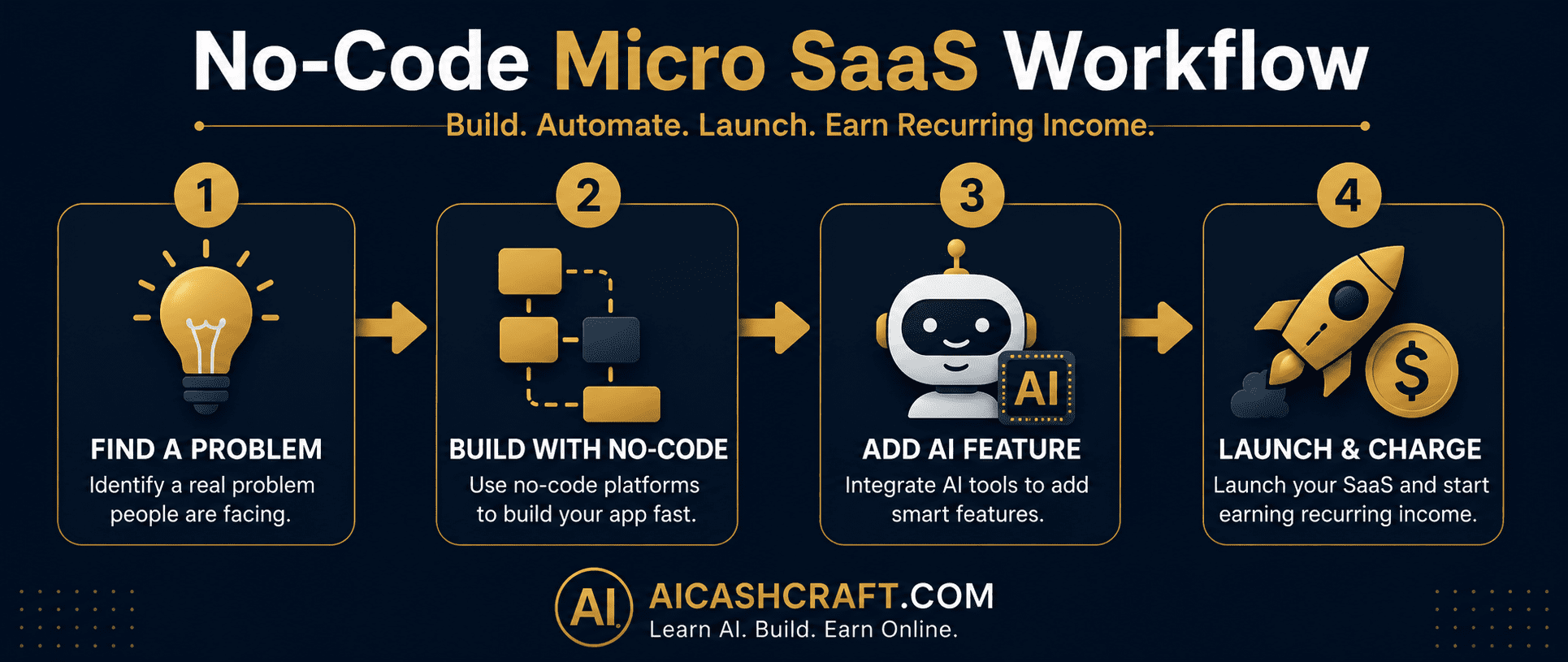
Look at your own repetitive tasks, or tasks you see others complain about — in Facebook groups, Reddit communities, or Fiverr gig requests. The best ideas often come from “I do this every week and it’s annoying” rather than abstract brainstorming. Write down 5 to 10 candidate problems before picking one.
💡 Use ChatGPT to help validate ideas: describe the problem and ask “would people likely pay a monthly fee to solve this, and why or why not?” — it will not give you certainty, but it helps you think through the value proposition.No-code platforms let you build the interface, database, and logic of your app visually — dragging and connecting elements instead of writing code. Popular beginner-friendly options include Bubble (full web apps), Glide (apps from spreadsheets), Softr (apps from Airtable), and Adalo (mobile-friendly apps). Most have free plans sufficient for building and testing your first version.
💡 Glide and Softr are the fastest to learn — if your tool’s core data can live in a spreadsheet (Airtable or Google Sheets), these platforms turn that data into a working app interface within hours.This is where AI turns a basic database app into a genuinely useful tool. Most no-code platforms support connecting to OpenAI’s API (which powers ChatGPT) through built-in integrations or tools like Make.com and Zapier. For example: a user submits a product name, your app sends it to the AI, the AI generates a product description, and the result is shown back to the user — all without you writing the description logic yourself.
💡 Make.com and Zapier act as the “glue” between your no-code app and the AI API — both have free plans sufficient for low-volume usage while you are testing and getting your first users.No-code platforms integrate with Stripe for payment processing — allowing you to set up subscription pricing (monthly or annual) without building payment infrastructure yourself. Once connected, launch to a small initial audience — a relevant online community, your own social media, or directly to people who described the problem you are solving.
💡 Start with a free trial or a very low introductory price ($5 to $15/month) for your first users — early feedback is more valuable than early revenue, and happy first users often become your best source of word-of-mouth growth.💡 5 Micro SaaS With AI Ideas for Beginners
These five ideas are intentionally narrow, achievable with current no-code and AI tools, and target audiences that are easy to reach online. Each can realistically be built as a first version within 1 to 2 weeks.
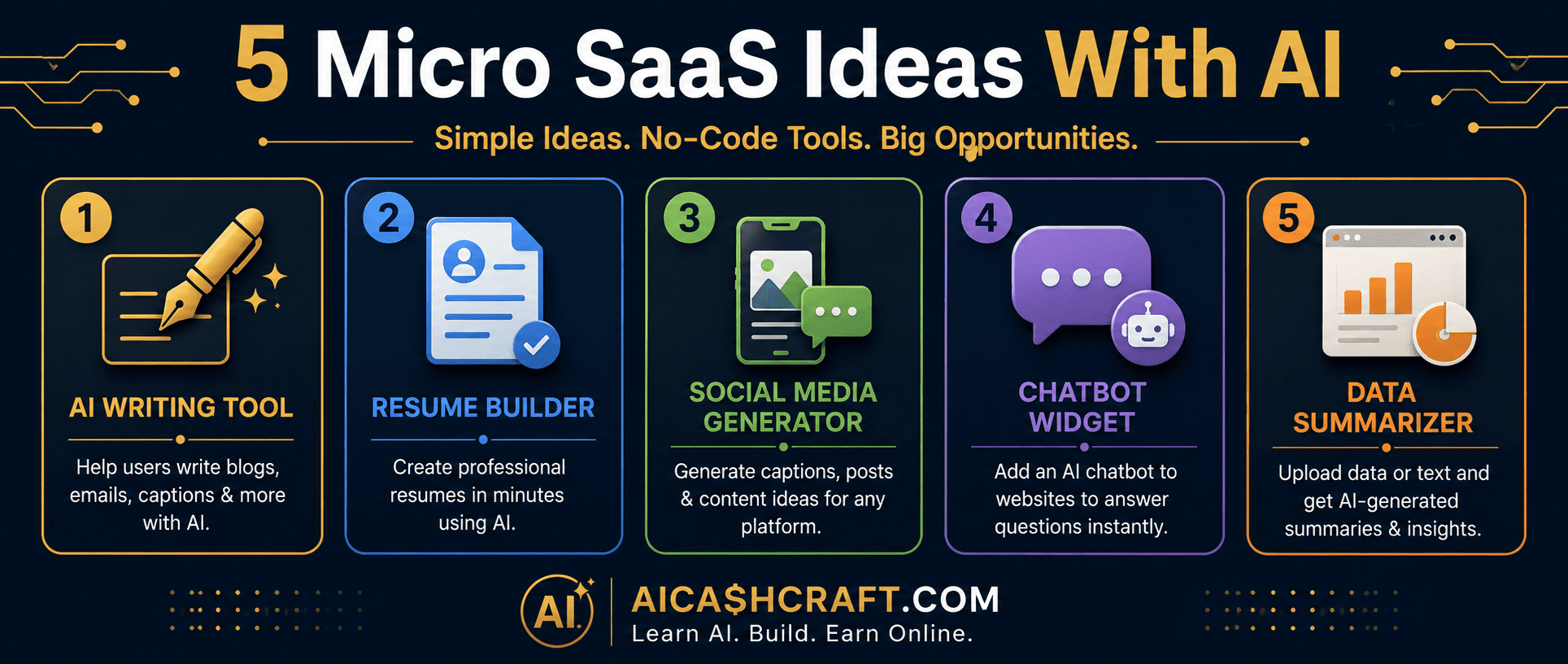
Instead of a general writing tool, build something hyper-specific: “AI Cover Letter Writer for Nurses” or “AI Product Description Generator for Etsy Sellers.” The narrower the niche, the easier it is to market directly to that audience and the less competition you face from general tools like ChatGPT itself. The interface collects a few specific inputs, sends them to the AI API with a tailored prompt, and returns a polished result.
💡 Use our free ChatGPT Prompt Generator as a starting point for designing the underlying prompt your tool will send to the AI API.Job seekers in specific fields — healthcare, tech, education — often want resumes tailored to their industry’s expectations. Build a tool where users input their experience and target role, and AI generates an industry-appropriate resume and cover letter draft. Charge a one-time fee per document or a monthly subscription for unlimited generations during a job search period.
💡 This idea pairs well with content from our Best AI Tools for Freelancing guide — many of the same prompt strategies apply.Small business owners in specific industries — real estate agents, fitness coaches, restaurant owners — need consistent social media content but rarely have time to write it. Build a tool that takes basic inputs (what they are posting about, their tone preference) and generates ready-to-use captions and hashtags for their specific industry. Subscription pricing works well since this is a recurring weekly need.
💡 See our ChatGPT Prompt Generator for caption-writing prompt structures you can adapt into your tool’s backend.Many small businesses want a chatbot on their website but find existing solutions too complex or expensive. Build a simple, embeddable chat widget powered by an AI API, pre-loaded with information about the specific business (hours, services, FAQs). Sell it as a monthly subscription per website — a recurring revenue model that scales as you add more business customers.
💡 This is one of the more technical ideas on this list but is achievable with platforms like Bubble combined with an AI API — start with a single test business (perhaps your own site or a friend’s) before marketing it broadly.Many people record meetings but never review the full recording. Build a tool where users upload a transcript (from Otter.ai or similar) and AI generates a concise summary with clear action items and owners. Target freelancers, small team leads, and consultants who run frequent client calls. This idea has a clear recurring use case — every meeting — making subscription pricing intuitive.
💡 Pair this concept with insights from our AI Agents for Beginners guide — this idea is essentially a simple, focused AI agent wrapped in a usable interface.📈 Why Micro SaaS With AI Is the Best Opportunity for Beginners Right Now
For anyone serious about micro SaaS with AI as an income path, timing matters. The combination of no-code platforms and accessible AI APIs represents a genuinely new opportunity window. A few years ago, building any of the 5 ideas above would have required hiring developers or learning to code for months. Today, the barrier has shifted from “can I build this technically” to “can I find people who want this and communicate its value clearly” — a much more accessible challenge for beginners.
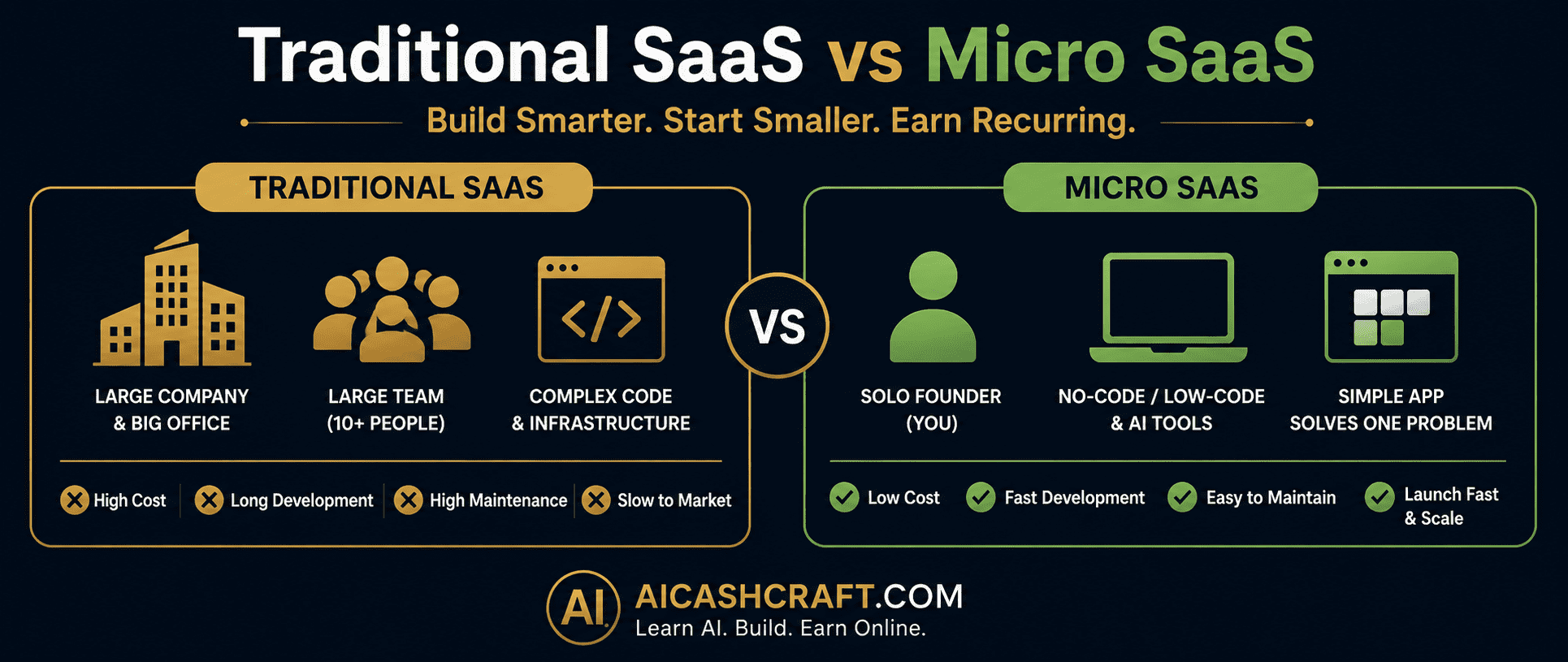
Micro SaaS With AI vs Traditional SaaS — Side by Side
| Factor | Traditional SaaS | Micro SaaS With AI |
|---|---|---|
| Team needed | Developers, designers, ops | Often just you |
| Build time | Months to years | Days to weeks |
| Coding required | Yes — significant | No — no-code platforms |
| “Intelligence” built by | Custom algorithms | AI API (pre-built) |
| Starting cost | Significant investment | Mostly free plans |
| Revenue model | Subscription | Subscription (recurring) |
❓ Frequently Asked Questions — Micro SaaS With AI
A micro SaaS is a small, focused software tool — usually built and run by one person or a tiny team — that solves a specific problem for a specific group of users, typically charging a monthly subscription. Unlike large software companies, micro SaaS products intentionally stay small and focused, often serving a few hundred to a few thousand users rather than millions.
No — no-code platforms like Bubble, Glide, Softr, and Adalo let you build functional web and mobile apps by visually connecting elements rather than writing code. Combined with AI APIs that handle the “intelligent” features, beginners can build a working micro SaaS with AI without any programming background. Some technical comfort with following step-by-step tutorials is helpful, but traditional coding skills are not required.
Most no-code platforms (Bubble, Glide, Softr) and automation tools (Make.com, Zapier) have free plans sufficient for building and testing your first version. AI API usage (like OpenAI’s API) is usage-based and typically costs very little at low volumes — often just a few dollars per month while testing. The main investment for beginners is time rather than money, making this an accessible starting point.
A first working version of a focused micro SaaS with AI typically takes a beginner anywhere from a few days to a few weeks of dedicated effort, depending on complexity. Getting your first paying users generally takes additional weeks of outreach to relevant communities and audiences. This is a gradual business-building process rather than an overnight income method, but the technical barrier has been dramatically reduced.
For beginners, Glide or Softr are often the easiest starting points — both can turn a spreadsheet (Google Sheets or Airtable) into a working app interface within hours. Bubble offers more flexibility for complex apps but has a steeper learning curve. The right choice depends on your specific idea — simple data-driven tools favor Glide or Softr, while more custom interactive apps may need Bubble.
Yes — the subscription model is the core appeal of micro SaaS with AI. Once a user subscribes, that revenue repeats monthly without requiring you to make a new sale each time, unlike freelance work. Realistic outcomes vary significantly based on the problem solved and how well it reaches its target audience — some micro SaaS tools earn modest amounts ($100 to $500/month), while well-targeted ones can earn significantly more over time. Use our AI Income Calculator to set realistic expectations for your specific idea.
📚 Related Guides
🎯 Final Thoughts — Micro SaaS With AI Starts With One Problem
Building a micro SaaS with AI is no longer reserved for developers and funded startups. The combination of no-code platforms and accessible AI APIs has lowered the barrier to the point where the main skill that matters is identifying a real problem and communicating its solution clearly to the right audience.
Start by writing down problems you or people you know face repeatedly. Pick the one that feels most achievable, sketch out what the tool would do in plain language, and explore Glide or Softr as your starting no-code platform. The first version does not need to be polished — it needs to work and solve the problem for a small group of early users.
For more practical AI income guides, explore the AICashCraft Blog — updated regularly with beginner-friendly strategies for building real income with AI tools.
Get beginner-friendly AI income guides, free tools, and no-code strategies from AICashCraft — completely free.
Top 10 Free AI Tools for Beginners
Download our free 13-page PDF guide covering the best free AI tools with beginner tips and step-by-step advice. No sign-up needed.
⬇️ Download Free PDF Guide