How to make Faceless Youtube Video With AI
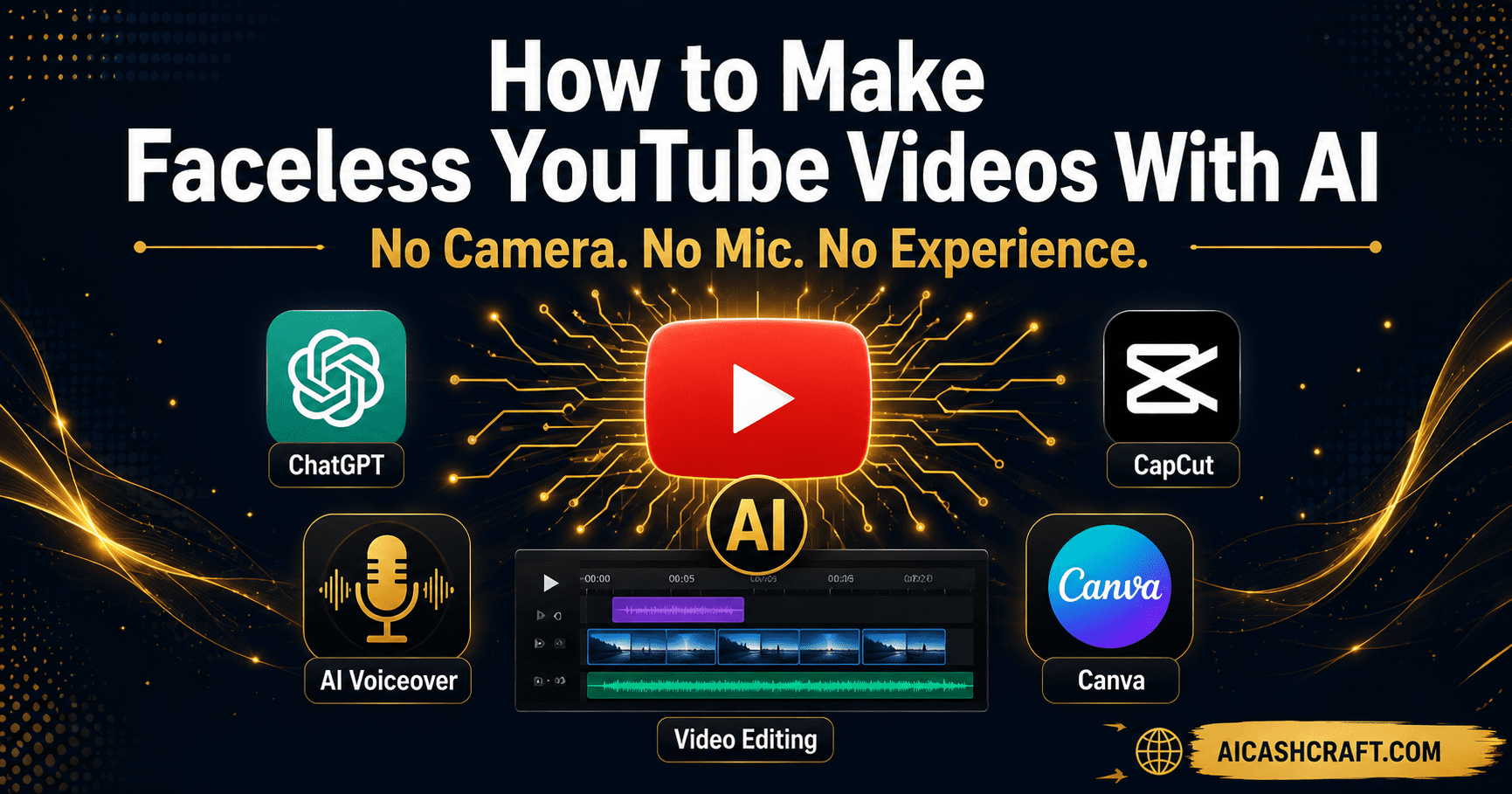
How to make faceless YouTube videos with AI is one of the most practical and in-demand content creation skills available today. No camera. No microphone. No video editing experience needed. This complete free guide covers every step — from writing your script to publishing your finished video — using free AI tools that anyone can start with today.
If you want to start creating YouTube content but the idea of being on camera feels uncomfortable — or you simply do not have recording equipment — making faceless YouTube videos with AI is the most accessible path available. This guide shows you exactly how to make faceless YouTube videos with AI tools that are free, beginner-friendly, and genuinely effective. Thousands of creators are building profitable channels without ever appearing on screen, and AI tools have made the entire production process faster and cheaper than it has ever been.
This guide focuses specifically on the video creation process — how to go from a blank page to a finished, publish-ready faceless YouTube video using AI tools. If you are still deciding whether to start a channel, read our Faceless YouTube Channel guide first, then come back here for the production workflow.
Not sure which AI tools fit your goals? Use our free AI Tool Finder Quiz to get a personalized recommendation before you start.
🎬 What Are Faceless YouTube Videos — And Why AI Changes Everything
Understanding how to make faceless YouTube videos with AI starts with knowing what these videos actually are. A faceless YouTube video is any video where the creator does not appear on camera. Instead of a talking-head format, these videos use a combination of voiceover, stock footage, screen recordings, animated visuals, or AI-generated images to deliver the content — while the creator’s voice (or an AI voice) narrates the story.
Faceless channels exist in almost every niche — finance, history, self-improvement, AI tools, tech explainers, true crime, relaxation, and more. Many of the most-watched YouTube channels in the world use this format because it focuses the viewer’s attention entirely on the content rather than the creator’s personality.
How AI Makes Faceless Video Creation Accessible for Beginners
Before AI tools, producing a faceless YouTube video required a professional microphone for voiceover recording, video editing software with a learning curve, stock footage subscriptions, and hours of manual production per video. AI tools have changed most of that:
🚀 How to Make Faceless YouTube Videos With AI — Complete Step-by-Step Workflow
Here is the complete workflow for making faceless YouTube videos with AI — from blank page to finished video ready to upload. Each step uses a free tool and builds directly into the next.
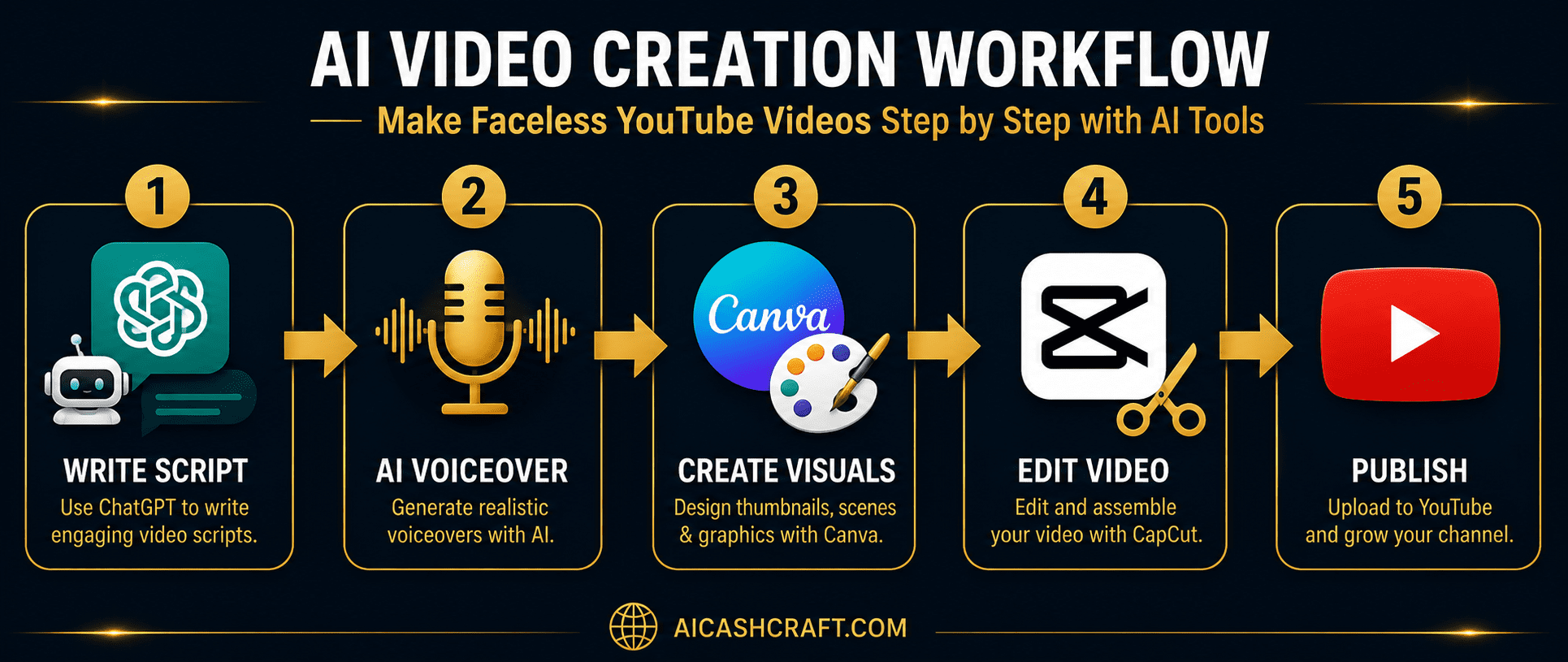
Every great faceless YouTube video starts with a well-structured script. Open ChatGPT and use the prompt below to generate a complete script for your video topic. Aim for 600 to 1,000 words — this produces a 5 to 8 minute video, which is a strong length for most YouTube niches.
💡 Always read and edit the script before using it. Add your own examples, adjust the tone, and remove anything that sounds generic. The more personal the script feels, the better your audience retention.What makes a strong faceless YouTube video script
- Strong hook in the first 15 seconds — tell the viewer exactly what they will learn
- Short sentences that sound natural when spoken aloud
- Clear section transitions — “Now that you know X, let’s look at Y”
- One clear call to action at the end — subscribe, comment, or watch next
- Conversational tone — write like you are talking to one person, not a crowd
Once your script is ready, go to ElevenLabs and paste it into the Text to Speech tool. Select a voice that matches your content tone — Rachel for warm and conversational, Adam for professional and neutral. The free plan gives you 10,000 characters per month, which covers roughly 7 to 8 minutes of finished voiceover audio.
💡 Before generating your full script, test a 30-second sample in 2 or 3 different voices. The right voice makes a bigger difference than most beginners expect. See our full ElevenLabs for Beginners guide for detailed setup instructions.ElevenLabs voiceover tips for faceless YouTube videos
- Set Stability to 50–60% and Clarity to 75–80% for natural-sounding speech
- Add commas and em dashes in your script to control pacing and breathing cues
- Write out numbers in full — “five hundred” instead of “500” — to avoid mispronunciation
- Download the finished audio as MP3 and import directly into CapCut
Faceless YouTube videos need visuals that keep viewers watching — and you have two main options for sourcing them. The easiest approach for beginners is combining free stock footage with simple slide-style graphics created in Canva. Go to Canva, use the YouTube video template, and create a series of visual slides that match each section of your script.
💡 For stock footage, use Pexels or Pixabay — both are completely free with no attribution required. Download 8 to 12 short clips that visually relate to your topic, then use CapCut to assemble them in sequence with your voiceover.Visual options for faceless YouTube AI videos
- Stock footage — Free from Pexels, Pixabay, or Unsplash Video. Best for lifestyle, travel, and general topics
- Screen recording — Perfect for tutorial, software review, and how-to content. Use your desktop recording tool
- Canva slides — Clean graphic slides work well for educational, finance, and list-style videos
- AI-generated images — Use Canva AI or Adobe Firefly to create custom visuals that match your script exactly
CapCut is the most beginner-friendly free video editor for AI faceless YouTube video creation. Import your voiceover MP3 first — this becomes the timeline anchor. Then add your stock footage or Canva slides on top, trimming each clip to match what is being discussed in the voiceover at that moment. Use CapCut’s auto-caption feature to add subtitles automatically — captions significantly improve viewer retention on YouTube.
💡 Keep cuts frequent — switch visuals every 3 to 6 seconds to maintain viewer attention. Long static shots cause viewers to scroll away, especially on mobile. CapCut’s auto-cut feature can help with this.CapCut editing checklist for faceless YouTube videos
- Import voiceover first — build your visual timeline around the audio
- Add auto-captions — CapCut generates these in seconds and they boost retention
- Add background music at 10 to 15% volume — subtle music improves watch time
- Export at 1080p minimum — YouTube rewards higher quality uploads in search
- Add a simple intro card (3 seconds) with your channel name using Canva
Your thumbnail is the most important visual element of any faceless YouTube video — it determines whether someone clicks your video or scrolls past it. A strong thumbnail communicates the video’s value in under two seconds. Open Canva, select the YouTube Thumbnail template (1280x720px), and design something bold, high-contrast, and immediately clear.
💡 Test your thumbnail by shrinking it to the size of your thumbnail on a phone screen. If the text and main visual are still readable at that size, it will work on YouTube. If anything is unclear, simplify it.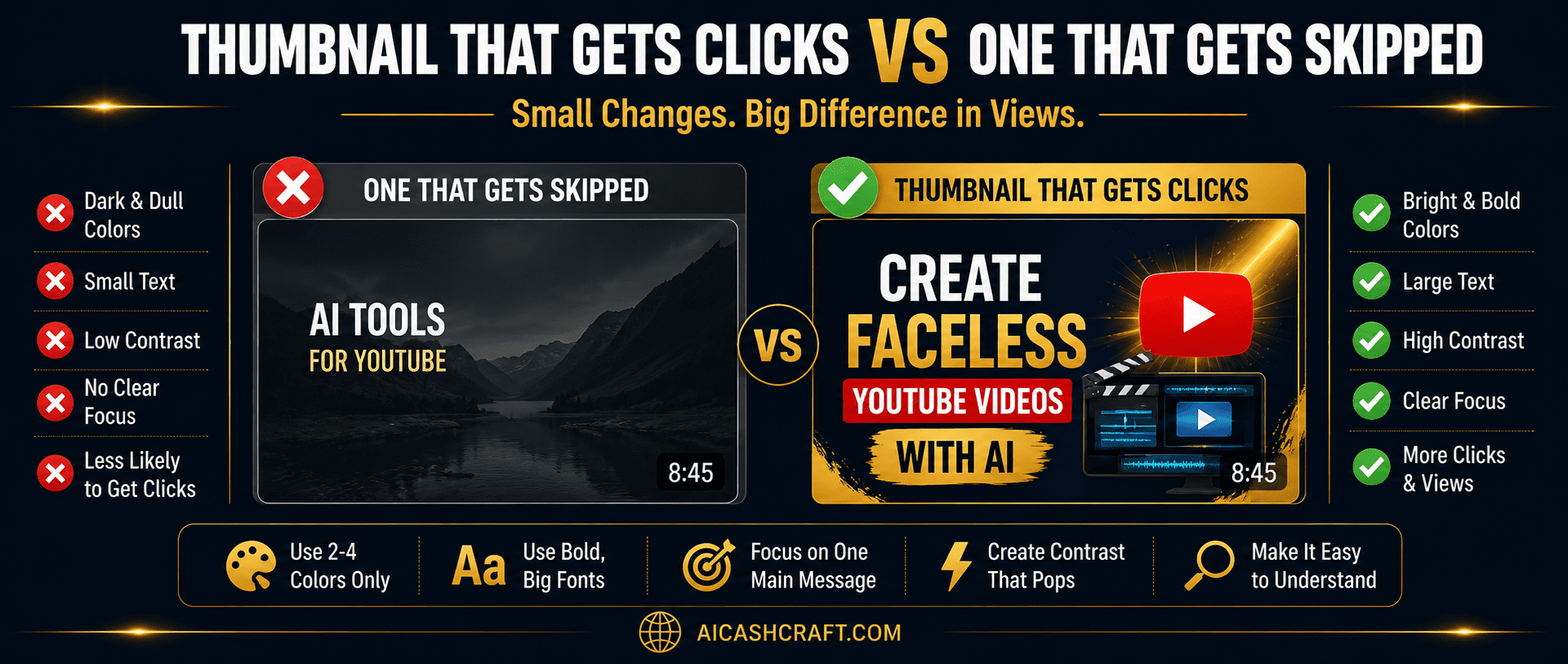
What makes a high-converting faceless YouTube thumbnail
- Bold text — maximum 5 words, large enough to read on mobile
- High contrast — dark background with bright text, or bright background with dark text
- One clear focal point — one dominant visual element that draws the eye
- Consistent style — use the same font, colors, and layout across all your videos
- Curiosity gap — hint at the value without giving away the full answer
Before uploading, use ChatGPT to write a keyword-optimized YouTube title, description, and tag list. A good title includes your main search keyword near the beginning and creates curiosity or promises a clear benefit. Your description should summarize the video in the first two sentences — these appear in YouTube search results — and include your target keywords naturally throughout.
💡 Use our free ChatGPT Prompt Generator to get optimized YouTube title and description prompts for your specific niche and video topic.🛠️ Best Free AI Tools for Making Faceless YouTube Videos
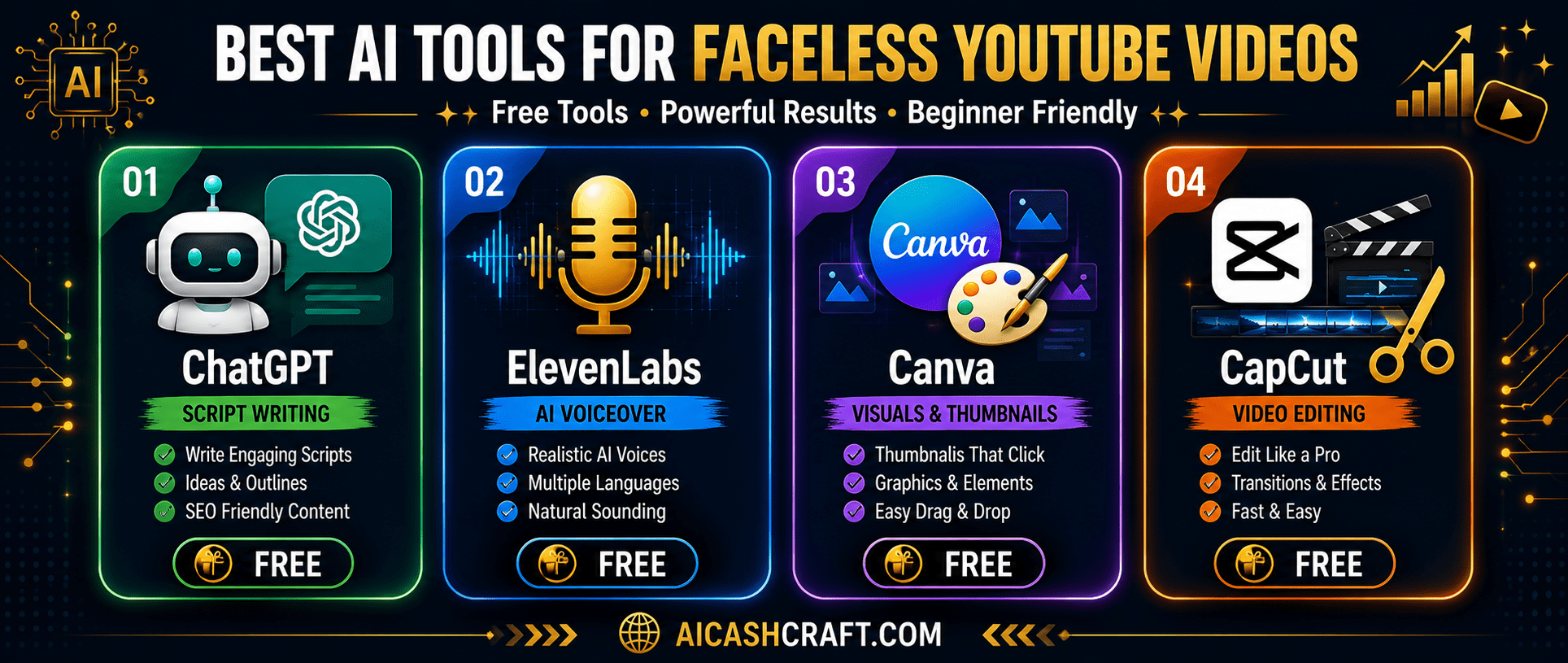
| Tool | Purpose | Free Plan | Best For |
|---|---|---|---|
| ChatGPT | Script writing, titles, descriptions | ✅ Free | All niches |
| ElevenLabs | AI voiceover generation | ✅ 10K chars/mo | All video types |
| Canva | Thumbnails, slide visuals, graphics | ✅ Free | Educational, finance |
| CapCut | Video editing, captions, export | ✅ Free | All video types |
| Pexels / Pixabay | Free stock footage | ✅ Free | Lifestyle, general topics |
| Adobe Firefly | AI image generation for visuals | Limited free | Custom illustrations |
For a deeper look at each tool in this list, see our complete AI Video Tools for Beginners guide — it covers free plan details, ratings, and beginner tips for every tool used in faceless video creation.
❌ Common Mistakes Beginners Make With Faceless AI YouTube Videos
Knowing how to make faceless YouTube videos with AI is only half the battle — avoiding these common mistakes is what separates channels that grow from those that stall.
⏱️ How Long Does It Take to Make a Faceless YouTube Video With AI?
One of the biggest advantages of AI faceless video creation is the time saved compared to traditional video production. Here is a realistic time breakdown for a beginner producing their first few videos:
| Task | Traditional Method | With AI Tools |
|---|---|---|
| Script writing | 3–5 hours | 15–30 minutes |
| Voiceover recording | 1–2 hours | 5–10 minutes |
| Visuals sourcing | 2–3 hours | 30–45 minutes |
| Video editing | 3–6 hours | 45–90 minutes |
| Thumbnail design | 1–2 hours | 15–20 minutes |
| Total per video | 10–18 hours | 2–3 hours |
❓ Frequently Asked Questions — Faceless YouTube Videos With AI
Yes — every tool in this guide has a free plan and is designed for beginners. ChatGPT writes the script, ElevenLabs generates the voiceover, Canva creates the visuals, and CapCut assembles everything into a finished video. No prior video production experience is required to start. Use our Start Here guide for a complete beginner roadmap.
No — the tools in this guide all have free plans that are functional for beginners. ChatGPT free, ElevenLabs free plan (10,000 characters per month), Canva free, and CapCut free cover everything needed to produce complete videos. Paid upgrades become worth considering once you are publishing consistently and want to scale production.
No — AI voiceover is permitted on YouTube. YouTube requires disclosure if AI is used to create realistic depictions of real people or to simulate real events, but using AI voice generation for standard educational or entertainment content does not require any special disclosure. Millions of videos on YouTube use AI voiceover tools like ElevenLabs.
YouTube’s monetization threshold requires 1,000 subscribers and 4,000 watch hours in the past 12 months (or 500 subscribers and 3,000 watch hours for the lower-tier YouTube Partner Programme). Most channels making faceless YouTube videos with AI consistently reach this in 6 to 12 months with regular publishing. Use our free AI Income Calculator to estimate your timeline.
The best niches for faceless AI YouTube channels are ones with high search volume and content that does not require on-camera presence — personal finance, AI tools, self-improvement, history, educational explainers, and productivity perform consistently well. See our Faceless YouTube Channel guide for detailed niche selection advice.
Yes — faceless YouTube channels earn through YouTube AdSense, affiliate links in the description, sponsored content, and digital product sales. The AI tools simply speed up video production. For a full breakdown of income methods, see our AI Side Hustles guide.
📚 Related Guides
🎯 Final Thoughts — Your First Faceless YouTube Video Starts Today
Making faceless YouTube videos with AI has never been more accessible. The tools are free, the workflow is learnable in a single afternoon, and the barrier to publishing your first video is lower than at any point in YouTube’s history.
The process of how to make faceless YouTube videos with AI is simple when you follow it in order: write your script with ChatGPT, generate your voiceover with ElevenLabs, source your visuals from Canva and Pexels, edit everything together in CapCut, design a strong thumbnail, and publish. Each step takes minutes with AI — not hours.
The only thing that separates creators who build successful faceless AI YouTube channels from those who do not is consistent publishing. Start with one video. Finish it. Publish it. Then make the next one slightly better. For everything you need to build a complete AI-powered content workflow, explore the AICashCraft Blog — updated regularly with practical beginner guides.
If you are serious about building an AI-powered faceless YouTube channel, start with one video this week and follow the workflow above step by step.
Get beginner-friendly AI tool guides, free resources, and practical tips from AICashCraft — completely free.
Top 10 Free AI Tools for Beginners
Download our free 13-page PDF guide covering the best free AI tools with beginner tips and step-by-step advice. No sign-up needed.
⬇️ Download Free PDF Guide