ElevenLabs Music AI — How to Use It and Make Money With AI-Generated Music
ElevenLabs Music AI is one of the most exciting new tools for creators — it generates original, commercially licensed music from text descriptions in seconds. Unlike most AI music tools, ElevenLabs Music is trained on licensed audio and cleared for commercial use, meaning you can legally use the tracks in YouTube videos, podcasts, client projects, and anywhere you need background music. This guide covers how it works and how beginners can earn from it.
Background music is one of the most consistently needed elements in content creation — YouTube videos, podcasts, social media Reels, client presentations, and online courses all need music. The problem has always been licensing: free music is generic, and licensed music is expensive or restrictive. ElevenLabs Music AI changes this equation by generating original, commercially licensed tracks from a simple text description — trained on licensed audio specifically so creators can use the output legally in commercial content.
This guide covers what ElevenLabs Music AI is, how it works, what the free plan includes, and four practical ways beginners can turn AI-generated music into income. Already familiar with ElevenLabs for voiceover? This is a completely separate feature — see our ElevenLabs for Beginners voiceover guide for that side of the platform.
🎵 What Is ElevenLabs Music AI — Explained Simply
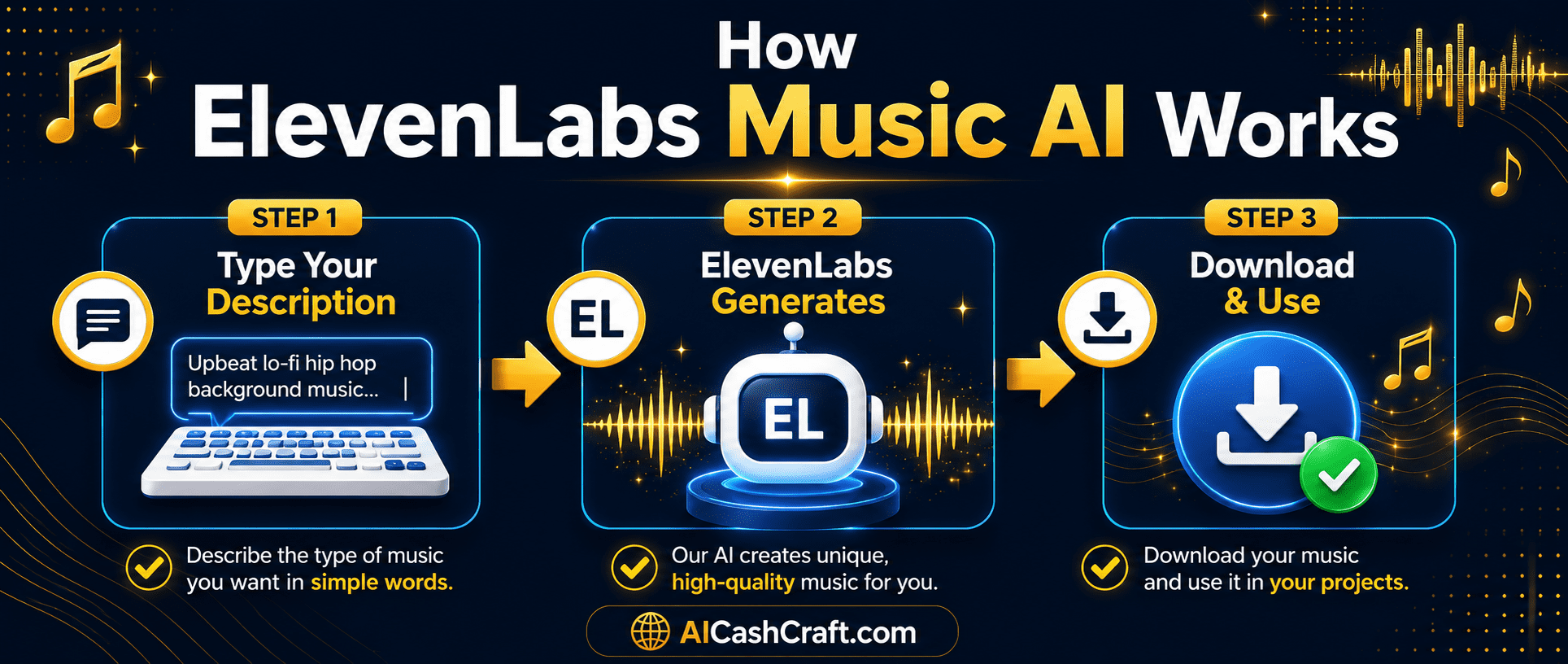
ElevenLabs Music AI is a text-to-music generator — the music equivalent of what ElevenLabs already does for voice. Type a description of the music you want (“calm lo-fi background music for studying, 120 BPM, piano and soft beats”) and ElevenLabs generates an original track matching that description in seconds.
What separates ElevenLabs Music AI from many competitor tools is its training data — ElevenLabs states that the Music model is trained exclusively on licensed audio, making the output commercially cleared. This is a significant practical advantage for creators who need background music for monetized YouTube content, client deliverables, or products they sell.
Key Features of ElevenLabs Music AI
🎹 How to Use ElevenLabs Music AI — Step by Step
Go to elevenlabs.io and sign up for a free account — no credit card required. The free plan includes a monthly character/credit allowance that covers both voice and music generation. Navigate to the Music section of the dashboard — it appears as a separate tab from the Voice tools you may already be familiar with from our ElevenLabs voiceover guide.
The quality of your generated track depends significantly on the detail in your prompt. Include genre, mood, tempo (BPM if known), instruments, and intended use. Examples of effective prompts: “Upbeat corporate background music, 125 BPM, acoustic guitar and light percussion, suitable for explainer videos” or “Ambient lo-fi study music, slow tempo, soft piano and vinyl crackle, calming and focused mood.” More specific prompts produce more usable results.
💡 Use our free ChatGPT Prompt Generator to build detailed music prompts — describe what your video or content needs and ask ChatGPT to write an ElevenLabs music prompt for it.Generate 3 to 5 variations of each prompt before choosing — each generation produces a different interpretation of the same description. Preview each one and select the version that best fits your content’s mood and pacing. Generating multiple variations costs minimal credits and is worth the investment for finding the strongest track for each use case.
Download your chosen track as an MP3 or WAV file. Import directly into CapCut, Premiere, DaVinci Resolve, or any editing software. Adjust the volume level to sit comfortably under voiceover — typically 15% to 25% of the main audio volume for background music. The track loops cleanly, making it suitable for videos of any length.
💡 For faceless YouTube videos, pair ElevenLabs Music with ElevenLabs voiceover — your entire audio layer (voice + music) created from one platform, with both commercially cleared. See our Faceless YouTube Videos guide for the complete workflow.💰 4 Ways to Make Money With ElevenLabs Music AI
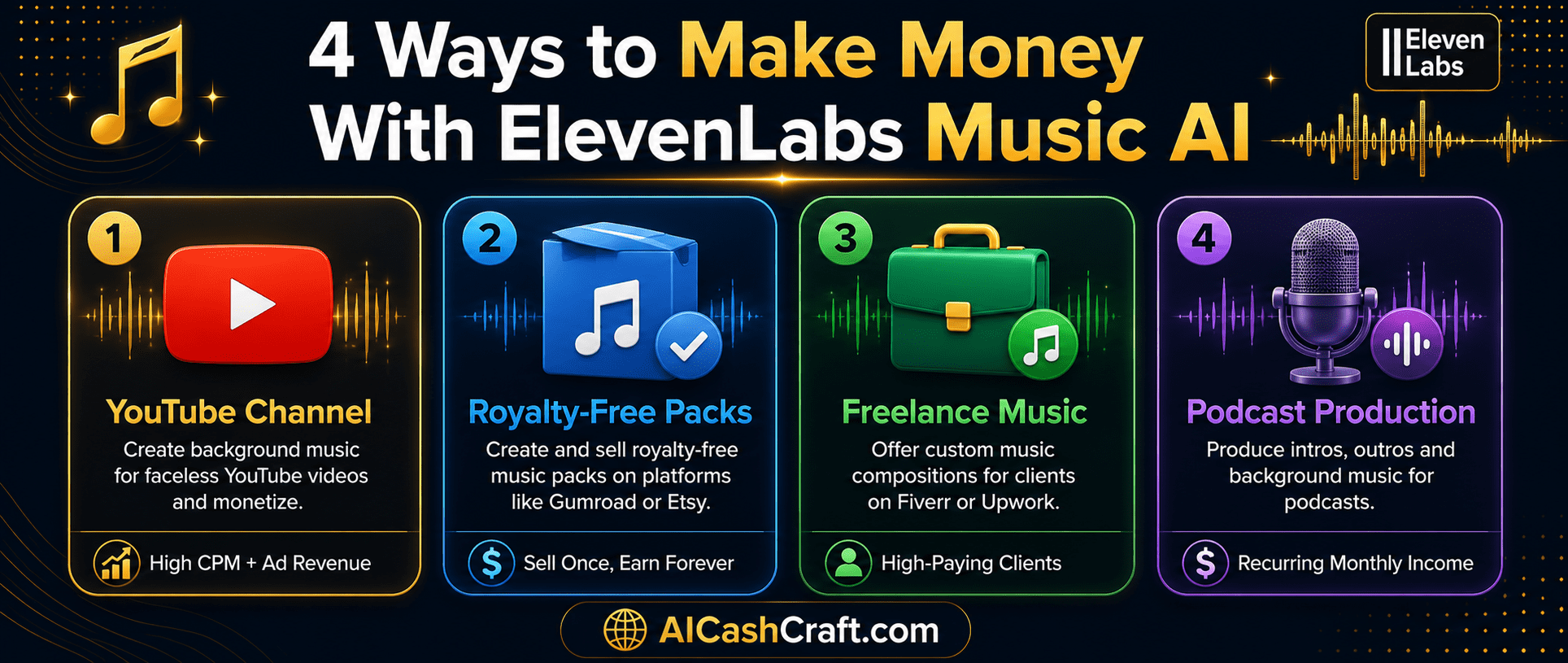
The most immediate use case for ElevenLabs Music AI is providing background music for your own YouTube channel — particularly faceless channels covering educational, business, or lifestyle content. Using AI-generated, commercially licensed music eliminates the most common copyright issue that prevents YouTube monetization: music claims. Each video gets original, unique background music in minutes rather than the hours it used to take to find and license appropriate tracks. See how this fits into the complete workflow in our Faceless YouTube Videos guide.
💡 Create a library of 10 to 20 pre-generated tracks in different moods (calm, upbeat, focused, inspiring) — having these ready means you can match music to content instantly rather than generating fresh for each video.Create themed collections of AI-generated music tracks — “10 Calm Study Music Tracks,” “YouTube Podcast Intro Pack,” or “Social Media Background Music Bundle” — and sell them as digital downloads on Gumroad or Payhip. Content creators, podcasters, and video editors regularly purchase royalty-free music packs to save time on licensing. A pack of 10 to 20 tracks in a consistent style priced at $7 to $27 is a natural digital product for this audience. See our AI Digital Products guide for selling and listing strategies.
💡 Niche your packs specifically — “lo-fi study music pack,” “corporate explainer video music,” or “true crime podcast background tracks” sell to a targeted buyer with a specific, immediate need rather than competing with generic “background music” offerings.Many YouTube creators, podcasters, and online course creators need consistent background music for their content but do not want to spend time generating it themselves. Offer a service: you handle the music production — generate a set of original tracks matching their channel’s tone and style, deliver the files with usage rights — and charge $30 to $150 per music pack. With ElevenLabs Music AI, each pack takes 30 to 60 minutes to produce. This service pairs naturally with the video editing and content creation services covered in our Start Freelancing With AI guide.
Podcasters need intro music, outro music, ad break transitions, and chapter background tracks — all requiring original, licensable audio. Use ElevenLabs Music AI to produce a complete podcast audio package: branded intro theme (15 to 30 seconds), outro, two to three transition sounds, and optional episode background music. Charge $50 to $200 per complete podcast audio kit. This is a recurring opportunity — as podcasters grow and rebrand, they frequently need updated audio. Pair with ElevenLabs’ voiceover tools for podcast clients who also need intro narration. See our complete AI Newsletter Income guide for how to market services to the newsletter and podcast creator audience.
💳 ElevenLabs Music AI — Free vs Paid Plans
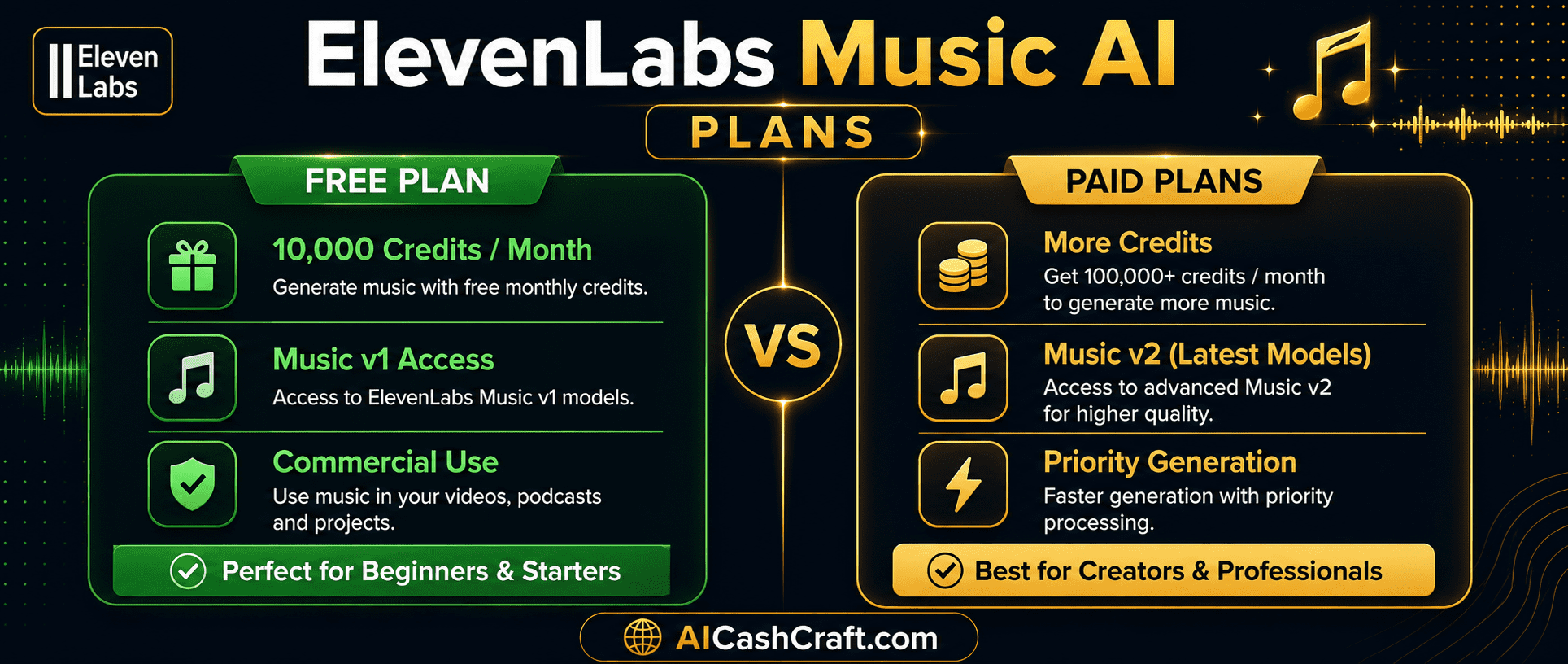
| Plan | Music Credits | Music v2 | Commercial Use | Cost |
|---|---|---|---|---|
| Free | Monthly allowance | Limited | ✅ Yes | $0 |
| Starter | More credits | ✅ Full access | ✅ Yes | From $5/month |
| Creator | High volume | ✅ Full access | ✅ Yes | From $22/month |
❓ Frequently Asked Questions — ElevenLabs Music AI
Yes — ElevenLabs Music is available on the free plan with a monthly credit allowance. The free plan is sufficient for personal use and low-volume music generation. For higher volume production (creating music packs for sale or multiple client projects per week), paid plans starting from around $5/month offer more credits and full Music v2 access. Always verify current plan details at elevenlabs.io as pricing and inclusions are updated regularly.
ElevenLabs Music AI states that its Music model is trained on licensed audio and the output is cleared for commercial use — meaning you can use generated tracks in monetized YouTube videos, client projects, and products you sell. Always verify the current terms of service at elevenlabs.io/terms before commercial use, as platform policies can update. Commercial clearance is one of the main advantages of ElevenLabs Music over many competitor tools that use unlicensed training data.
Music v2 is a significant upgrade that offers chunk-based composition — giving creators finer control over the structure and arrangement of generated tracks. It can produce more complex, dynamic music with better transitions between sections compared to Music v1. Music v2 is primarily available on paid plans, while the free plan offers Music v1 access. For beginners starting out, Music v1 on the free plan produces results that are entirely usable for background music purposes.
ElevenLabs Music and ElevenLabs Voices are two completely separate features on the same platform. ElevenLabs Voices converts text to spoken audio — for narration, podcasts, and audiobooks. ElevenLabs Music generates original background music tracks from text descriptions. Both are available through the same account. See our ElevenLabs for Beginners guide for the complete voiceover workflow.
ElevenLabs Music generates a wide range of styles — lo-fi, ambient, corporate, electronic, acoustic, cinematic, podcast intro style, upbeat, and more. The quality and accuracy of the output depends significantly on the detail in your prompt. Describing the mood, tempo, instruments, and intended use in your prompt consistently produces better results than generic descriptions.
Based on ElevenLabs’ stated commercial use clearance for Music AI output, selling generated tracks as royalty-free music packs or using them in client deliverables is within the intended use case. Always verify the current terms at elevenlabs.io/terms before selling. The income methods in this guide — music packs, freelance production services, and YouTube channel music — are the most commonly cited beginner use cases.
📚 Related Guides
🎯 Final Thoughts — ElevenLabs Music AI Is Worth Starting Today
ElevenLabs Music solves one of the most persistent problems for content creators — finding commercially safe, original background music quickly and at no cost. Whether you use the tool for your own YouTube channel, sell AI music packs as digital products, or offer music production as a freelance service, the free plan is enough to start generating real value immediately.
The income opportunities around AI music are still early — most content about ElevenLabs focuses on voiceover, leaving the music side largely unexplored by beginner guides. That means less competition for those who start building income from it now.
For more practical AI tools and income guides, explore the AICashCraft Blog. Follow our AICashCraft YouTube channel and Instagram for free video guides and daily AI tips.
Get the latest AI music and income guides, free tools, and strategies from AICashCraft — completely free.
Top 10 Free AI Tools for Beginners
Download our free 13-page PDF guide covering the best free AI tools with beginner tips and step-by-step advice. No sign-up needed.
⬇️ Download Free PDF Guide