
7 Best AI Writing Tools for Beginners (Free & Easy to Use)
Looking for the best AI writing tools for beginners? Whether you want to write blog posts, emails, social captions, or full articles, the right AI tool can save you hours — and most of the best ones are free. This guide ranks the 7 best AI writing tools and shows exactly what each is best at.
A few years ago, writing a blog post or a batch of emails could eat up your whole afternoon. Today, the best AI writing tools for beginners can draft, edit, and polish your words in minutes — and you don’t need any technical skill to use them.
The hard part is knowing which tool to pick. Some are best for long articles, some for fixing grammar, and some for marketing copy. Below are the 7 best options ranked by what beginners actually need — most with generous free plans. Want image tools too? See our best free AI image generators guide.
⚡ Quick Comparison — Best AI Writing Tools
Here’s how the best AI writing tools for beginners compare at a glance:
| Tool | Best For | Free Plan |
|---|---|---|
| ChatGPT | All-round writing | Yes |
| Claude | Long articles & essays | Yes |
| Google Gemini | Research + writing | Yes |
| Grammarly | Fixing & editing | Yes |
| QuillBot | Paraphrasing | Yes |
| Jasper | Marketing content | Trial |
| Rytr | Affordable short-form | Yes |
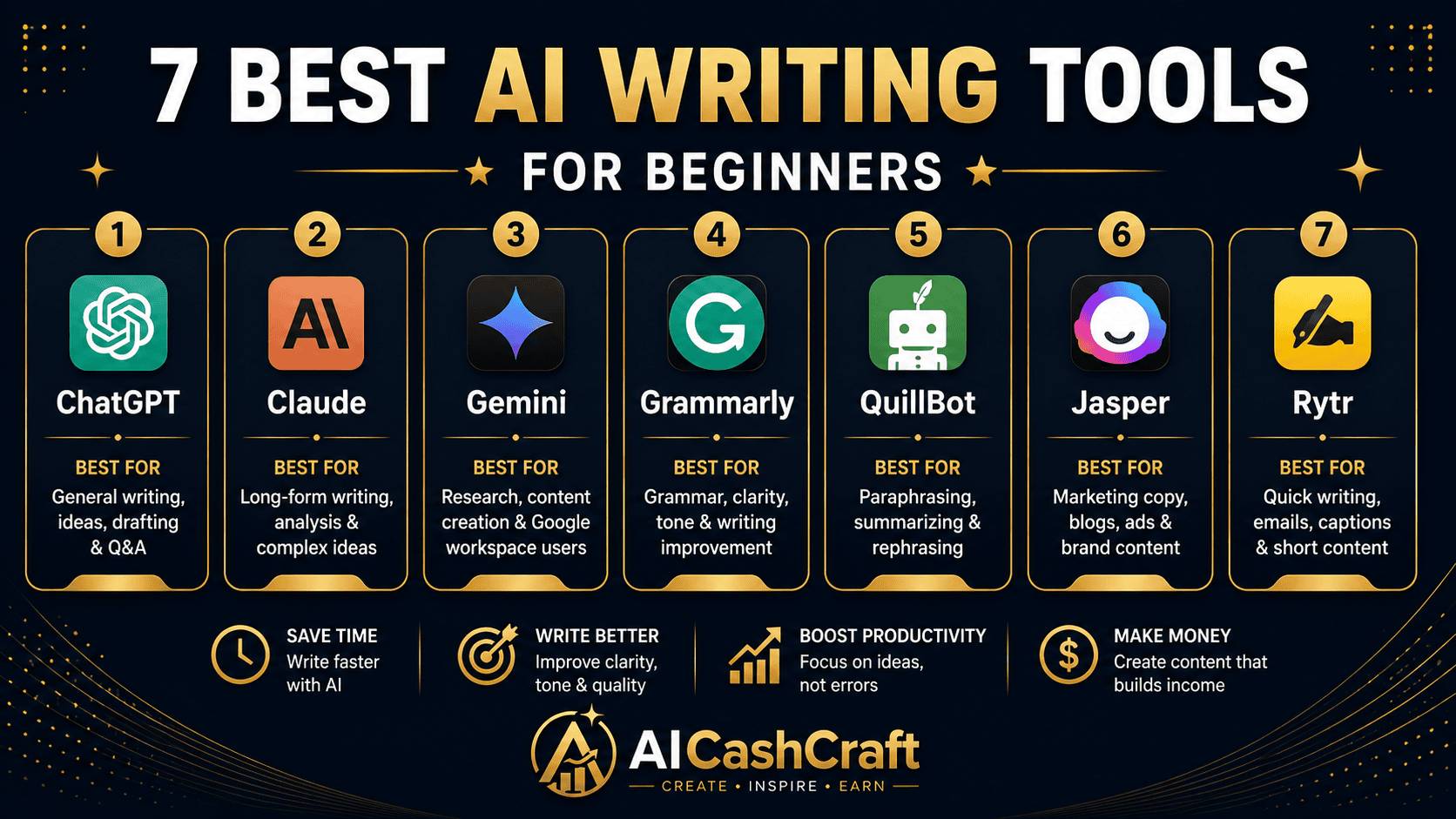
🏆 The 7 Best AI Writing Tools for Beginners
The easiest and most flexible starting point. Describe what you want in plain English — a blog post, email, caption, or outline — and ChatGPT writes it. You can refine by chatting until it’s right. The free tier is remarkably capable for everyday writing, which is why it’s the top pick for beginners. New to it? Read our ChatGPT for Beginners guide, and grab ready prompts from our ChatGPT Prompts for Beginners post.
👍 Best for: all-round writing and beginners who want one flexible tool.Claude shines at long-form writing — full articles, guides, and essays — and keeps its tone and structure consistent across thousands of words. If you write detailed blog posts, Claude often produces more natural, flowing text than other tools. Free tier available.
👍 Best for: long blog posts, guides, and essays.Gemini combines writing with Google’s research strengths, so it’s great for content that needs up-to-date info. It’s free with a Google account and handy for drafting, summarizing, and brainstorming. It also creates images — see our Google Gemini image guide.
👍 Best for: research-backed writing and free everyday use.Grammarly doesn’t write for you — it makes your writing better. It catches grammar, spelling, tone, and clarity issues in real time, right inside your browser and docs. Pair it with ChatGPT or Claude to polish every draft. Excellent free plan.
👍 Best for: fixing and polishing your own writing.QuillBot is the go-to for paraphrasing and rewording — perfect when you want to rephrase a sentence, simplify text, or make writing sound more natural. Beginners use it to refine AI drafts and avoid repetitive phrasing. Free tier available.
👍 Best for: paraphrasing and simplifying text.Jasper is a full content platform built for marketing — templates, brand voice, and ad/sales copy. It’s a paid tool, so it’s best once you’re earning from content or running a business, not on day one. Offers a free trial to test.
👍 Best for: marketing teams and scaling paid content.Rytr is the most affordable paid option — great for quick drafts, emails, product descriptions, and social posts. If you want a dedicated writing tool without a big monthly cost, it’s a solid pick. Has a free tier plus a low-cost plan.
👍 Best for: affordable short-form writing.🤔 Which One Should You Use?
Here’s the simplest way to choose from the best AI writing tools for beginners:
- Just starting out? Use ChatGPT — free, flexible, no learning curve.
- Writing long articles? Use Claude.
- Need current info? Use Google Gemini.
- Fixing your own writing? Use Grammarly.
- Rewording text? Use QuillBot.
- Running marketing content? Use Jasper or Rytr.
💰 How to Make Money With AI Writing
Once you’re comfortable, AI writing tools can become a real income source for beginners:
- Freelance writing — offer blog posts and articles on Fiverr. See our Fiverr AI tools guide →
- Start a blog — write content and earn through ads and affiliates.
- Sell digital products — ebooks, templates, and guides. See Sell Digital Products With AI Tools →
- ChatGPT side hustles — learn more in How to Make Money With ChatGPT →
❓ FAQ — Best AI Writing Tools for Beginners
For most beginners, ChatGPT is the best AI writing tool to start with — it’s free, flexible, and easy to use for blog posts, emails, and more. For long articles, Claude is an excellent free alternative.
Many are. ChatGPT, Claude, Google Gemini, Grammarly, and QuillBot all have genuinely useful free plans. You only need to pay for advanced tools like Jasper when your content volume grows.
No — they assist, not replace. AI handles drafts and repetitive tasks, but human judgment, expertise, and originality still matter. The best results come from combining AI with your own editing and ideas.
Grammarly is the top choice for catching grammar, spelling, and clarity issues. Pair it with a writing tool like ChatGPT for a complete workflow.
No. You can cover the entire writing process for free by stacking ChatGPT, Grammarly, and QuillBot. Upgrade to paid tools only when you actually need more.
📚 Related Guides
🎯 Final Thoughts — Start Writing With AI Today
You don’t need to be a professional writer — or spend a rupee — to create great content. The best AI writing tools for beginners, led by ChatGPT, Claude, and Grammarly, cover everything from first draft to final polish, mostly for free. Pick one, write your first piece today, and add tools as your needs grow. The sooner you start, the faster you’ll improve.
For more free AI guides and income strategies, explore the AICashCraft Blog, and follow our YouTube channel and Instagram for free video guides.
Get the latest AI tool guides, free tools, and income strategies from AICashCraft — completely free.
Top 10 Free AI Tools for Beginners
Download our free 13-page PDF guide covering the best free AI tools with beginner tips and step-by-step advice. No sign-up needed.
⬇️ Download Free PDF Guide