What Is Sora AI? — Beginner Guide to OpenAI’s Video Generator”
Sora AI is OpenAI’s text-to-video generator — the same company behind ChatGPT. You type a description, and Sora creates a realistic video from it. This guide explains exactly what Sora AI is, how it works, who can access it, what free alternatives exist right now, and how beginners can use AI video tools to earn money online.
When OpenAI announced Sora, it changed how people think about AI video creation. For the first time, a text-to-video AI was producing results that looked genuinely cinematic — not the choppy, low-quality clips that earlier tools produced. Sora AI can generate videos up to a minute long from a single text prompt, with realistic motion, lighting, and scene transitions.
For beginners, Sora AI represents both an exciting opportunity and a practical question — what can it actually do, who can access it, and how does it fit into a content creation or income strategy? This guide answers all of that clearly, without technical jargon.
Already familiar with other AI video tools? See our complete AI Video Tools for Beginners guide for a full comparison of every major tool available. For complete beginners, start with our Top AI Tools for Beginners guide first.
🎬 What Is Sora AI — Explained Simply
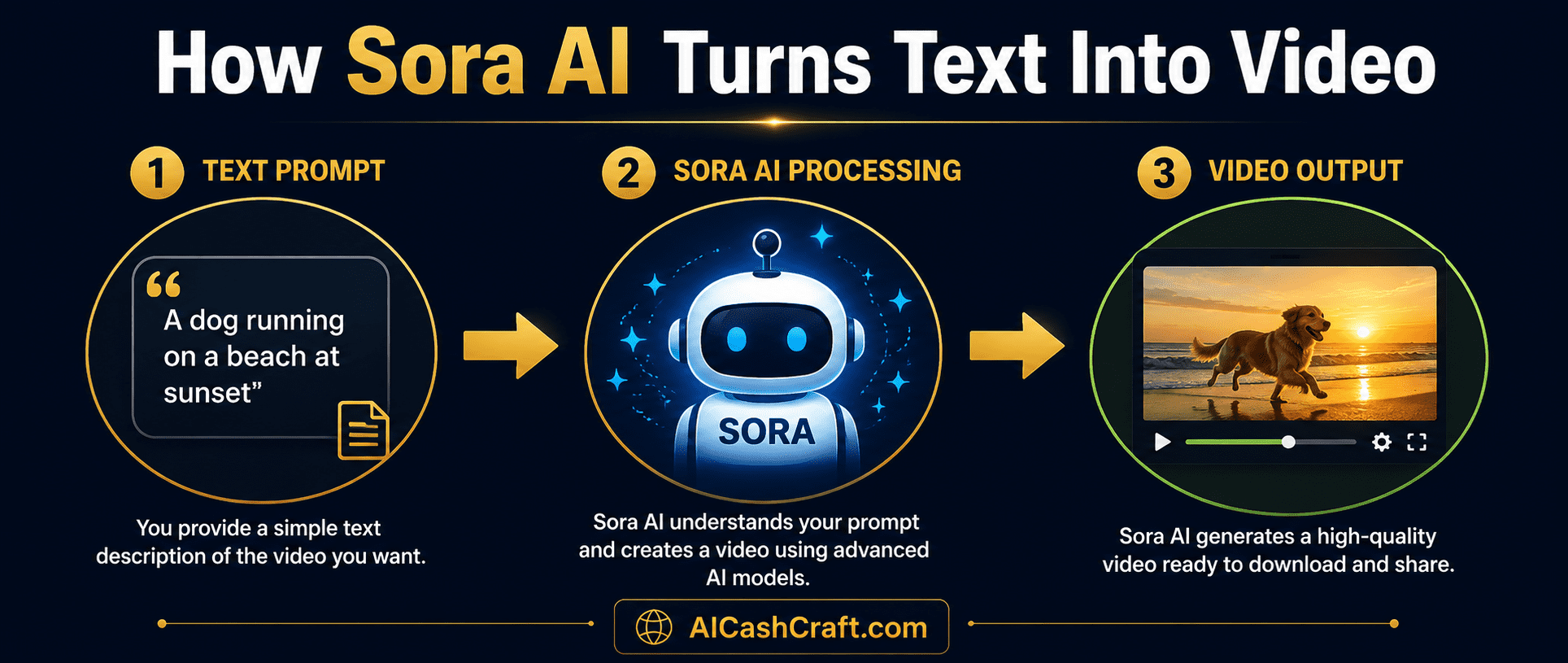
Sora AI is a text-to-video generation model created by OpenAI. In the same way that ChatGPT converts text into written responses and DALL-E converts text into images, Sora AI converts text descriptions into video clips. Type a detailed description of a scene — the setting, action, mood, and style — and Sora generates a video that matches it.
Understanding what is Sora AI and what sets it apart starts with quality. The realism that made Sora AI stand out when it launched was its ability to maintain consistent physics, lighting, and object permanence across a video — things that earlier AI video tools struggled with significantly. A dog running through a park, ocean waves breaking on a shore, a city street at night — Sora renders these with a level of realism that earlier tools could not achieve.
What Is Sora AI Capable of — Key Features Explained
🔑 How to Access Sora AI — Who Can Use It
Accessing Sora AI is straightforward once you have the right ChatGPT plan. Here is the current access structure:
| Plan | Sora Access | Video Length | Monthly Cost |
|---|---|---|---|
| ChatGPT Free | ❌ No access | — | $0 |
| ChatGPT Plus | ✅ Limited access | Up to 20 seconds | $20/month |
| ChatGPT Pro | ✅ Full access | Up to 60 seconds | $200/month |
How to Use Sora AI on ChatGPT Plus
Go to chat.openai.com and upgrade to the Plus plan. Sora becomes available in the left sidebar or through the video generation option in the chat interface.
The quality of your Sora AI video depends heavily on the detail in your prompt. Include the scene, action, lighting, mood, camera angle, and visual style. Example: “A golden retriever running along a sunset beach, slow motion, cinematic style, warm orange tones, shallow depth of field.”
💡 Use our free ChatGPT Prompt Generator to create detailed video prompts — select “video script” or “AI image prompt” for the best starting structure.Click generate — Sora AI produces the video in under a minute for most clips. Preview it, and if satisfied, download the MP4 file for use in your content. If the result needs adjustment, refine your prompt and regenerate.
🆓 Best Free Sora AI Alternatives for Beginners
Once you understand what is Sora AI and what it costs, the next question is whether free alternatives can do the same job. If Sora AI‘s paid requirement is a barrier, the good news is that several free AI video generators produce strong results that are genuinely usable for content creation. These are the best free alternatives to Sora AI available right now.
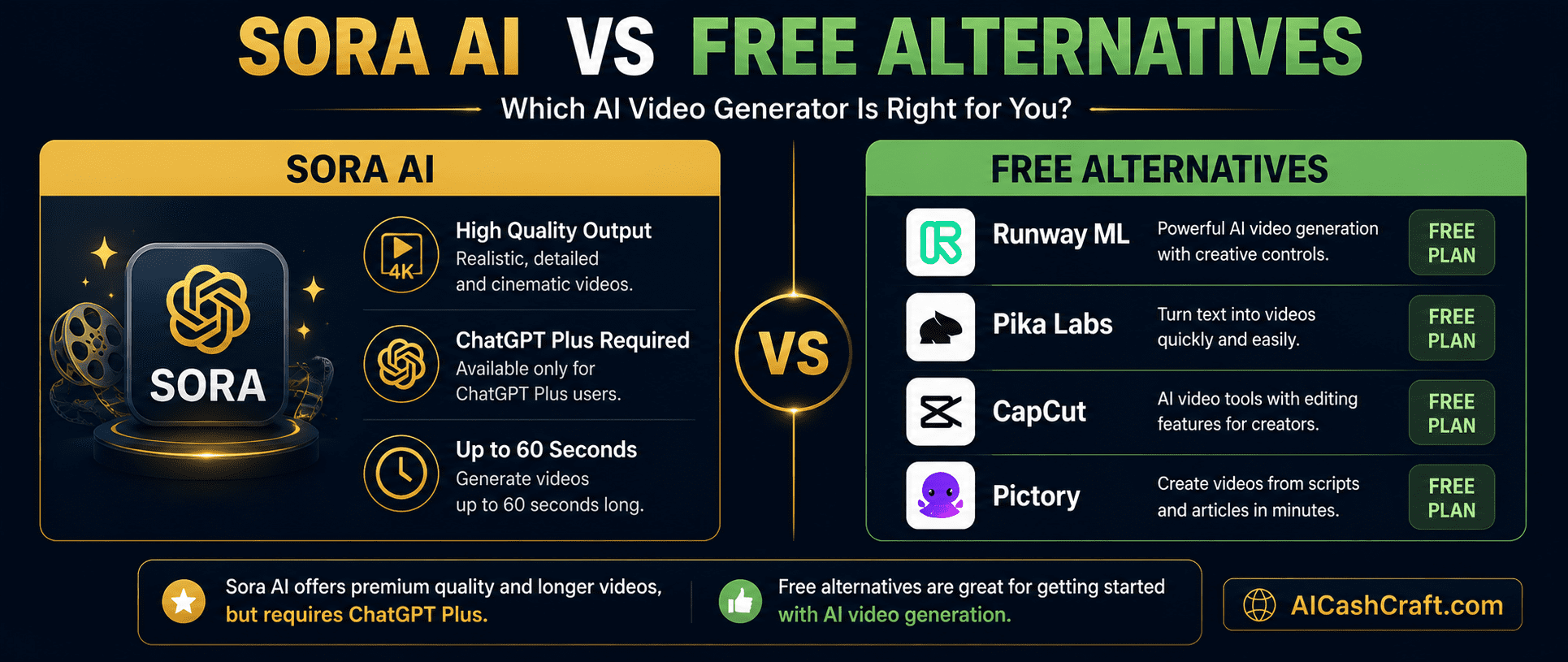
Runway ML is the closest free alternative to Sora AI for text-to-video generation. Its Gen-2 model produces high-quality short video clips from text prompts and images. The free plan includes a limited number of credits per month — enough to experiment and create content for social media and YouTube. Used by professional content creators and filmmakers worldwide.
Pika Labs is a beginner-friendly free AI video generator that produces short clips from text or image inputs quickly. The interface is simpler than Runway ML — ideal for beginners who want to experiment with AI video generation without a steep learning curve. Free plan includes daily generation credits with no credit card required.
CapCut is the most beginner-friendly free AI video tool available and requires no generation credits. Its script-to-video feature converts written scripts into complete videos with stock footage, captions, and music automatically. While it does not generate original footage like Sora AI, it produces complete publishable videos faster than any other free tool — making it the best starting point for most beginners.
💰 How Beginners Can Make Money With Sora AI and AI Video Tools
Whether you use Sora AI directly or its free alternatives, AI video generation opens up several practical income opportunities for beginners. Here are the most accessible methods available right now.

Use AI video tools to produce consistent YouTube content without appearing on camera. ChatGPT scripts + ElevenLabs voiceover + CapCut or Runway ML visuals = a complete faceless video workflow. Monetize through YouTube AdSense, affiliate links, and sponsored content. See our complete Faceless YouTube Videos With AI guide for the full step-by-step process.
💡 Best for: Long-term passive income. Timeline: 3-6 months to first AdSense earnings with consistent publishing.Offer AI video creation services on Fiverr or Upwork — explainer videos, product demos, social media clips, and intro animations. Use Runway ML or Pika Labs for AI-generated visuals and CapCut for final editing. Charge $20 to $150 per video depending on length and complexity. AI tools mean each video takes 30 to 60 minutes instead of several hours. See our Best AI Tools for Freelancing guide for client acquisition tips.
💡 Best for: Fast active income. Timeline: First paid project possible within 1-2 weeks of setting up a Fiverr profile.Many businesses need consistent short-form video content for Instagram Reels, TikTok, and YouTube Shorts but do not have the time or skills to produce it. Use Pika Labs or CapCut to create AI-generated short clips, pair with ChatGPT captions, and offer monthly content packages. Even 3 clients at $200 to $400 per month represents meaningful income for a beginner using free AI tools.
💡 Pair with our Make Money With ChatGPT guide for the complete social media management workflow and pricing strategy.Create AI-generated video templates, stock footage packs, or video intros using Runway ML or Pika Labs — then sell them on platforms like Envato, Gumroad, or Creative Market. Stock footage created with AI can be licensed repeatedly with no ongoing effort after upload. Combine with our AI Side Hustles guide for a complete passive income strategy using AI video tools.
💡 Best for: Passive income. AI-generated stock video is a growing market — niche categories with low competition are the fastest path to consistent sales.❓ Frequently Asked Questions — What Is Sora AI?
These are the most common questions beginners ask about what is Sora AI and how to use it effectively without a paid subscription.
Sora AI is OpenAI’s text-to-video generator — the same company that makes ChatGPT. You type a description of a scene and Sora creates a realistic video clip from it, up to 60 seconds long. It is currently available to ChatGPT Plus and Pro subscribers. Free alternatives like Runway ML and Pika Labs offer similar functionality at no cost.
Sora AI is not available on the free ChatGPT plan. It requires a ChatGPT Plus subscription at $20/month for limited access or a Pro subscription at $200/month for full access. For beginners who want to start with free AI video tools, Runway ML, Pika Labs, and CapCut are the strongest free alternatives available right now. See our full AI Video Tools guide for all options.
Sora AI produces some of the most realistic and physically accurate AI-generated video available — significantly better than most free alternatives in terms of motion consistency and scene realism. However, free tools like Runway ML Gen-2 and Pika Labs produce results that are entirely usable for social media, YouTube, and freelance content at zero cost. For most beginner use cases, starting with free tools is the right approach.
Yes — but you do not need Sora AI specifically to earn from AI video creation. Beginners use free tools like CapCut, Runway ML, and Pika Labs for faceless YouTube channels, freelance video services, and social media content businesses. The income comes from the content and service you deliver — not the specific tool. Use our free AI Income Calculator to estimate realistic earnings from AI video methods.
For complete beginners, CapCut is the best starting point — 100% free with no credit limits and a script-to-video feature that produces complete publishable videos. For AI-generated original footage closest to Sora AI‘s quality, Runway ML is the strongest free alternative. Use our free AI Tool Finder Quiz for a personalized recommendation based on your specific content goals.
No — Sora AI and its free alternatives are designed to work without video editing experience. You provide a text description and the AI handles the visual creation. For assembly and final editing, CapCut’s beginner-friendly interface requires no prior editing knowledge. See our Faceless YouTube Videos With AI guide for the complete beginner workflow from script to published video.
📚 Related Guides
🎯 Final Thoughts — Start With Free, Upgrade When Ready
Now that you know what is Sora AI and how it compares to free tools, the path forward is clear. Sora AI represents a genuine leap forward in AI video generation — the quality and realism of its output is significantly ahead of most free alternatives. But for beginners starting out, the free tools in this guide — Runway ML, Pika Labs, and CapCut — produce more than enough quality to create professional content, build an audience, and earn income from AI video creation.
Start with CapCut — it is free, beginner-friendly, and produces complete publishable videos from the first session. Add Runway ML or Pika Labs once you are comfortable with the workflow and want to incorporate AI-generated original footage. Consider Sora AI via ChatGPT Plus when you are consistently earning from AI video content and the quality upgrade justifies the monthly cost.
The opportunity in AI video is real — and it is still early. Beginners who start building AI video skills and content channels now will have a meaningful head start over those who wait. For more practical AI guides, explore the AICashCraft Blog — updated regularly with beginner-friendly content on every major AI tool and income method.
Get the latest AI video guides, free tools, and income strategies from AICashCraft — completely free.
Top 10 Free AI Tools for Beginners
Download our free 13-page PDF guide covering the best free AI tools with beginner tips and step-by-step advice. No sign-up needed.
⬇️ Download Free PDF Guide