How to Start Freelancing With AI — 7 Easy Steps for Beginners (Free Guide)
Learning how to start freelancing with AI is one of the fastest ways for beginners to earn online — no degree, no prior experience, and no expensive equipment required. AI tools handle the most technically demanding parts of the work while you focus on finding clients, communicating professionally, and delivering results. This guide covers every step from choosing your first skill to getting your first paid client.
Freelancing has always been one of the most accessible ways to earn online — you sell a skill, deliver the work, get paid. What has changed is that AI tools now dramatically reduce the skill barrier. Beginners who would previously have needed months to learn graphic design, copywriting, or video editing can now produce professional-quality work from their first week using the right free AI tools.
This guide explains exactly how to start freelancing with AI from scratch — including which skills work best with AI assistance, which free tools to use, where to find your first clients, and how to build a professional profile that gets hired. No experience needed to begin.
Not sure which AI tools to start with? See our Top AI Tools for Beginners guide first. Want to compare all AI income options? Our AI Side Hustles guide covers the full landscape.
🤖 Why Start Freelancing With AI as a Beginner
Traditional freelancing required years of skill development before your work was good enough to charge for. AI freelancing changes this by compressing that timeline dramatically — not by replacing your skills, but by handling the parts that previously required the most technical expertise.
🛠️ Best Skills to Start Freelancing With AI
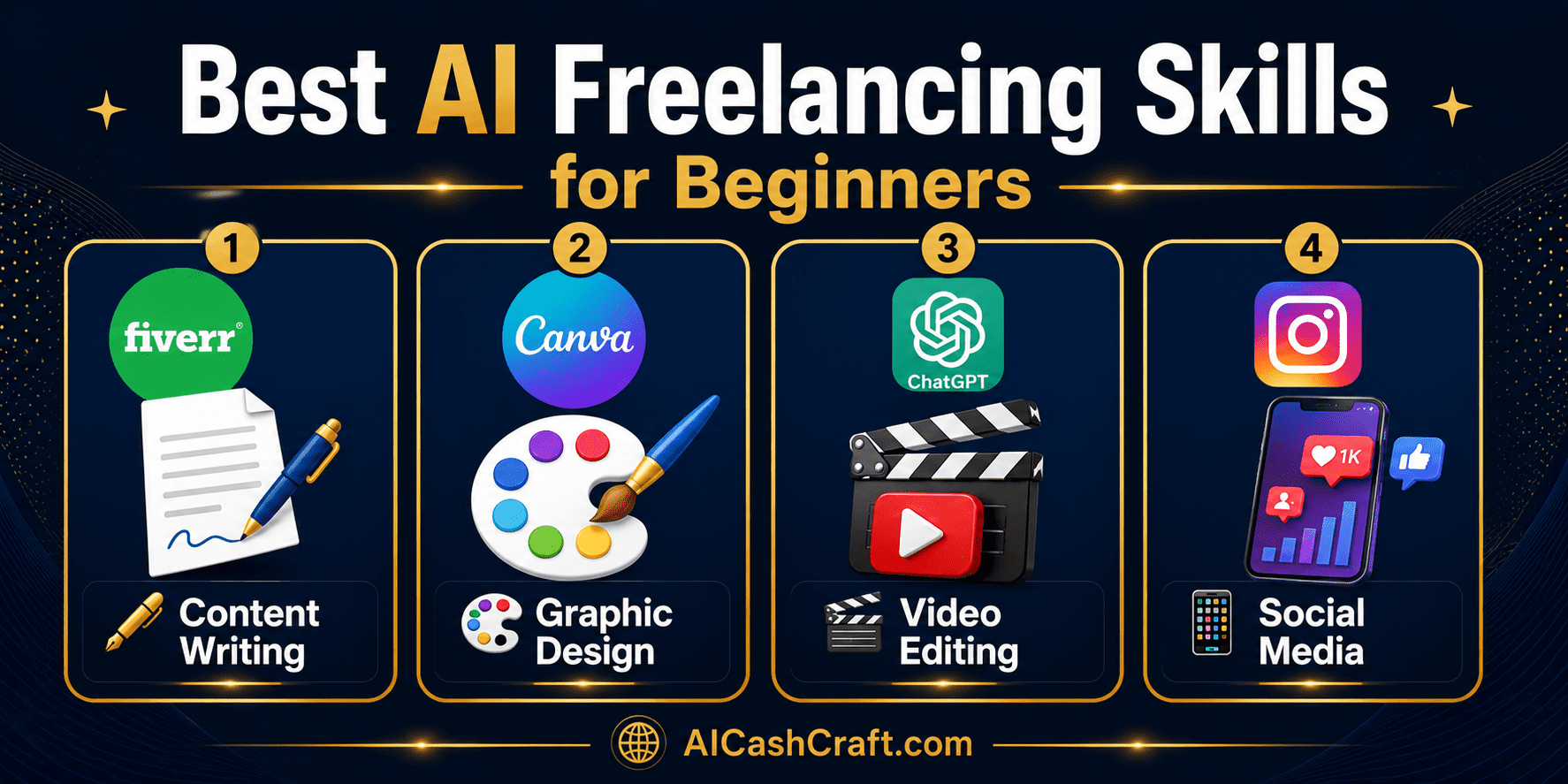
Not every freelancing skill benefits equally from AI tools. These four are the most beginner-accessible when combined with AI — each has high client demand, low barrier to entry with AI assistance, and clear platforms to find work.
Blog posts, product descriptions, email sequences, social media captions, and website copy are among the highest-demand freelance writing services. ChatGPT drafts the content; you review, edit, and personalize it to the client’s voice and requirements. Most clients cannot tell whether a skilled human or AI produced well-edited content — what they evaluate is whether it sounds natural, hits the brief, and arrives on time. See our AI Writing Tools guide for the full toolkit.
💡 Starting rate: $15 to $50 per blog post on Fiverr. With AI assistance, you can produce 3 to 5 polished posts per day — making this one of the highest-earning beginner AI freelancing skills per hour.Social media graphics, YouTube thumbnails, pitch decks, brand kits, and marketing materials are consistently in demand. Canva AI’s template library and design suggestions make beginner-quality work look professional within hours of signing up. You do not need artistic ability or design training — you need to understand what the client wants and use Canva’s tools to create it. See our AI Image Tools guide for more design tool options.
💡 Starting rate: $20 to $80 per design package. Offer bundles — “10 Instagram posts” or “YouTube thumbnail pack” — which feel more valuable than single designs and are faster to sell.CapCut’s AI features (auto-captions, background removal, script-to-video) make video editing accessible to beginners without traditional editing experience. Offer services like short-form video editing for social media, adding captions to client videos, or creating YouTube Shorts from longer content. Video editing is one of the fastest-growing freelance categories as more businesses invest in video content. See our Faceless YouTube Videos guide for the full workflow.
💡 Starting rate: $25 to $100 per video. Specializing in a format — “Instagram Reels editing” or “YouTube Shorts creation” — makes you easier to find and hire than a generic “video editor.”Small businesses need consistent social media content but rarely have time to create it. Use ChatGPT to generate monthly caption sets, Canva to design the graphics, and a scheduling tool like Buffer to plan posts. Offer this as a monthly package — “done-for-you social media management” — at $200 to $500 per month per client. With AI tools, managing 3 to 5 clients simultaneously becomes realistic even as a beginner. See our complete Best AI Tools for Freelancing guide.
💡 Starting rate: $150 to $400/month per client. Recurring monthly income makes this the most stable beginner AI freelancing service — once a client is happy, they stay for months.🚀 How to Start Freelancing With AI — 7 Steps
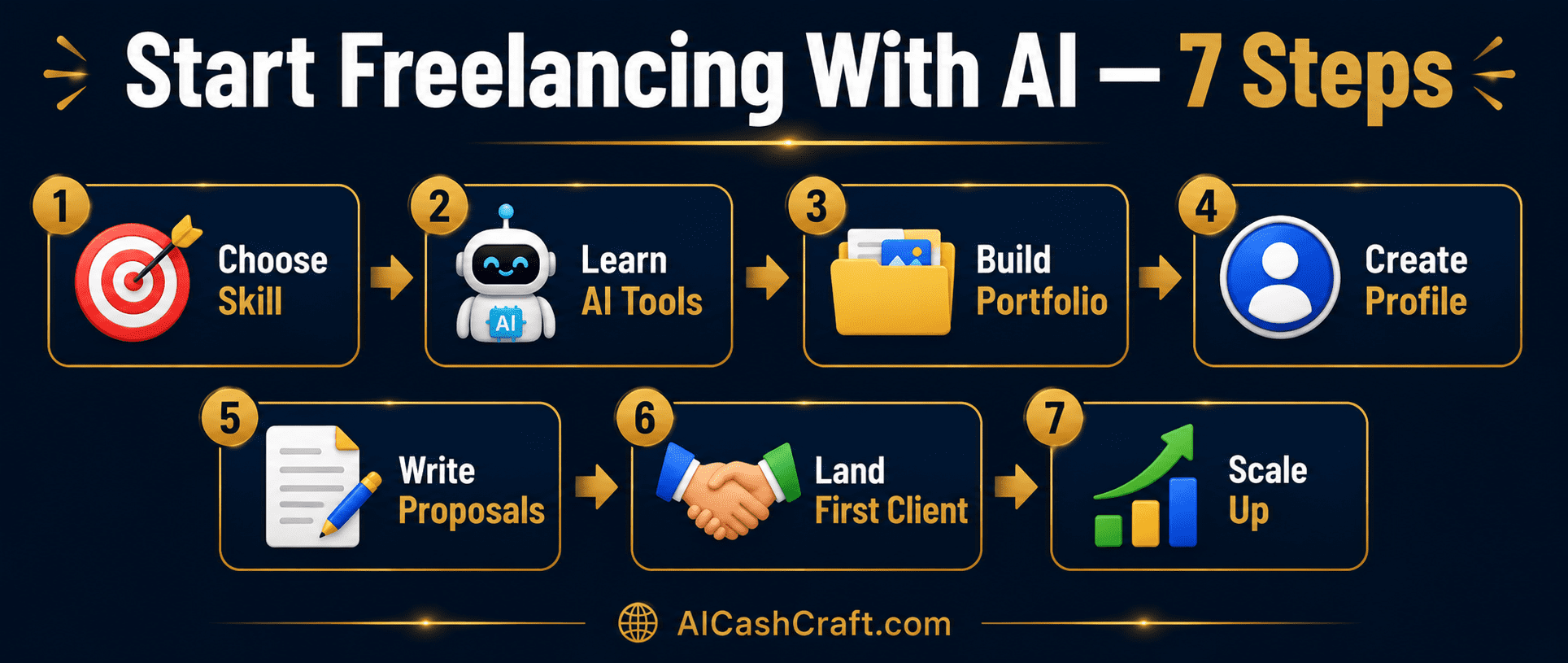
Pick one skill from the list above — the one that most naturally aligns with your existing interests or experience. Starting with one skill and becoming known for it is far more effective than spreading across multiple services immediately. Clients search for specific services, and a focused profile is easier to optimize, easier to rank, and easier for clients to understand than a generalist offering.
💡 The fastest path is not always the highest-paying service — it is the one you can start delivering confidently within one week. Begin with confidence and expand your services once you have your first few clients.Spend one week consistently using the free AI tools for your chosen skill. For writing: ChatGPT + Grammarly. For design: Canva AI. For video: CapCut. For social media: ChatGPT + Canva + Buffer. The goal is not perfection — it is enough confidence to deliver a complete project. Most beginners feel comfortable enough to take on paid work within 5 to 10 hours of consistent tool practice.
💡 Use our free ChatGPT Prompt Generator to get structured prompts for your specific skill area — it eliminates the guesswork of how to get the best results from ChatGPT for freelancing tasks.Before listing your service anywhere, create 3 to 5 high-quality sample pieces that demonstrate your skill. These do not need to be for real clients — create them for fictional brands or pick existing brands and create sample work as if you had been hired. Portfolio samples are your primary selling tool and the most important factor in whether a new client hires you over another beginner. Quality over quantity — three excellent samples outperform ten mediocre ones.
💡 Store your portfolio on a free Notion page, Google Drive folder, or Canva portfolio PDF that you can share as a link in proposals and messages. A professional presentation of your samples increases perceived value significantly.Set up seller profiles on Fiverr and Upwork — both free to join. Write a clear profile description that specifies exactly what you offer, who it is for, and what a client gets when they hire you. Use keywords that clients search for — “AI blog post writer,” “Canva social media designer,” or “Instagram Reels video editor.” Upload your best 2 to 3 portfolio samples directly to your profile. A complete, specific profile with samples converts significantly better than a generic one.
On Upwork, you apply to jobs with proposals. On Fiverr, clients contact you. For Upwork proposals, use ChatGPT to draft a personalized pitch that addresses the specific job posting — what problem the client is solving, how your approach handles their specific situation, and why your AI-assisted workflow delivers quality efficiently. A personalized proposal that demonstrates you read the brief carefully outperforms generic ones by a significant margin.
💡 Prompt: “Write a 150-word Upwork proposal for a client looking for [specific job description]. My approach: [brief description of how you work]. Include a question that shows I read their posting carefully.” Then personalize the output before sending.Price your first 3 to 5 projects slightly below market rate — not free, but competitive — to generate reviews quickly. On Fiverr and Upwork, reviews are the primary trust signal that converts new visitors into buyers. A profile with 5 positive reviews at $20/project earns more over time than a profile with no reviews at $50/project. Once you have reviews, raise your rates. The first few projects are an investment in your reputation, not a reflection of your long-term pricing.
Once you have 5 to 10 positive reviews and a consistent workflow, begin raising your rates and expanding your services. Add complementary services to your existing skill — if you offer blog writing, add SEO optimization or email sequence writing. Consider reaching out directly to businesses in your niche via LinkedIn or email instead of relying solely on platforms — direct clients typically pay higher rates and involve less competition than platform jobs. See our AI Tools for Freelancing guide for tools that help you scale.
🛒 Best Platforms to Start Freelancing With AI
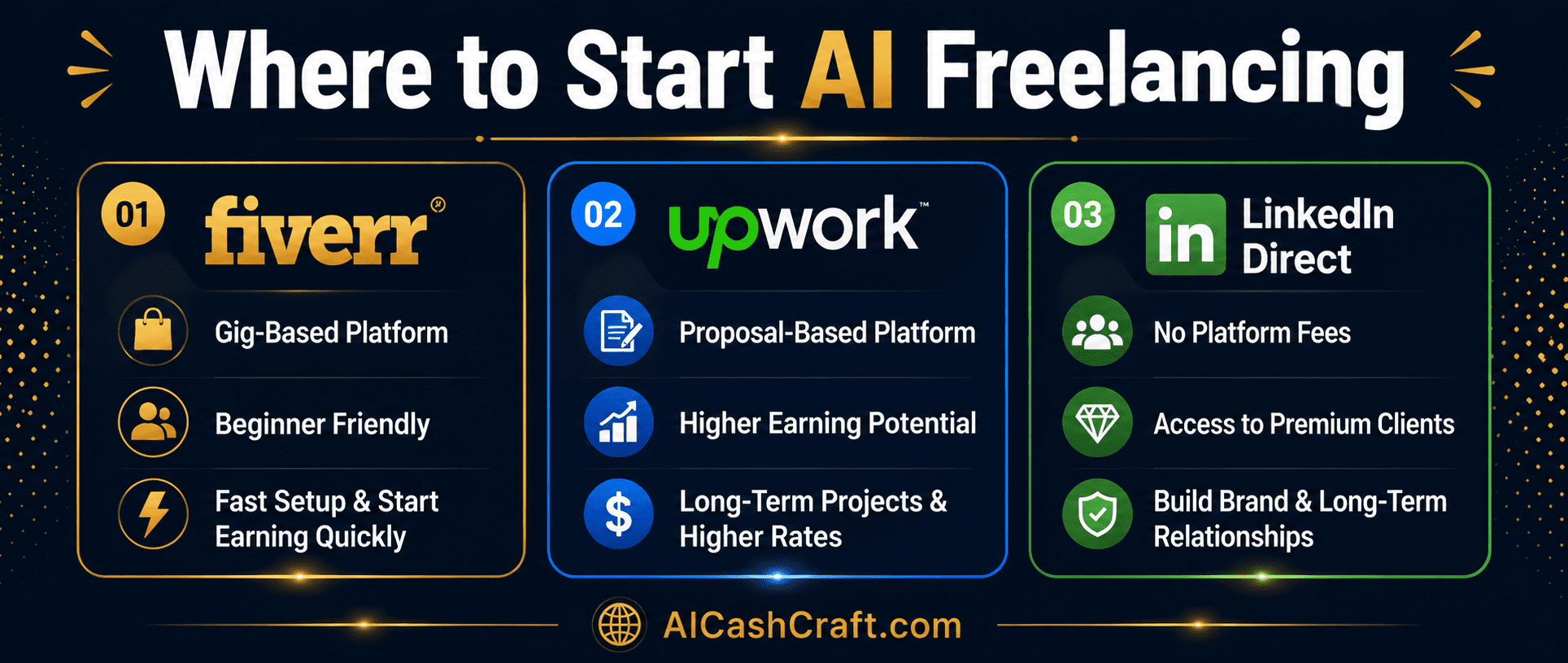
| Platform | Best For | Fee | Difficulty |
|---|---|---|---|
| Fiverr | Beginners — clients come to you | 20% of earnings | Easy to start |
| Upwork | Ongoing client relationships | 20% (reduces over time) | Medium |
| LinkedIn Direct | Premium clients, no platform fee | Free | Requires outreach effort |
| Contra | No platform fee, growing marketplace | 0% fee | Medium — newer platform |
📈 Realistic Income When You Start Freelancing With AI
| Skill | Starting Rate | With AI Per Day | Monthly Potential |
|---|---|---|---|
| Content Writing | $15 to $50/post | 3 to 5 posts | $400 to $2,000 |
| Canva Design | $20 to $80/package | 3 to 6 designs | $300 to $1,500 |
| Video Editing | $25 to $100/video | 2 to 4 videos | $400 to $1,800 |
| Social Media Mgmt | $150 to $400/client/mo | Recurring | $600 to $2,000 |
❓ Frequently Asked Questions — Start Freelancing With AI
Yes — the whole point of starting freelancing with AI is that free tools like ChatGPT and Canva dramatically lower the experience barrier. What used to require months of skill development now requires days of tool practice. The most important thing you bring is your judgment, communication skills, and ability to understand what a client wants — AI handles the technical production. Start with one skill, practice for a week, and take on your first small project.
The minimum free stack to start freelancing with AI is: ChatGPT free plan (writing, proposals, research) + Grammarly free plan (quality checking) + Canva free plan (design and visuals). Add CapCut (free) if you offer video services. All four are free to start and cover the majority of beginner freelancing service types. See our Best AI Tools for Freelancing guide for detailed reviews of each.
Most beginners who set up a complete Fiverr profile with portfolio samples get their first client within 1 to 3 weeks. The timeline varies based on how competitive your niche is, how strong your portfolio samples are, and how actively you apply to Upwork jobs. The most common delay is having an incomplete profile or weak portfolio — both are fixable before listing.
This is a nuanced question. Disclosing that you use AI tools in your workflow is honest and increasingly expected. Many clients are fine with AI-assisted work as long as the final result is high quality, personalized, and meets their brief. Some clients specifically want human-only work — respect that and do not take those projects. When in doubt, focus on the quality of your output rather than the tools used. You hire a plumber for results, not for the specific wrench they use.
Fiverr is the recommended starting platform for most beginners — clients search for and contact you rather than requiring you to apply and compete in proposals. This makes the early stage less intimidating and gets you your first clients faster. Once you have 5 to 10 Fiverr reviews, add Upwork for higher-value, longer-term client relationships. Both platforms are free to join.
Yes — starting freelancing with AI as a side income alongside existing employment is very common. The key advantage of AI-assisted freelancing is speed — tasks that previously took hours now take 30 to 60 minutes, making consistent output achievable even with limited daily time. Start with 1 to 2 hours per day and scale as your income grows and you build a client base. Many freelancers transition to full-time once their freelance income consistently matches or exceeds their salary.
📚 Related Guides
🎯 Final Thoughts — Start Freelancing With AI This Week
The best time to start freelancing with AI is now — the tools are free, the client demand is real, and the competition at the beginner level is manageable for anyone willing to put in consistent effort. Choose one skill, spend one week learning its AI tools, create your portfolio samples, and list your service on Fiverr.
Your first client will not come from a perfect profile — they will come from a complete one. Get your profile live, respond quickly to messages, deliver your first few projects at a slightly lower rate to generate reviews, and then raise your prices. Every successful AI freelancer started exactly where you are — with no clients, no reviews, and free tools.
For more practical AI income guides, explore the AICashCraft Blog. Follow our AICashCraft YouTube channel and Instagram for free video guides and daily AI tips.
Get beginner-friendly AI freelancing guides, free tools, and income strategies from AICashCraft — completely free.
Top 10 Free AI Tools for Beginners
Download our free 13-page PDF guide covering the best free AI tools with beginner tips and step-by-step advice. No sign-up needed.
⬇️ Download Free PDF Guide