Canva AI 2.0 — 7 New Features Every Beginner Should Know + 5 Ways to Make Money
Canva AI 2.0 is the biggest update Canva has ever released — transforming it from a design tool into a fully conversational, agentic creative platform. New features like Memory Library, smart Connectors, Canva Code 2.0, and Sheets AI change how beginners create, automate, and earn with Canva. This guide covers every major new feature and 5 practical ways to make money with them.
If you have been using the original Canva AI for design work, Canva AI 2.0 will feel like a significant step forward. Announced at Canva Create 2026, the update does not just add new features — it changes the fundamental nature of the platform. Canva AI 2.0 introduces persistent memory, app connections, interactive code generation, and AI-powered spreadsheets — moving Canva from a design app toward an all-in-one creative workspace that can remember your preferences and connect to your other tools.
For beginners, this matters practically: tasks that previously required switching between multiple apps can now happen inside one platform. And several of the new features open up income opportunities that did not exist before. Already familiar with the basics? See our How to Use Canva AI guide for the fundamentals. For a comparison with ChatGPT, see our Canva AI vs ChatGPT guide.
🎨 What Is Canva AI 2.0 — What Changed
The original Canva AI added AI image generation, Magic Eraser, and basic text suggestions inside the existing design interface. Canva AI 2.0 goes much further — it introduces an AI that can hold a conversation about your design project, remember your brand assets across sessions, connect to external apps to pull live data, and generate interactive web content. Think of the upgrade as Canva gaining a memory and the ability to work with your other tools rather than in isolation.
7 Major New Features in Canva AI 2.0
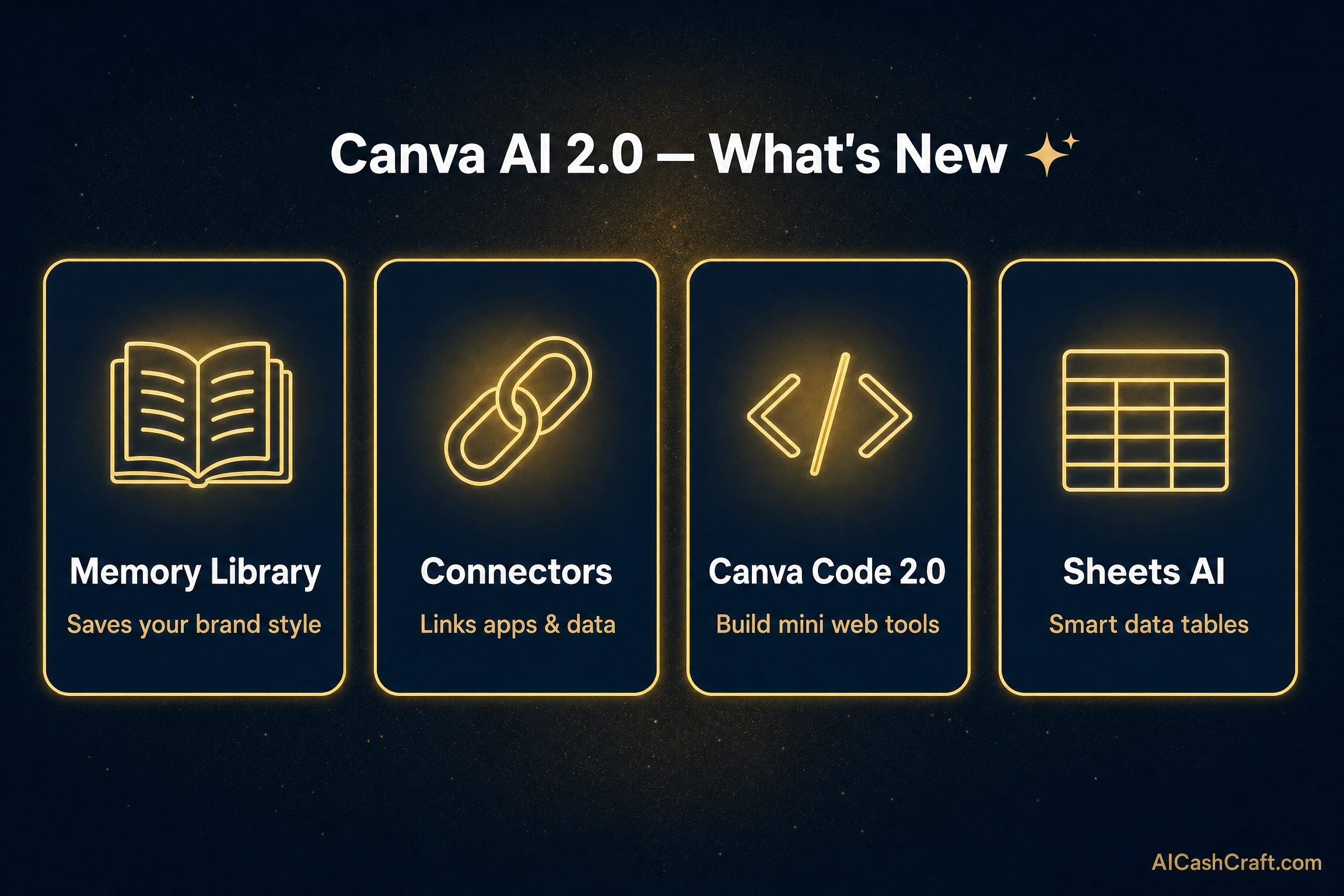
Memory Library allows Canva AI to remember your brand colors, fonts, logo, tone of voice, and design preferences across all sessions. Instead of re-uploading your brand kit every time, Canva AI applies it automatically to every new design you create. For freelancers managing multiple clients, this means switching between client brand styles takes seconds rather than minutes of manual setup.
💡 Income angle: Offer “brand-consistent design packages” to clients — Memory Library lets you produce 10 to 20 on-brand designs per client session without any manual brand setup time.Canva Connectors integrate Canva directly with external apps — Gmail, Slack, Google Drive, and Notion among others. This means you can pull live data from a Google Sheet directly into a Canva presentation, send designs directly to Slack channels, or save and sync design assets to Drive — all without leaving Canva. For content creators and social media managers, this eliminates the constant file export and re-upload cycle that wastes significant time.
💡 This feature is particularly valuable for social media management clients — design in Canva, connect to their Slack or Drive, and deliver directly without any file-sharing friction.Canva Code 2.0 allows beginners to generate interactive web elements — calculators, quizzes, countdown timers, interactive forms — using plain language descriptions, without writing code. These elements can be embedded on websites or used as interactive lead magnets and digital products. For creators who want to offer “interactive content” services to clients, this opens a category that previously required web development skills.
💡 Income angle: Create interactive quiz lead magnets or calculators for clients’ websites — charge $50 to $200 per interactive element and deliver through Canva Code without any coding knowledge required.Canva Sheets AI brings spreadsheet functionality directly into Canva — with AI that can analyze data, generate charts, and turn spreadsheet content into visual presentations automatically. For beginners who have clients with data they need visualized, this removes the Excel/PowerPoint workflow and keeps everything inside one platform. Describe what you want (“turn this sales data into a visual quarterly report”) and Canva handles the analysis and design simultaneously.
The new Canva AI 2.0 interface accepts natural language design instructions in a chat-style input — “make this more professional,” “change the color scheme to match our brand,” “add a section for testimonials below this.” The AI edits the design in response rather than requiring manual element manipulation. This significantly lowers the barrier for complete beginners who find traditional design interfaces intimidating.
💡 This is the feature that makes Canva most comparable to working with a ChatGPT-style assistant — but specifically for visual design rather than text. See how it compares in our Canva AI vs ChatGPT guide.Brand Intelligence scans a client’s existing website or social media and automatically extracts their brand colors, fonts, tone, and visual style — creating a brand kit inside Canva without any manual input. For freelancers onboarding new clients, this turns a 30-minute brand setup process into a 2-minute scan. The result is accurate enough for most client work as a starting point, with minor refinements needed.
Canva AI 2.0 integrates with Google’s Veo 3 AI video model — allowing users to generate short AI video clips directly inside Canva and incorporate them into presentations, social media posts, and video content without switching to a separate AI video tool. This makes Canva AI 2.0 the first mainstream design tool to include state-of-the-art AI video generation natively in the workflow.
💡 Combined with Canva’s existing video editor, this makes Canva a genuine end-to-end video content creation platform for beginners — from script to published video, potentially without leaving the app.💰 5 Ways to Make Money With Canva AI 2.0
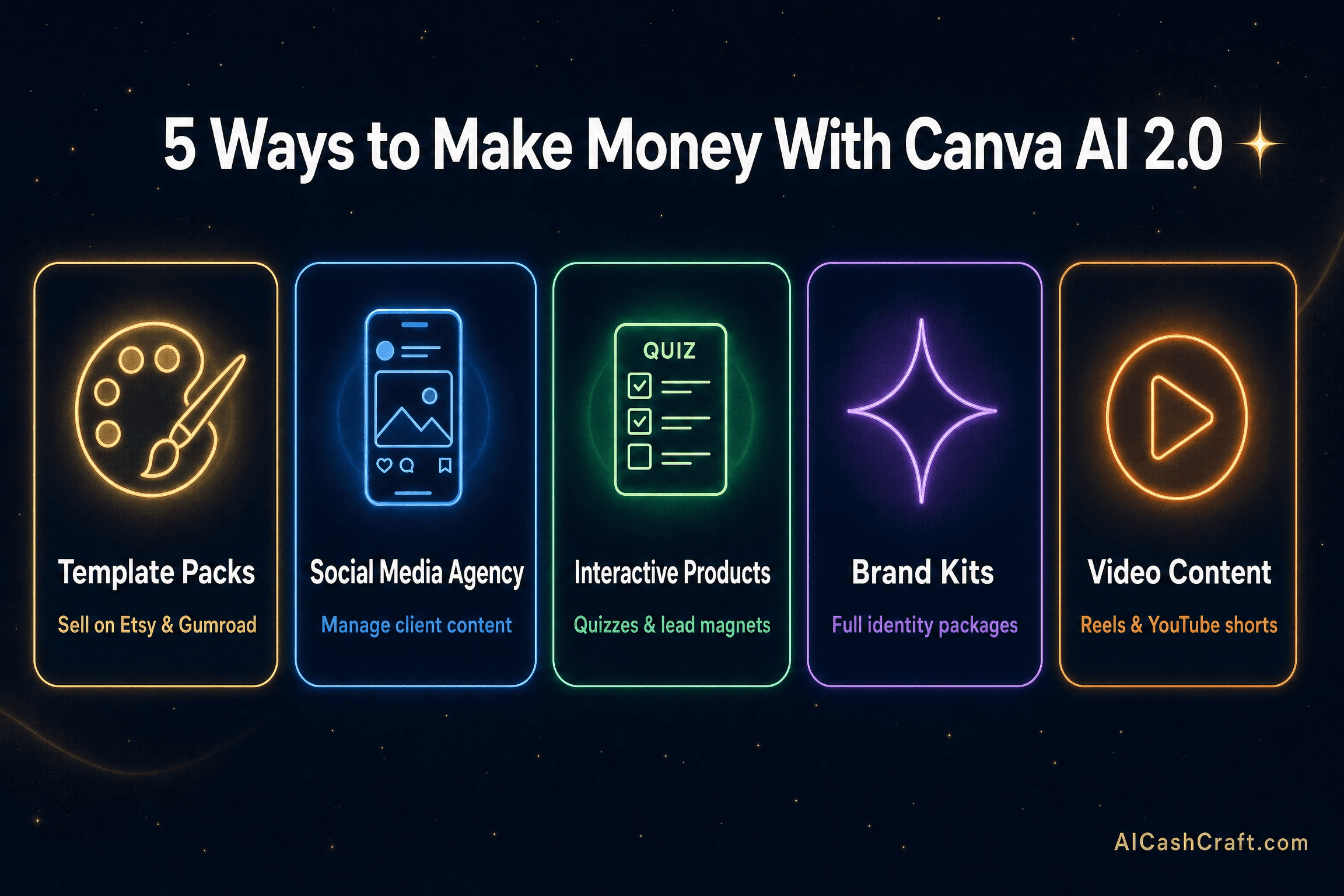
Creating and selling Canva template packs on Etsy and Gumroad was already a popular income method — the new Memory Library makes it significantly faster. Save your template style as a Memory and generate an entire matching set in one session without manually recreating colors and fonts for each template. A pack of 20 matching Instagram templates now takes 1 to 2 hours instead of a full day. See our Make Money on Etsy With AI guide for listing and selling strategies.
💡 Price: $9 to $47 per template pack. Niche packs for specific industries — real estate, fitness coaches, food bloggers — sell faster and face less competition than generic social media templates.The Connectors feature transforms social media management as a service. Design content in Canva, connect directly to the client’s Google Drive or Slack, and use Sheets AI for tracking — all inside one platform. Managing 5 to 8 clients simultaneously becomes realistic for a solo operator. See our Start Freelancing With AI guide for client acquisition strategies.
Canva Code 2.0 enables a new category of digital product: interactive web elements. Create quiz-style lead magnets (“What type of content creator are you?”), ROI calculators for specific industries, or interactive assessments — and sell them as digital products or embed them in client websites. These products charge premium prices ($37 to $97) because they provide active, engaging value rather than passive information. See our AI Digital Products guide for selling platform options.
The Brand Intelligence feature automatically scans a business’s online presence and generates a brand kit — colors, fonts, visual style — in minutes. Offer this as a “starter brand kit” service to new businesses, coaches, or freelancers who need a professional brand identity but cannot afford a traditional designer. Charge $50 to $150 for a complete starter brand kit that includes logo variations, color palette, font selection, and 5 branded templates — deliverable within hours using Canva AI 2.0 tools.
The Veo 3 integration makes it possible to produce complete short-form video content — script, AI visuals, editing, and design overlays — without leaving Canva. Offer “AI video content packages” to small businesses who need consistent short-form video for social media: a monthly package of 8 to 12 branded short videos. This service was previously technically demanding — Canva AI 2.0 makes it accessible to beginners without separate video tools. See how this pairs with our Faceless YouTube Videos guide.
📊 Canva AI 2.0 vs Old Canva — What Actually Changed
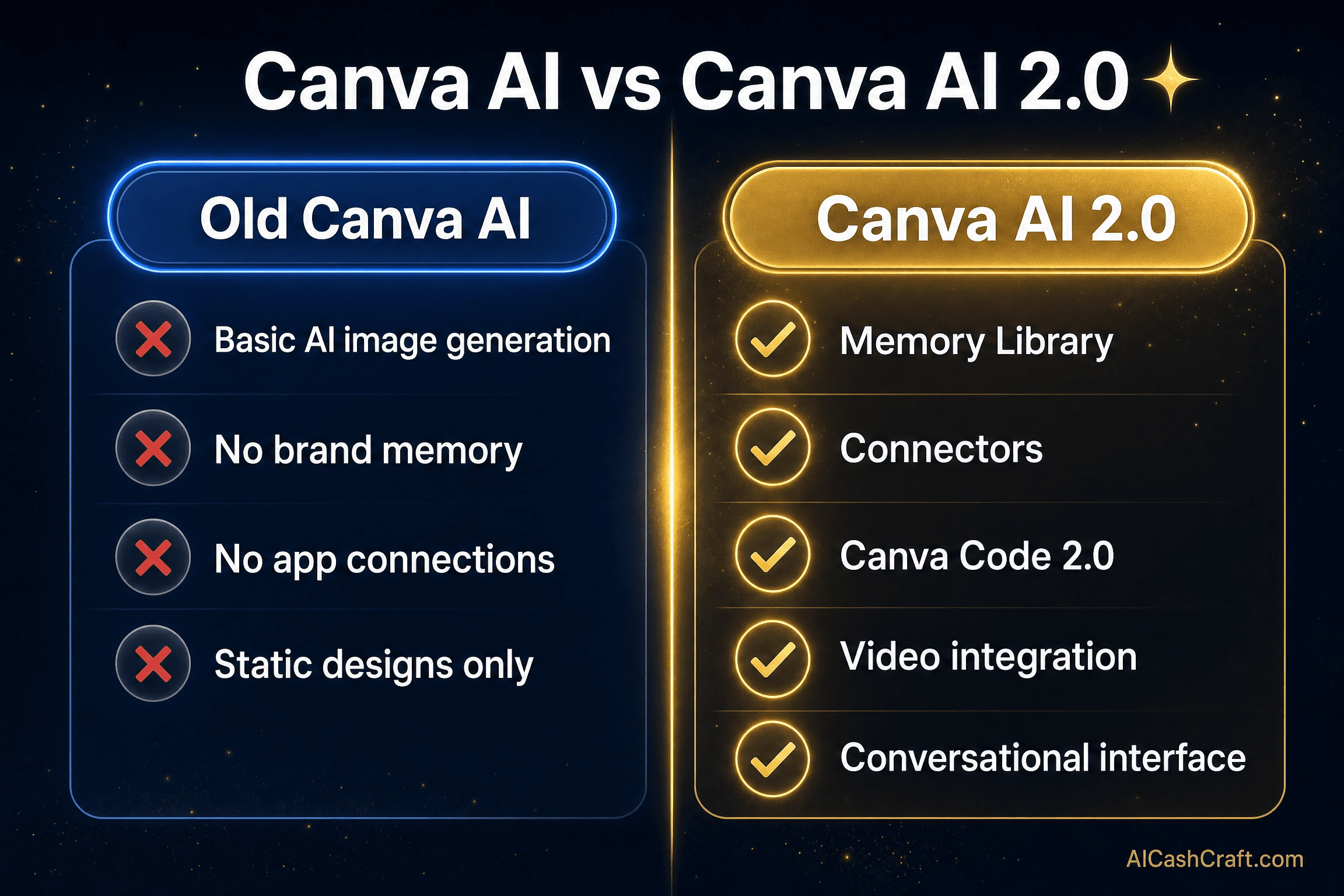
| Feature | Old Canva AI | Canva AI 2.0 |
|---|---|---|
| Brand Memory | Manual every session | ✅ Persistent Memory Library |
| App Connections | Export only | ✅ Gmail, Slack, Drive, Notion |
| Interactive Content | Static designs only | ✅ Canva Code 2.0 |
| Data/Spreadsheets | Not available | ✅ Sheets AI |
| Video Generation | Basic stock video | ✅ Veo 3 AI video |
| Brand Setup | Manual upload | ✅ Brand Intelligence auto-scan |
| Design Interface | Click-based editor | ✅ Conversational AI |
❓ Frequently Asked Questions — Canva AI 2.0
The upgrade was announced at Canva Create 2026 as a research preview in April 2026. It represents the largest update in Canva’s history — introducing Memory Library, Connectors, Canva Code 2.0, Sheets AI, Brand Intelligence, and Veo 3 video integration. Features are rolling out gradually across free and Pro plans — verify current availability at canva.com as the rollout continues.
The core Canva free plan continues to include AI features, and several new features are available to free users. Some advanced features — particularly higher-volume AI generation, full Connectors access, and Veo 3 video — may require a Canva Pro subscription ($15/month). Always check the current feature access at canva.com, as Canva regularly updates which features are included in free vs paid plans.
The original Canva AI added image generation and basic suggestions. The new version fundamentally changes the platform — adding persistent memory (so Canva remembers your brand), connections to external apps, interactive code generation, AI-powered spreadsheets, and a conversational design interface. It is the difference between an AI-enhanced design tool and an AI-native creative workspace.
Yes — The new conversational interface is specifically designed to lower the barrier for users without design backgrounds. Describe what you want in plain language and the AI creates or modifies designs accordingly. The Memory Library and Brand Intelligence features further reduce the technical setup work that beginners previously found challenging. See our How to Use Canva AI guide for the foundational workflow.
Memory Library allows the platform to remember your brand assets — colors, fonts, logos, tone — and apply them automatically to new designs without requiring manual re-entry each session. For freelancers with multiple clients, it allows rapid switching between different brand styles. For personal brands, it ensures design consistency across all content without effort.
Canva Code 2.0 generates interactive web elements — quizzes, calculators, forms, countdown timers — from natural language descriptions, without any coding knowledge required. The output can be embedded on websites or published as standalone interactive content. For creators, it opens the ability to offer interactive digital products and client deliverables that previously required web development skills.
📚 Related Guides
🎯 Final Thoughts — Canva AI 2.0 Changes What Beginners Can Offer
This is not a minor update to Canva — it changes what a beginner without design or coding experience can realistically produce and sell. Memory Library eliminates the biggest time cost in template creation. Connectors remove the file-sharing friction in client work. Canva Code 2.0 opens interactive content as a product category. Veo 3 integration makes video content production accessible from one tool.
Most of these new tools are available free or through the existing Pro plan — meaning the opportunity is accessible to beginners right now. Start with the feature most relevant to your existing income method and build from there.
For more practical AI tools and income guides, explore the AICashCraft Blog. Follow our AICashCraft YouTube channel and Instagram for free video guides and daily AI tips.
Get the latest Canva AI guides, free tools, and income strategies from AICashCraft — completely free.
Top 10 Free AI Tools for Beginners
Download our free 13-page PDF guide covering the best free AI tools with beginner tips and step-by-step advice. No sign-up needed.
⬇️ Download Free PDF Guide