🎁 Beginner Guide — Create & Sell Digital Products With AI Tools
Digital products are one of the most accessible ways for beginners to explore online income — and AI tools have made the creation process significantly faster and more manageable.
This guide walks you through how to create and sell digital products with AI tools — step by step, with honest expectations and free tools to get you started.
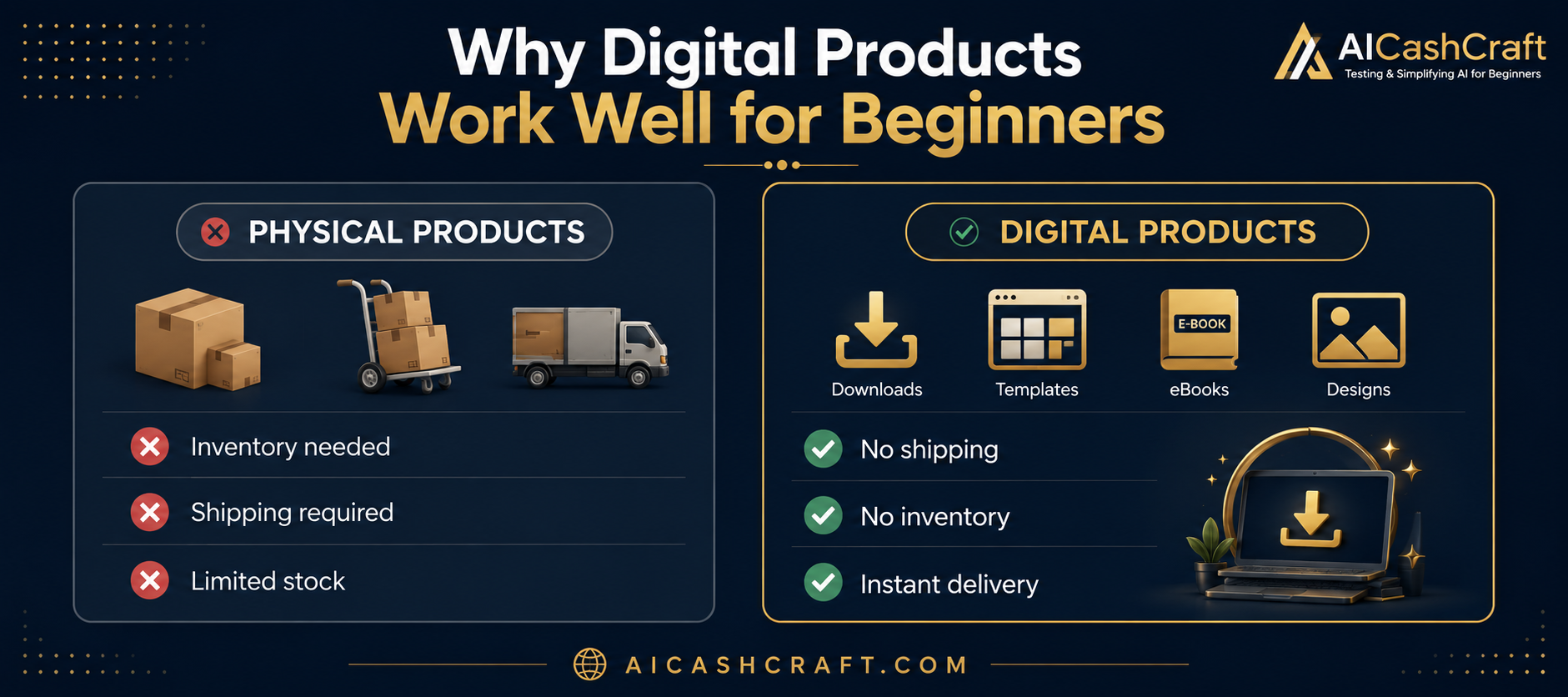
If you are looking for a beginner-friendly way to generate income online, creating and selling digital products is worth exploring. Unlike physical products, digital products do not require inventory, shipping, or significant upfront investment — and AI tools have made it much easier to create them without advanced design or writing skills.
This guide covers how to sell digital products with AI tools — from choosing what to create, to setting up your store, to writing product listings that attract buyers. Every step uses tools that are free or low cost to start.
Learning how to create and sell digital products with AI tools is becoming one of the easiest ways for beginners to start an online business in 2026.
New to AI tools? Start with our Start Here guide to understand the basics. Then use our free AI Tool Finder Quiz to find which tools fit your skill best before diving in.
💡 Honest note: Selling digital products takes time and consistent effort. Most beginners do not see immediate results — success depends on product quality, niche selection, and how well your listings are optimized. This guide gives you a solid starting framework, but results will vary based on your effort and market fit.
📦 What Are Digital Products and Why AI Helps
A digital product is any product that is delivered electronically — no physical packaging, no shipping, no inventory. The buyer purchases and downloads it instantly. Common examples include design templates, eBooks, printable worksheets, prompt packs, and digital art.
AI tools help in two key ways: they speed up the creation process and help with writing product descriptions and titles. What might take a beginner several days to create manually can often be completed in a few hours using tools like Canva AI and ChatGPT — though the quality still depends on how much time and care you put into refining the output.
No inventory or shipping to manage
One product can be sold to multiple buyers
Free platforms available to start selling
AI tools help speed up the creation process
Can be done alongside a full-time job or studies
🎯 Before starting: Use our free AI Side Hustle Generator to check if digital product selling matches your skills and interests. And use the AI Income Calculator to set realistic income expectations before you begin.
🎨 Best Digital Products to Create With AI — For Beginners
Choosing the right product type is important — pick something that matches your current skill level so you can create quality products without getting overwhelmed. Here are the most beginner-accessible options:
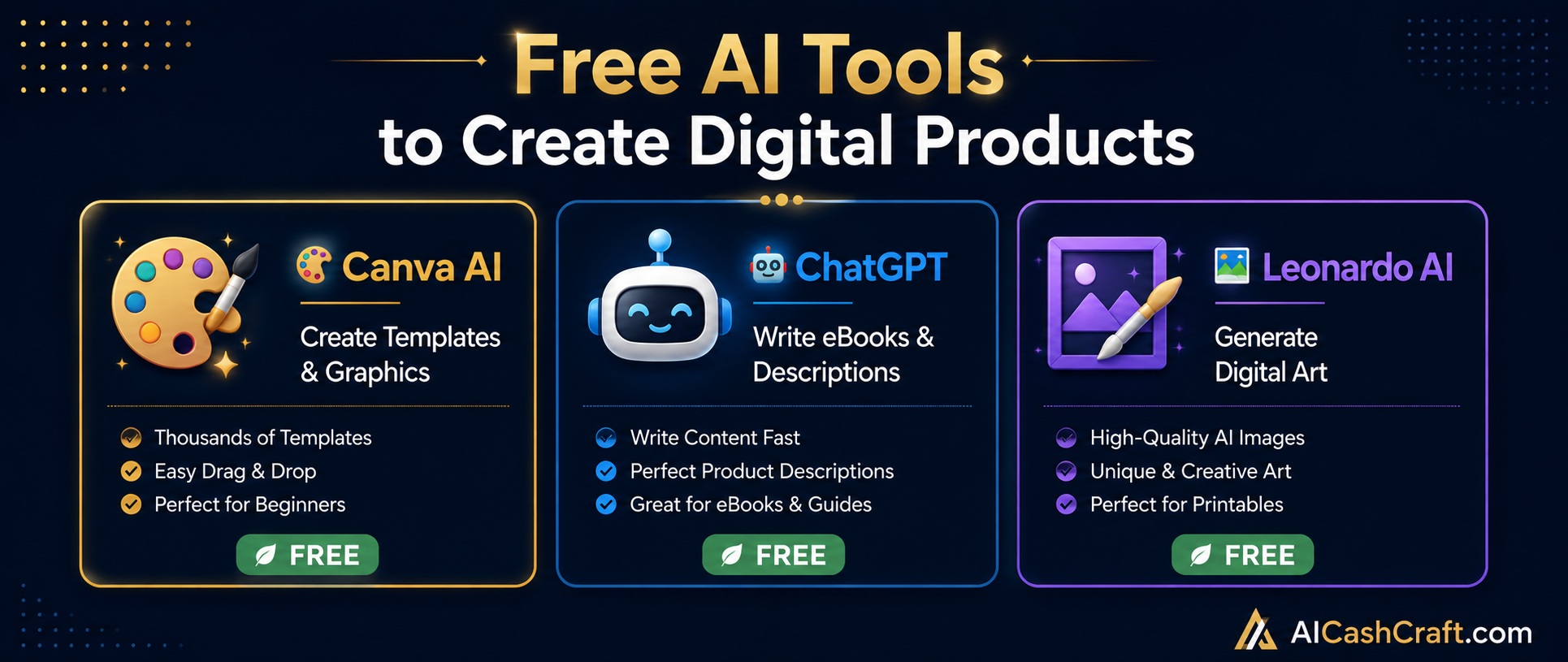
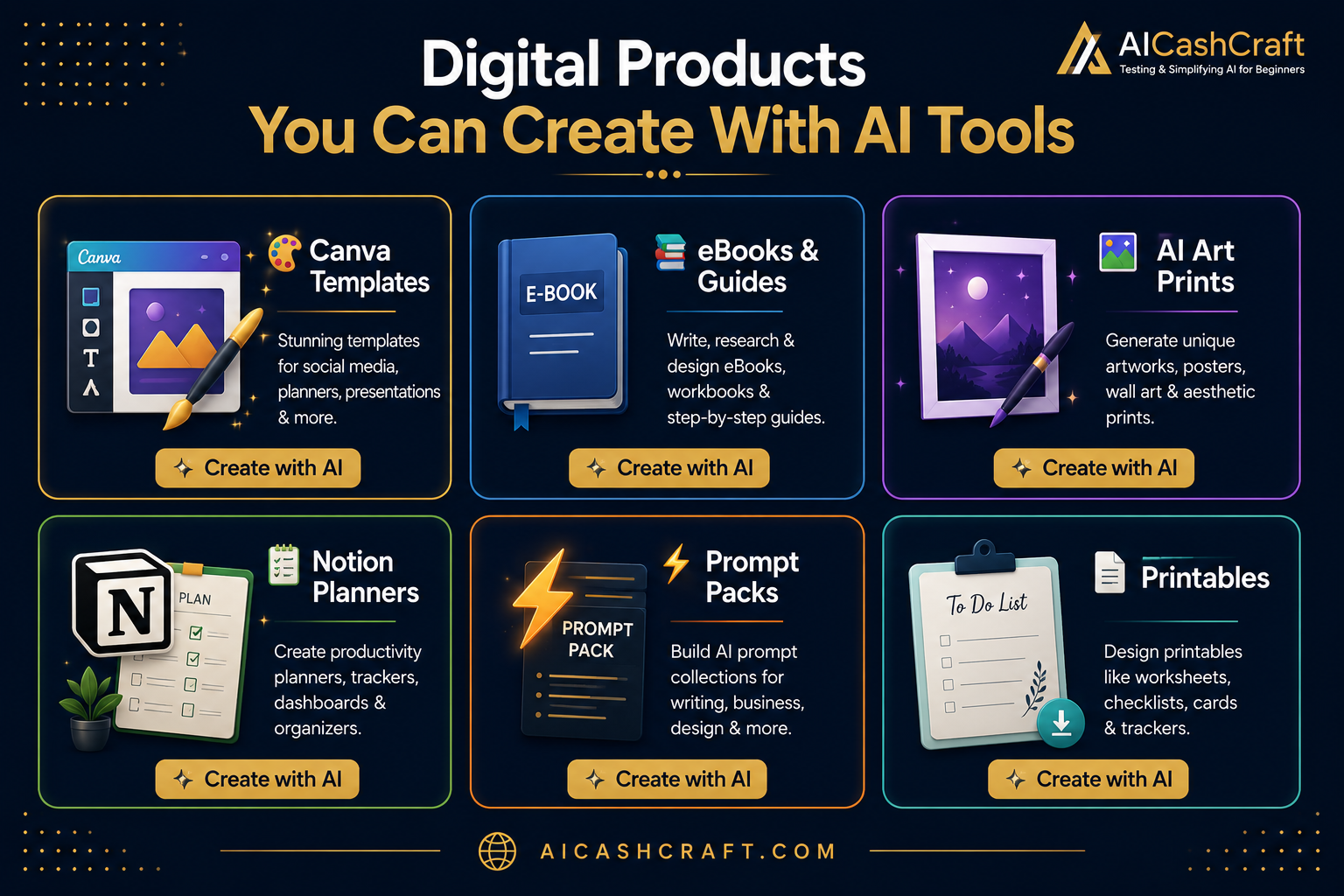
🎨Canva TemplatesSocial media posts, business card sets, presentation slides, planner pages. Created with Canva AI — editable by buyers.Easiest to Start
📚eBooks & GuidesHow-to guides, beginner tutorials, or niche-specific information products. Written with ChatGPT, designed in Canva.Low Skill Needed
🖼️AI Art PrintsDigital wall art created with Leonardo AI or Midjourney. Sold as downloadable files on Etsy for home printing.Creative Option
📋Notion PlannersProductivity templates, content calendars, habit trackers built in Notion. Popular among students and freelancers.Growing Demand
⚡ChatGPT Prompt PacksOrganized collections of useful prompts for a specific niche — writing, design, business, or social media.No Design Needed
📄Printable WorksheetsGoal planners, budget sheets, learning worksheets. Designed in Canva — popular on Etsy for home and school use.Consistent Demand
💡 Beginner tip: Start with ONE product type. Canva templates are often the easiest starting point because Canva has thousands of base templates you can customize, and the learning curve is gentle for beginners with no design background.
🛠️ Step-by-Step — How to create and Sell Digital Products With AI Tools
1
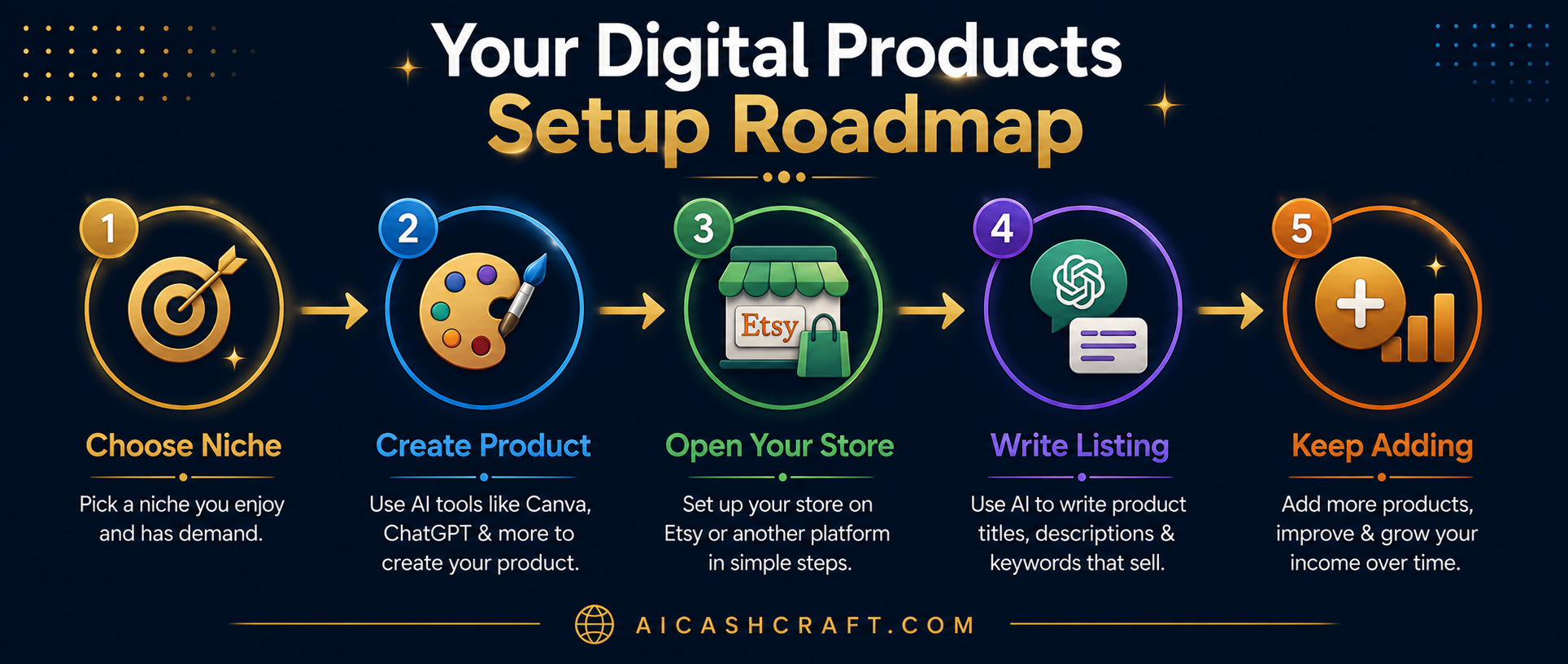
Choose Your Product Type and Niche
Before creating anything, decide what type of product you want to make and who it is for. A specific niche almost always performs better than a broad one — for example, “Instagram templates for food bloggers” is more focused than “social media templates.”
1Pick one product type — choose based on your current comfort level. Canva templates require no writing. eBooks require no design. Start with what feels most natural.
2Research your niche — browse Etsy or Gumroad to see what is already selling in your chosen category. Look for products with reviews — that indicates buyer demand exists.
3Use ChatGPT to brainstorm — ask ChatGPT: “Give me 20 specific digital product ideas for [your niche] that beginners can create with Canva AI.” This helps narrow your focus quickly.
Once you know what you are making, use AI tools to speed up the creation process. The key is to use AI as a starting point — then customize and refine the output to make it genuinely useful for your target buyer.
For Canva Templates:
1Open Canva AI — search for a template close to your product idea. Customize colors, fonts, and layout to make it your own. Avoid selling templates that are too close to Canva’s originals.
2Create 5–10 templates per product — bundle related templates together. A “Social Media Starter Pack” with 10 coordinated templates is more valuable than a single template.
3Make it easy to edit — use clear placeholder text and simple layouts. Buyers need to quickly understand how to customize the template for their own brand.
For eBooks:
1Create an outline with ChatGPT — use our free ChatGPT Prompt Generator to get structured writing prompts. Write chapter by chapter for better quality.
2Always edit the AI output — add your own examples, simplify complex sentences, and make sure the information is accurate. Never publish raw AI text without reviewing it carefully.
3Design in Canva — use a free eBook template for the layout. Add a cover page, table of contents, and consistent formatting throughout.
Canva AI ✓ FreeChatGPT ✓ FreeLeonardo AI ✓ FreeMidjourney $10/mo
Both Etsy and Gumroad are free to start and work well for digital products. Each has different strengths — choosing the right one depends on your product type and how you plan to attract buyers.
1Etsy — large built-in buyer community, especially strong for visual products like templates and art prints. Charges a small listing fee ($0.20 per listing) and transaction fees on sales. Good for discovery through search.
2Gumroad — completely free to start with no listing fees. Better for eBooks, prompt packs, and digital guides. Requires you to bring your own traffic — works well if you have a blog, social media, or email list.
3Start with one platform — do not split your attention between multiple stores in the beginning. Master one first, then expand later if it makes sense.
Etsy ✓ Free to joinGumroad ✓ Free
🎯 Not Sure Where to Start?
Use our free AI Side Hustle Generator to find the digital product idea that best matches your skills — with a simple action plan to follow.
A well-written product listing is one of the most important factors in whether buyers find and purchase your product. Both Etsy and Gumroad use keyword-based search — so your title and description need to include the words buyers actually type when looking for products like yours.
1Write a keyword-rich title — ask ChatGPT: “Write 5 Etsy product titles for a [your product] targeting [your audience]. Include relevant keywords buyers would search for.” Choose the most natural-sounding option.
2Write a clear description — explain exactly what the buyer gets, how to use it, and what software they need (e.g., “requires a free Canva account”). Clear descriptions reduce refund requests and confusion.
3Add relevant tags — on Etsy, use all 13 available tags. Use ChatGPT to generate a mix of broad and specific keyword tags for your product category.
4Use our free Blog Title Generator — our free AI Blog Title Generator can also help generate product title ideas quickly, especially for eBooks and guides.
ChatGPT ✓ FreeBlog Title Generator ✓ Free
5
Create a Product Mockup With Canva AI
A product mockup is a visual preview image that shows buyers what they are getting. Since digital products cannot be physically held or tried, a clear and attractive mockup is essential — it is often the first thing a buyer notices before reading your listing title or description.
1Search “mockup” in Canva — Canva has free product mockup templates for eBooks, templates, and digital downloads. Choose one that matches your product type.
2Add your actual product design — place a screenshot or preview of your product into the mockup template. Show the best, most useful part of your product clearly.
3Keep it clean and simple — avoid cluttering the mockup with too much text. Let the product speak for itself. Consistent colors and style across all your listing images look more professional.
Canva AI ✓ Free
6
Add New Products Consistently Over Time
One of the most common beginner mistakes is listing 2–3 products and then waiting for sales. Digital product stores typically grow gradually — more listings mean more opportunities for buyers to find you through search. Think of each product as a small, permanent asset in your store.
1Aim for consistency — adding a few new products each week is more sustainable than creating 20 at once and then stopping. Steady progress builds a stronger store over time.
2Improve based on what you learn — after your first few listings, look at which ones get views and which do not. Use that information to improve your titles, tags, and mockup images.
3Do not chase quick results — building a digital product store is a medium-term project. Most sellers see gradual improvement over weeks and months — not overnight results.
ChatGPT ✓ FreeCanva AI ✓ Free
⚠️ Common Mistakes to Avoid
❌ Selling templates that look like Canva’s defaults — buyers expect something unique and useful, not a slightly modified stock template. Spend time customizing your designs to make them genuinely different and more valuable.
❌ Publishing AI-written eBooks without editing — AI output needs careful review. Always check for accuracy, add your own examples, and make sure the content is actually helpful before selling it.
❌ Expecting fast results — digital product stores grow gradually. Most beginners do not make their first sale immediately — it takes time to build listings, get visibility in search, and earn early reviews.
❌ Trying to sell everything to everyone — a focused niche store with 20 related products performs better than a scattered store with 50 unrelated products across different categories.
💡 Practical Tips for Beginners
Use our free ChatGPT Prompt Generator to get structured prompts for product descriptions, listing titles, and eBook outlines — it saves time and produces more organized output.
Read the terms of service for every tool you use — Canva, for example, has specific rules about what kinds of templates can be sold commercially. Understanding these rules before you start saves problems later.
Study successful sellers in your niche before creating your first product — look at their titles, their mockup styles, and their product variety. Use this as a learning reference, not something to copy directly.
Price your products reasonably at first — starting with lower prices helps you get your first reviews, which are important for building trust with new buyers on platforms like Etsy.
Explore more income ideas in our AI Side Hustles guide — digital products are one of several approaches worth considering alongside other methods.
🚀 Ready to Explore Digital Products?
Use our free tools to find the right AI tools for your product type, discover income ideas that match your skills, and get expert ChatGPT prompts to help you get started.
Join the AICashCraft email list to get beginner-friendly AI tools,
blogging tips, digital product ideas, and AI side hustle strategies
directly in your inbox.
“`
“`
Free beginner AI tips + digital product ideas every week.
🎯 Final Thoughts — Take It One Step at a Time
Selling digital products with AI tools is a realistic option for beginners who are willing to invest consistent time and effort. The barrier to entry is lower than many other online income methods — but that also means more people are trying it, so product quality and good listing optimization matter.
The best way to create and sell digital products with AI tools is to keep your first product simple, improve it with feedback, and build your store slowly over time.
The practical starting path:
Pick one product type that matches your current skills
Create 5–10 products in a specific niche before opening your store
Write clear, keyword-rich listings with ChatGPT’s help
Add new products consistently over weeks and months
Learn from early data — improve what is not working
❓ Frequently Asked Questions — Selling Digital Products With AI
Can complete beginners sell digital products with AI tools?
Yes — but with realistic expectations. Beginners can use free AI tools like Canva AI and ChatGPT to create digital products without advanced skills. The challenge is creating products that are genuinely useful and well-presented. Starting with Canva templates is usually the most accessible entry point. Use our free AI Side Hustle Generator to find the best product type for your specific skills.
Which platform is better for beginners — Etsy or Gumroad?
Both have advantages depending on your situation. Etsy has a larger built-in audience and works well for visual products like templates and art prints — but charges listing and transaction fees. Gumroad is free to start and simpler to set up — but requires you to drive your own traffic. Most beginners starting with templates find Etsy easier for initial discovery. If you already have a blog or social media audience, Gumroad can work well from day one.
How long does it take to make a first sale?
This varies significantly depending on your niche, product quality, listing optimization, and platform. Some sellers make their first sale within days — others take weeks or months. Building a store with well-optimized listings in a focused niche generally produces better results than listing random products without keyword research. Setting realistic expectations helps avoid early discouragement.
Is it legal to sell products made with Canva AI and ChatGPT?
Generally yes — but always check the current terms of service for any tool you use, as policies can change. Canva allows commercial use of designs created on their platform, but has specific rules about selling editable templates. ChatGPT-generated content can typically be used commercially on paid plans. Always review platform-specific terms before selling, as policies may vary and update over time.
What is the best digital product for a complete beginner to start with?
Canva social media templates or printable planners are usually the most manageable starting points — both use Canva’s free plan, require no writing, and have consistent demand on Etsy. If you prefer writing over design, a simple how-to guide or prompt pack created with ChatGPT is another accessible option that requires no design skills at all.
Do I need to spend money to start selling digital products?
The core AI tools — Canva AI and ChatGPT — both have free plans sufficient for beginners. Gumroad is free to start. Etsy charges $0.20 per listing and takes a percentage of each sale, but requires no upfront fee. You can realistically start with close to zero upfront cost, though investing a small amount in a few Etsy listings is usually necessary if you choose that platform.
💰 Beginner Guide — Start Learning AI Income Tools Today You do not need to be a tech expert or have thousands of dollars to start exploring online income ideas. The right AI tools can help complete beginners learn useful online skills faster — and most of the tools in this guide are free to…
Artificial Intelligence (AI) is no longer just a trend-it has become a real opportunity to earn money online.In 2026,many beginners are using AI Tools to make $100 to 1000+ per month without advanced skills or coding knowledge. changing the way people work online. Today, many beginners are using AI tools to make money with AI…
⚡ Updated May 2026 — Beginner-Friendly Free Tools In 2026, millions of pieces of content are published every single day — and content creators who use AI tools are producing better content, faster, and building faster workflows than those who do everything manually. The best part? You don’t need to spend a single rupee or…
🌱 Beginner Guide — No Coding, No Tech Skills Needed Easy AI tools for beginners make it possible to start using AI without being a tech expert. Many of the best AI tools today are designed for complete beginners — you just type what you want, and the tool helps you create the result. No…
Artificial Intelligence tools are becoming essential for beginners who want to start online work. Whether you want to write, design, create videos, or earn money online, AI tools can make your work faster and easier.In this guide, we will explore the Top AI tools for beginners. These tools are easy to use, beginner-friendly, and can…
🎬 No Camera • No Face • No Experience Needed A faceless YouTube channel is one of the most beginner-friendly online content opportunities available today — and AI tools have made it genuinely accessible to complete beginners. No camera. No microphone. No video editing skills. No face on screen. This guide shows you exactly how…